Share via

Suddenly, Win 10 computer displays rainbow vertical lines when coming out of sleep mode

Anonymous
2017-12-02T16:52:14+00:00

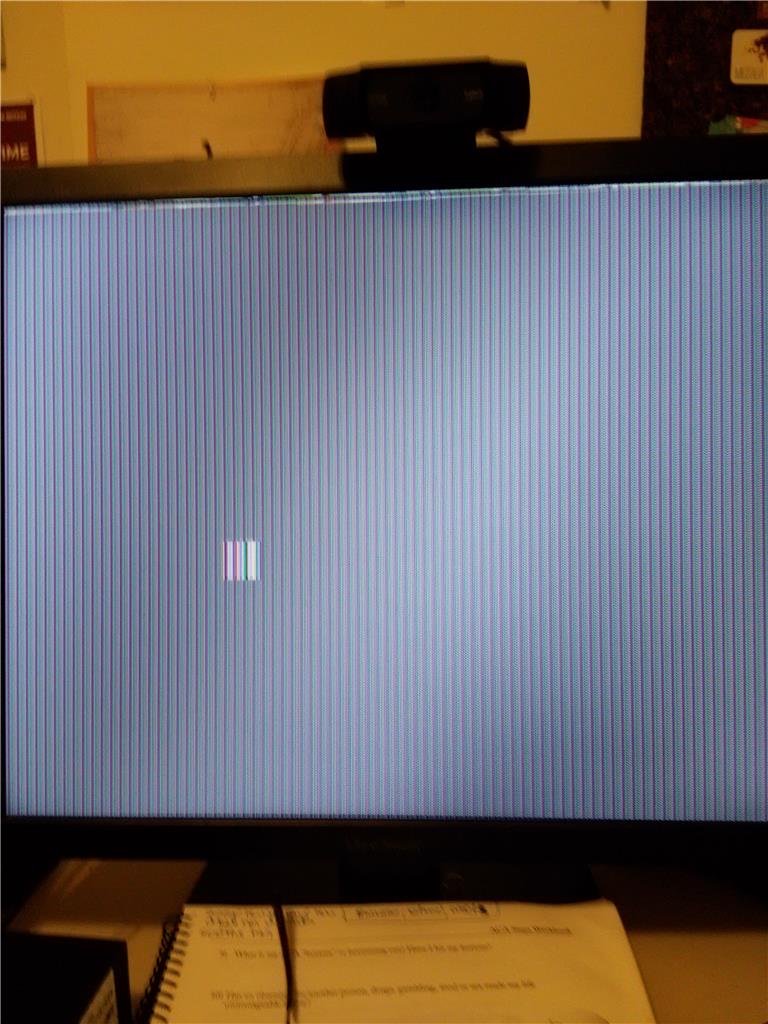
I have an Intel HD Graphics 530 card and Windows 10. After a Windows update yesterday (12/1/17), when I woke the computer from sleep mode, the screen had rainbow vertical lines and static. I could see a square within the window with the vertical lines as well that corresponded with my mouse.

The only way to fix the problem is to turn off the computer completely with the power button and reboot.

Here are the fixes I've tried:

  1. Called tech support company who logged onto my computer. When it came out of sleep, they could see my screen perfectly, though I had the static. They also tried updating drivers.
  2. Tried a different monitor, with the same result.
  3. Changed VGA cables, with the same result.
  4. Used the Windows 10 troubleshooter which found and fixed a corrupt database and reinstalled updates, with the same result.
  5. Tried turning off Sleep mode and tested Hibernate and auto display turn-off. Neither of those caused the problem, just coming out of sleep mode.
  6. Tried to roll back my video driver, but the option to do so was grayed out.

Here is an image of my screen. You can see the "mouse square" in the middle.
Can anyone help me fix this problem? If not, is it ok to just turn off sleep mode?

Thanks!

Susan

Windows for home | Windows 10 | Devices and drivers

Locked Question. This question was migrated from the Microsoft Support Community. You can vote on whether it's helpful, but you can't add comments or replies or follow the question.

0 comments No comments

5 answers

Sort by: Most helpful
  1. Anonymous
    2018-01-29T21:19:31+00:00

    Yes. But it's been so long, I'm not sure I remember what I did.

    I think I turned off the sleep mode entirely. But I must have reset it since then. However, I don't have the problem anymore.

    I turned off sleep mode since it was happening coming out of sleep mode. So maybe you could try that.

    Susan

    3 people found this answer helpful.
    0 comments No comments
  2. Anonymous
    2018-02-05T00:54:51+00:00

    Yeah, I did the same thing by turning off Sleep Mode. That's probably what triggers it. But I wish they would fix it so I can close my laptop and then open it and continue using it! But thanks anyway Susan!!

    0 comments No comments
  3. Anonymous
    2018-02-02T12:38:08+00:00

    Thanks Susan

    0 comments No comments
  4. Anonymous
    2018-01-29T21:14:09+00:00

    Hi Susan,

    i am experiencing the same issue. Did you end up getting your issue resolved?

    Thanks

    0 comments No comments
  5. Anonymous
    2018-01-10T18:42:42+00:00

    I have this exact same issue, just like you described; this started happening after a December update. The monitor only looks like this after coming out of sleep mode, with a black box for the mouse. I have to reboot using Cortana.

    I don't know if Microsoft tech support can really help. The update must have affected our video drivers or something... I'll let you know if I find a fix.

    0 comments No comments
