Share via

Could not connect to a wireless display

Anonymous
2018-01-14T16:36:39+00:00

Hi !

I recently bought the AnyCast M2 Plus because I want to mirror my Laptop running Windows 10 to my television.

I am able to mirror my tablet, my smartphone and a computer running Windows 8.1 to this television.

Unfortunately I am not able to mirror my Windows 10.1 Screen to the television.

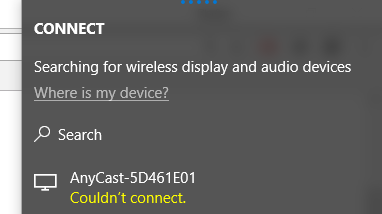
If I connect to a wireless display via Project or Connect option the error message "Couldn't connect." appears.
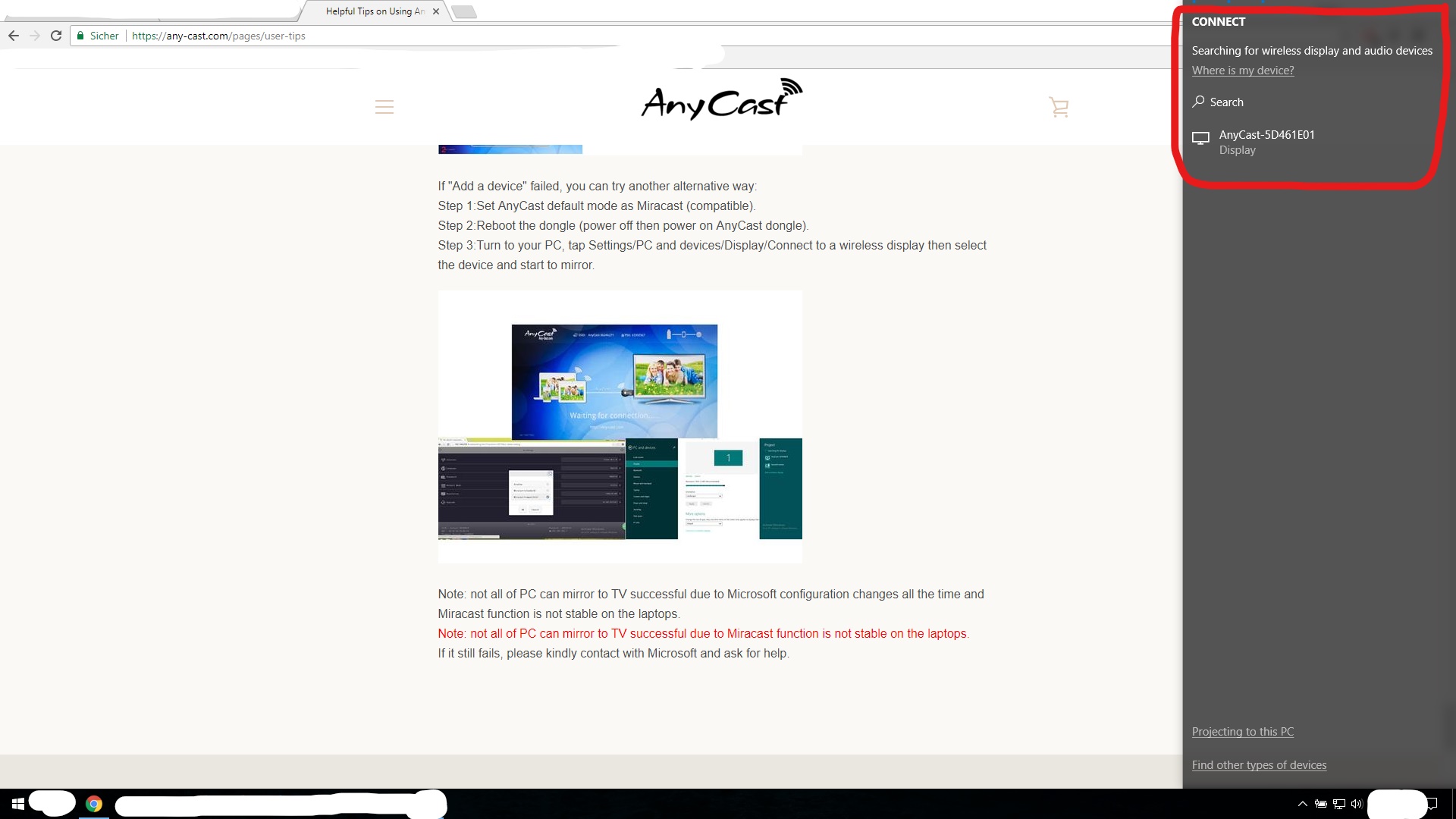
This is standing on the website of the manufacturer:

Note: not all of PC can mirror to TV successful due to Microsoft configuration changes all the time and Miracast function is not stable on the laptops.

Note: not all of PC can mirror to TV successful due to Miracast function is not stable on the laptops.

If it still fails, please kindly contact with Microsoft and ask for help.

What can I do to succesfully connect my Laptop to this AnyCast Dongle ? Thank you :)

Device: https://www.amazon.com/AnyCast-Receiver-Airmirror-Miracast-Notebook/dp/B00W3465FU

Installation Guide: https://any-cast.com/pages/user-tips

Info: Yes my laptop can find the AnyCast device
[moved from German forums]

Moved from: Windows / Windows 10 / PC Projection & Continuum

Windows for home | Windows 10 | Devices and drivers

Locked Question. This question was migrated from the Microsoft Support Community. You can vote on whether it's helpful, but you can't add comments or replies or follow the question.

0 comments No comments

Answer accepted by question author

  1. Anonymous
    2018-01-18T20:11:55+00:00

    Since Miracast is not supported by the graphics card driver, we recommend that you reach out with the manufacturer to check for an alternative or a workaround regarding this concern. You may also post a feedback regarding this through Microsoft Feedback Hub. To post your suggestion or concern, kindly follow the steps provided in this link.

    If you have further questions, kindly post back.

    5 people found this answer helpful.
    0 comments No comments

6 additional answers

Sort by: Most helpful
  1. Anonymous
    2018-01-16T06:33:33+00:00

    Hi !

    The drivers of which device should I roll back to an earlier version ?

    Greetings

    3 people found this answer helpful.
    0 comments No comments
  2. Anonymous
    2018-01-16T21:11:35+00:00

    Hi !

    I now found out why miracast is not working.

    Is there a way to fix this ?

    Greetings.

    2 people found this answer helpful.
    0 comments No comments
  3. Anonymous
    2018-01-15T14:41:49+00:00

    Hi !

    The web interface of the AnyCast M2 Plus says that the newest updates are already installed.

    It is very strange that every device is able to connect to AnyCast M2 Plus except Windows 10.

    Greetings

    1 person found this answer helpful.
    0 comments No comments
  4. Anonymous
    2018-01-14T19:50:25+00:00

    Hello,

    The driver of the AnyCast M2 Plus might not be updated for it to conform with the latest Windows version. We recommend that you install the latest driver from the manufacturer's website. If the issue persists, kindly uninstall, then reinstall the driver.

    Get back to us if the issue persists.

    1 person found this answer helpful.
    0 comments No comments
