*Update 02/22/2018*I found a site that i was able to download 3 version of drivers that should work with my SSD, but I am unable to install the drivers, for now, this is the site: win-raid drivers.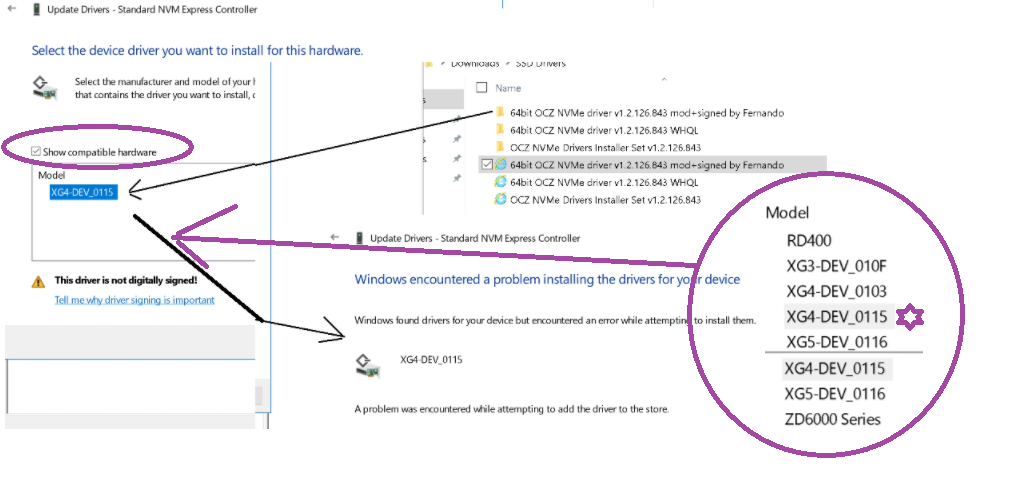 **** *update* 02/20/2018 - Specification of the boot timings:
Windows is installed on the the WD Spinning drive and copied as is to the SSD drive, The time of boot was measured and can be recreated:
22 seconds bot: Can happen only after
Shut down when the WD is the boot drive.
150 seconds boot: Can happen in 3 different settings:
- Restart: WD boot drive, Add 30 seconds to the reset to complete and windows will start to load, from that point to the pin code, 150 seconds.
2) Restart: SSD boot drive, Add 30 seconds to the reset to complete and windows will start to load, from that point to the pin code, 150 seconds.
- Shut down: SSD boot drive, will happen without special delay and to power up and get to the pin code, 150 seconds.
BCD store 150 seconds Reset BCD store 20 seconds Shut down BCD
store 20 seconds Shut down(SSD crash) BCD store 150 seconds Reset (fast boot disable)
*update* End -02/20/2018
**** Original post:
When SSD is connected to the M.2 slot, the laptop show normal situation in BIOS.
But at the moment a Windows 10 USB is connected, you can see the problem in DISKPART.
In a situation when continue to windows installation with the Phantom disks:

Do you have a solution for me, so ill be able to use my SSD in windwos 10?
**System:**Lenovo Y700-15ISK, Touch, UHD.
CPU: 6700HQ.
GPU: 960M 4GB.
Memory: DDR 4 2X8GB Dual channel.
Hard Drive: WD Blue WD10SPCX 1TB 5400 RPM 16MB Cache
SSD: Toshiba THNSF5256GPUK 256 GB PCIe M.2
BIOS version 54.
Windows 10 updated.
' cx='32' cy='32' r='32' /%3E%3Ctext x='50%25' y='55%25' dominant-baseline='middle' text-anchor='middle' fill='%23FFF' %3EA%3C/text%3E%3C/svg%3E)

