Same Problem here, performant PC, Fresh installed Win10 by its own fresh install tool (dont know its english name).
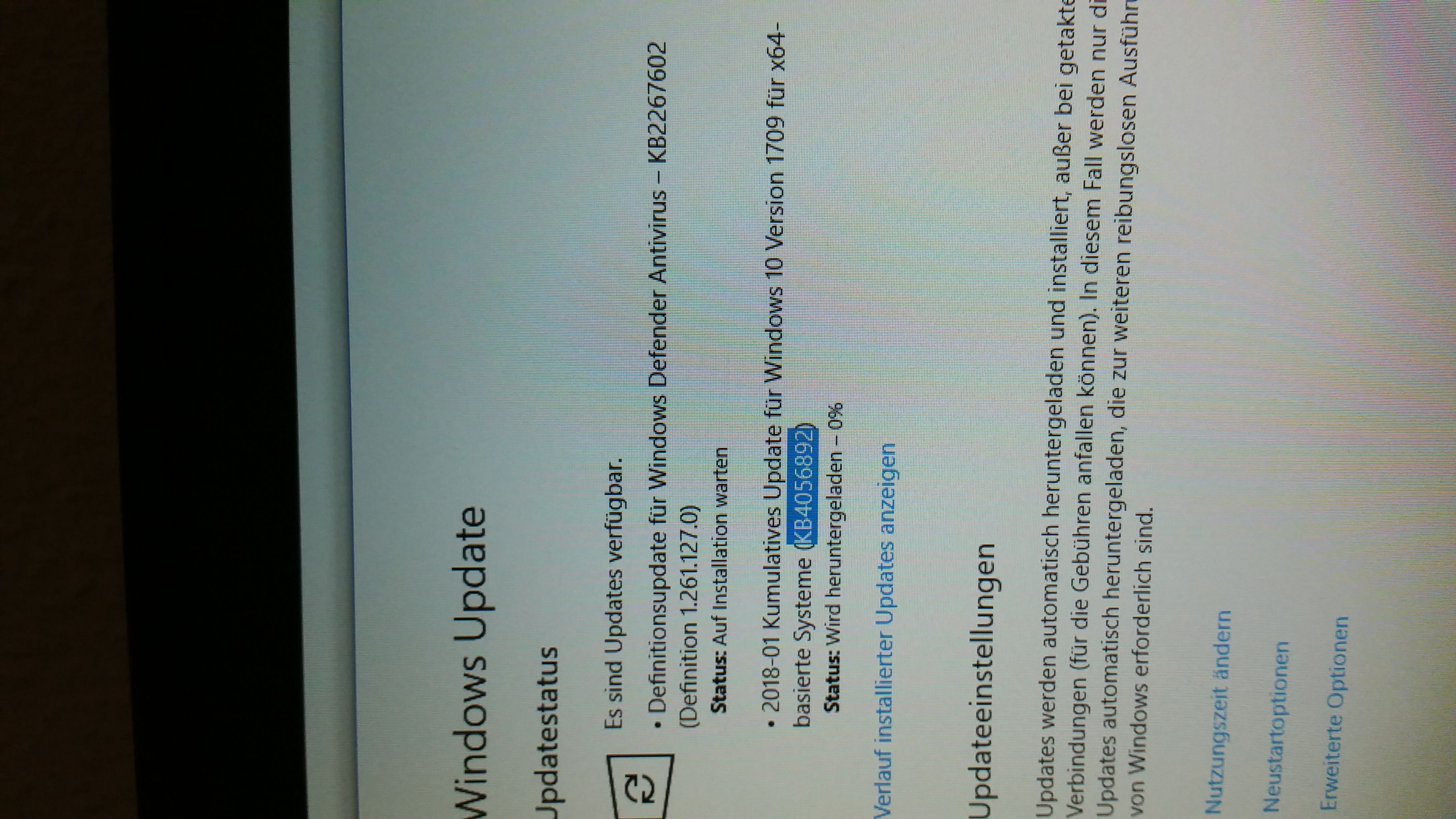
CBS.log growing until SSD is full, WindowsUpdate not able to install KB4056892 (hanging at 99%, ironically this patch should fix a bug with updates hanging at 99% after a fresh install with the windows tool).
update install error 0x8024000b,
win10 professional,
i5 3570k
16gb ram
edit:
might be worth to mention that i can't end Windows Update Service via Services.msc,
Error 1053: not responding.
CPU idling on ~33%, SSD writing 500KB - 6MB /s on average, no Network Traffic.
On shutdown, there is a high Chance of the System hanging while it is preparing Windows. I Let it run 4h without success.
edit2:
Possible Solution?
I manually downloaded
Update KB4056892, but was not able to install it since Windows Update Service was busy writing logs.
Then i restarted my Computer (reset) and started the update-installer right after booting into Windows, hoping to start it before the Windows Update Service started, and it worked! Problem
solved for me. Might work for others aswell.
Update Notes KB4056892: (January 3rd 2018)
Addresses issue where update installation may stop at 99% and may show elevated CPU or disk utilization. This occurs if a device was reset using the
Reset this PC
functionality after installing KB4054022.
greetings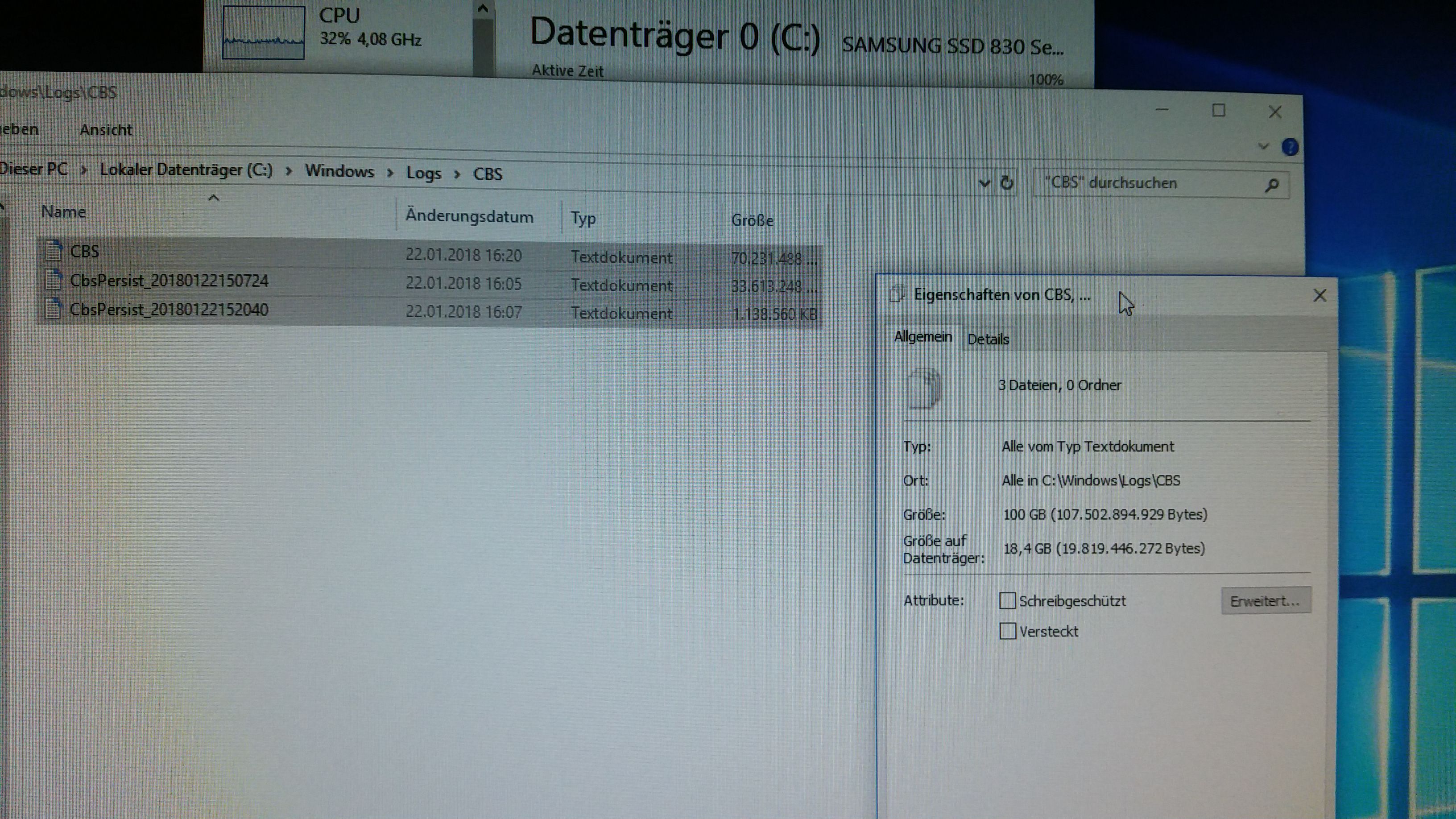
' cx='32' cy='32' r='32' /%3E%3Ctext x='50%25' y='55%25' dominant-baseline='middle' text-anchor='middle' fill='%23FFF' %3EA%3C/text%3E%3C/svg%3E)
