
Hi, again.
I tried all of that and still no luck. I think I need to just cut my losses!
Thanks for the advice anyway.
Regards,
Amy
This browser is no longer supported.
Upgrade to Microsoft Edge to take advantage of the latest features, security updates, and technical support.
' cx='32' cy='32' r='32' /%3E%3Ctext x='50%25' y='55%25' dominant-baseline='middle' text-anchor='middle' fill='%23FFF' %3EA%3C/text%3E%3C/svg%3E)
Hey, guys.
So I tried to do a clean install of Windows 10 because the current one I'm using was 'updated' and is now running 34 bit. I installed the MediaCreationTool from the Microsoft website and went through all of the steps.
The partition is there, I can see it in file manager. The download of Windows 10 is there, I can also see that in file manager (as an ISO file), but whenever I go to run the set up, I get the "This app can't run on your PC. To find a version for your PC, check with the software publisher" prompt.
After googling a few things and turning off a few settings, nothing has helped. I turned off my anti virus software, too. Even made a new administrator account but the same message keeps popping up.
Any help is greatly appreciated!
Thank you, muchly
Locked Question. This question was migrated from the Microsoft Support Community. You can vote on whether it's helpful, but you can't add comments or replies or follow the question.
Hi, again.
I tried all of that and still no luck. I think I need to just cut my losses!
Thanks for the advice anyway.
Regards,
Amy
Hi,
You could try the following methods:
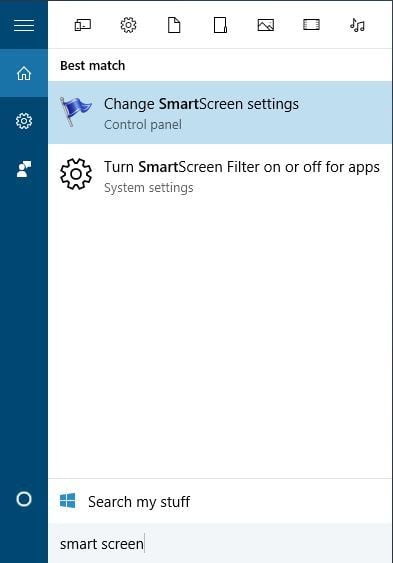
Method 1 - Disable SmartScreen
SmartScreen is a built-in Windows 10 feature designed to protect your from phishing attacks and malware. According to the reports, this feature can sometimes cause “This app can’t run on your PC” error, so it might be best that we disable it.
To disable SmartScreen do the following:
Method 2 - Enable App Side-loading
To enable app side-loading, do the following:

Should you need further assistance, feel free to post anytime.
Kind regards,
Leon
Hi, Leon.
Thank you for your reply.
I have checked and my computer is, in fact compatible with the 64bit version.
Any other suggestions?
Hi,
Firstly check the following:
Make sure Windows 10 64-bit is compatible with your PC.
A 64-bit version of Windows can only be installed on computers with capable hardware. As such, the first thing you need to do is to determine whether your computer has a 64-bit processor.
You can easily get this information from the Settings app.

If your CPU only supports 32-bit, then you will need to download a 32-bit version of the Media Creation Tool, and also create a 32-bit ISO with the Media Creation Tool.
Should you need further assistance, feel free to post anytime.
Kind regards,
Leon