Hi, I have spent around 10 hours or so on this so far and done everything recommended online including all of the steps in:
https://answers.microsoft.com/en-us/windows/forum/windows\_7-pictures/windows-7-hdmi-sound-not-in-playback/739334b6-4169-44a4-b2a1-b2b5793a987b
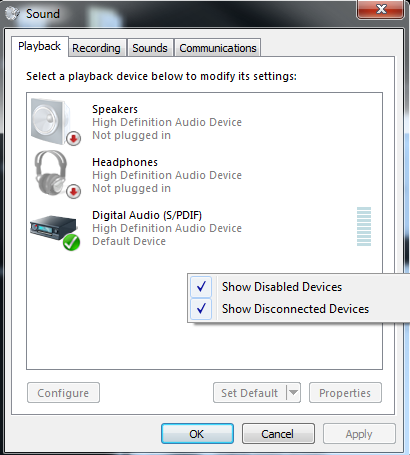
As you can see, my Panasonic TV does not appear in the playback list of my newly built computer, even with disabled/disconnected devices checked.
I have another computer which does show Panasonic TV there using the same cable, and I can verify that at the time of writing the sound works fine on the other machine. So this is not a TV/cable issue, it's an issue local to my newly built computer and new
installation of windows.
Just to confirm if I rightclick the 'digital audio s/pdif' icon above and press 'test' I hear no sound through the TV. Picture comes through fine on the TV it is just an audio issue.
It's also worth mentioning that I can hear sound through my headphones on the troublesome machine and when experiencing these issues they and no other devices were connected to any of the audio jacks on the computer. The HDMI is the only connected audio
device and it connects through the graphics card.
My spec is as follows:
- graphics card: NVIDIA 9800 GT.
- processor: intel i5-7600k.
- motherboard: gigabyte z270p-d3.
- windows 7 64bit
I firstly installed the high definition audio drivers directly from the gigabyte cd which came with the motherboard. This appears to have installed some software which pops open every time i plug in my headphones to prompt me 'what type of device did you
just connect'.
Secondly i did all of the windows updates and because my processor is apparently not supported by windows 7 it fails on the installation of KB4054518 and KB3150513 as well as 2 or 3 security updates. I am not sure how relevant this is to the sound issue?
On a side-note I would prefer not to get windows 10 as the last time I used it it would automatically shut down to install updates even if I was in the middle of some unsaved work, and my work requires my computer to run uninterrupted 24/7 which didn't appear
to be possible in windows 10.
Thirdly I attempted to install the latest NVIDIA drivers directly from their website and after all of these steps sound still does not come through to the TV.
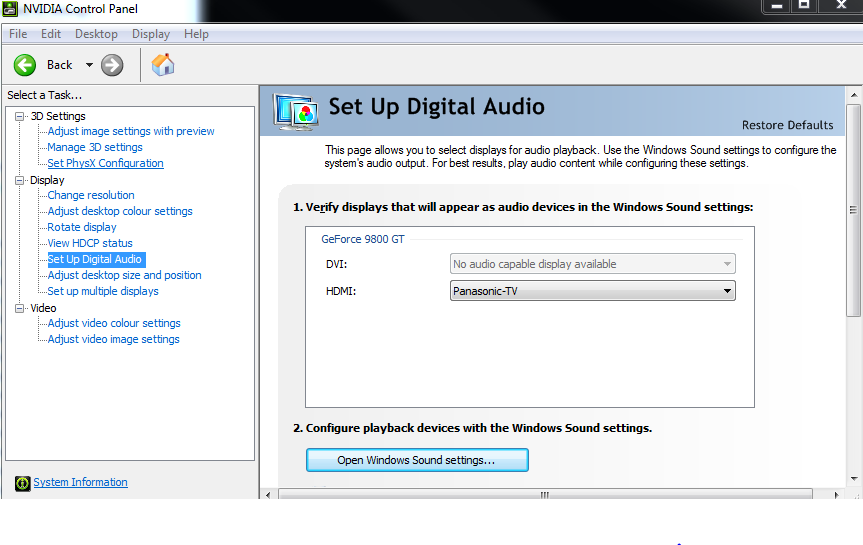
Interestingly, in the NVIDIA control panel (I think this came with the NVIDIA drivers) it appears to detect 'Panasonic-TV' as a connected device.
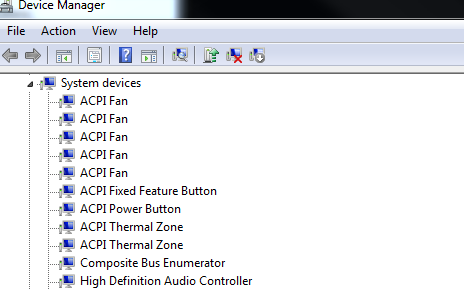
Note that the High Definition Audio Controller in the device manager is 'enabled'.

And so is the High Definition Audio Device.
I have also tried every possible combination of turning the computer on and off again with and without the TV off or on and it doesn't seem to make any difference.
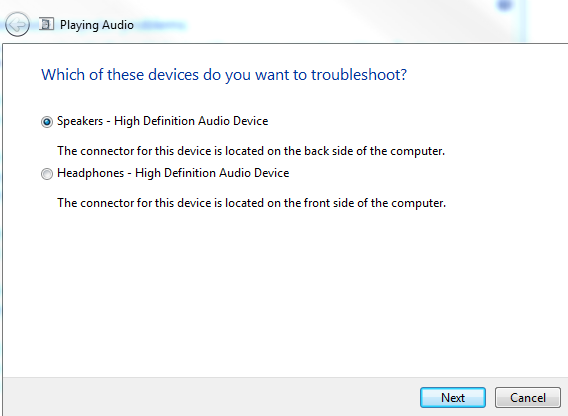
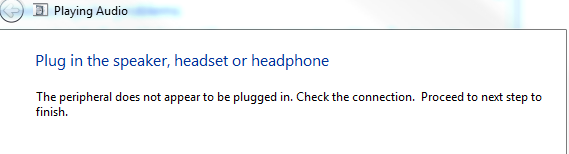
If I run the troubleshoot playback devices these are the only two options I get. I'm guessing a third option for hdmi should appear here? either way none of the options help and the next step for the speakers shows:
' cx='32' cy='32' r='32' /%3E%3Ctext x='50%25' y='55%25' dominant-baseline='middle' text-anchor='middle' fill='%23FFF' %3EA%3C/text%3E%3C/svg%3E)
