First I will walk you through what I am trying to do with pictures and then you tell me what I need to do to get what I want.
So, I want to delete a file. Let's use this as an example:
I open File Explorer, search for let's say... "AllJoyn" files to delete because I don't want or need this on my computer.
When the search is done I select a file to delete. How about the router itself.
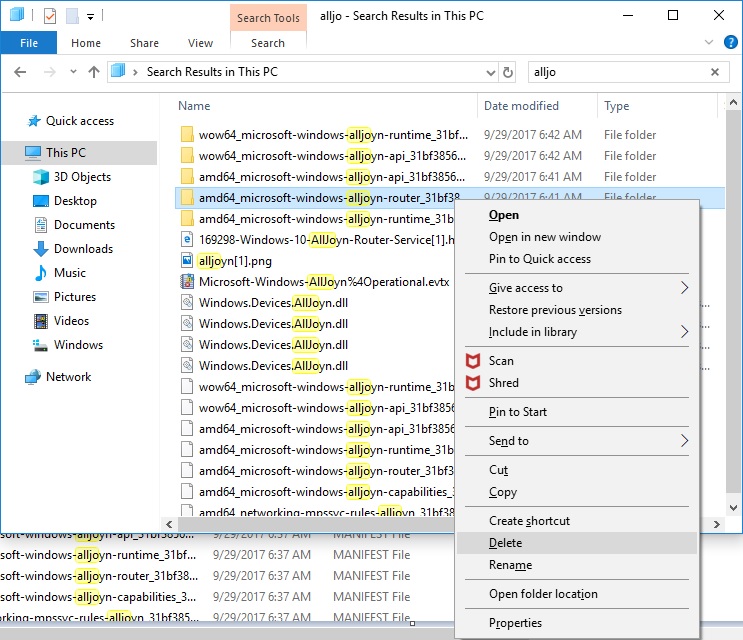
I click "delete" and this error messages pops up
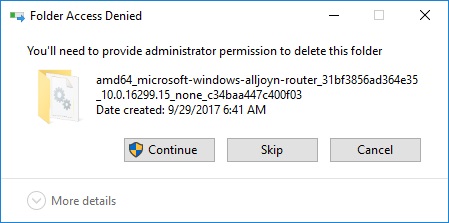
Okay... I went through this before when trying to remove "OneNote" and "OneDrive". I followed all helpsite directions but I wasn't able to actually get real permission to delete items through File Explorer although I could remove items through REGEDIT. Well,
for examples sake, I will walk you through this process.
I press "Continue" on the error message anyways because yes, I am the "trustedinstaller" and the sole owner and account administrator on this PC.
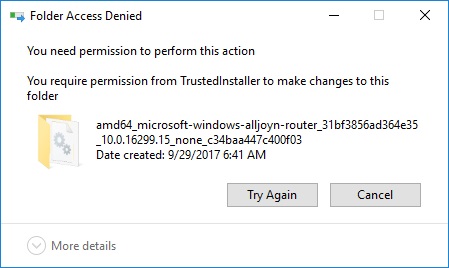
New error message says
I needed help at this point when I initially went through this and these websites were my source of directions
https://winaero.com/blog/how-to-restore-the-trustedinstaller-ownership-in-windows-10/
https://winaero.com/blog/how-to-take-ownership-and-get-full-access-to-files-and-folders-in-windows-10/
So, to change permissions I right click "AllJoyn Router" and choose "Properties" and then the "Security" tab.
As you can see, the permissions box shows that TrustedInstaller has full permissions and control on this file.
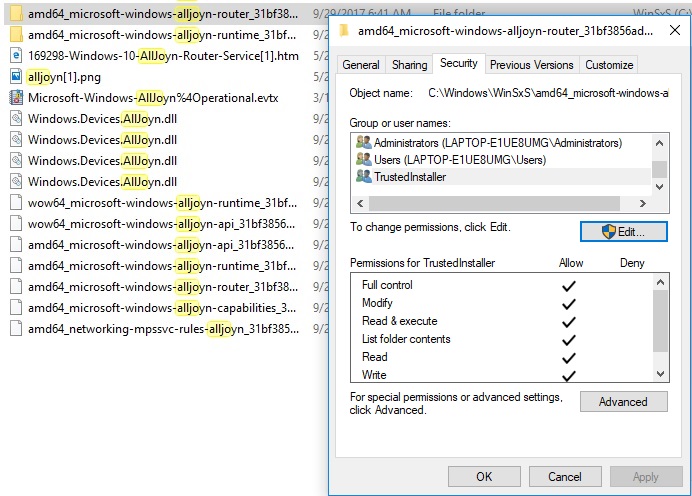
To change this permission for full control I must go to "Advanced"
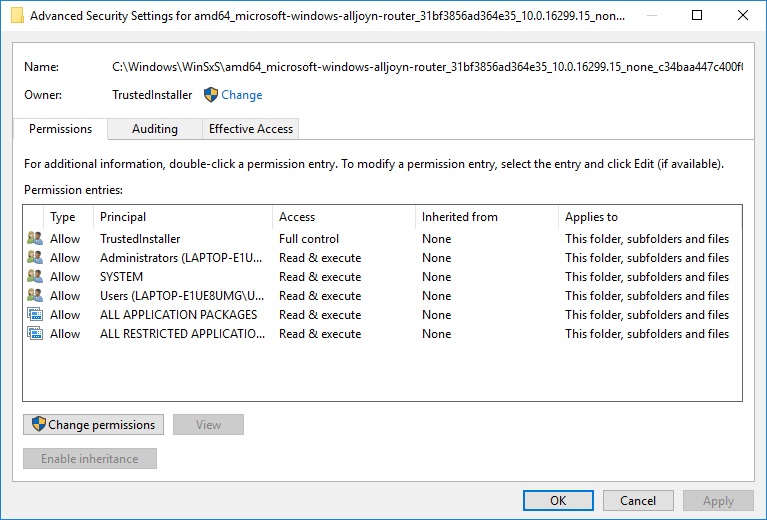
As you can see, the owner of this file is alrea dy the trusted installer. But never mind that because the computer tells me that I need to change permission to the trustedinstaller in order to delete the item. So,
onward I go anyways following the help directions to get the correct permissions.
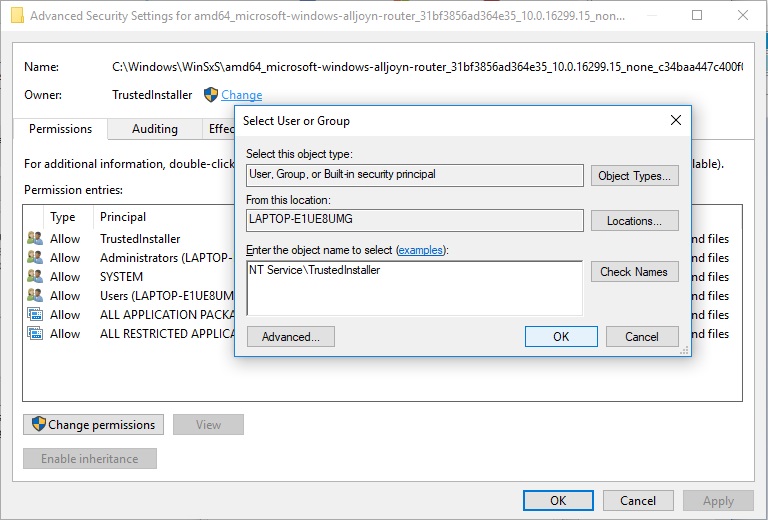
I press the "Change" link next to the Owner: trustedinstaller line and enter "NT Service\TrustedInstaller" into the empty box and then press "OK".
The Advanced Security Settings window has changed with some new buttons and a box to check.
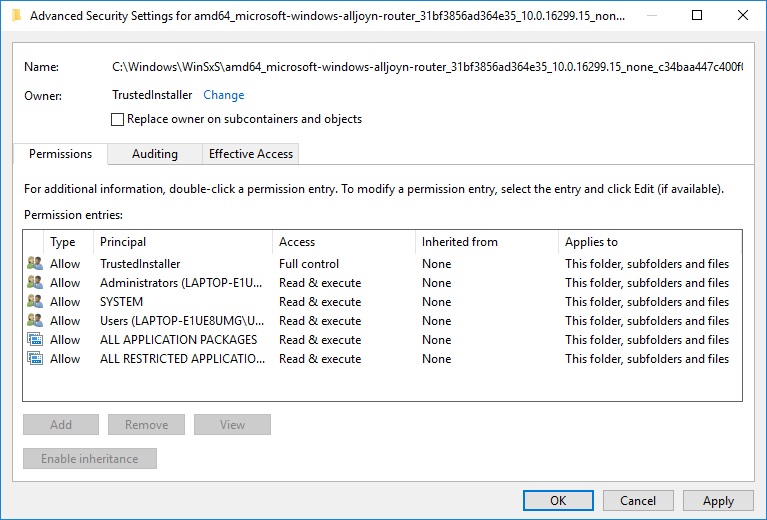
The "Change Permissions" button was replaced with "Add" and "Remove" buttons, but they are faded out and unclickable.
The new check-box says "Replace owner on subcontainers and objects". I'm guessing that is the last and final confirmation step to enforce the change of permissions to TrustedInstaller once and for all.
So I click that box and press the "Apply" button. (the website says to press OK and you're done, but not really, that doesn't work)
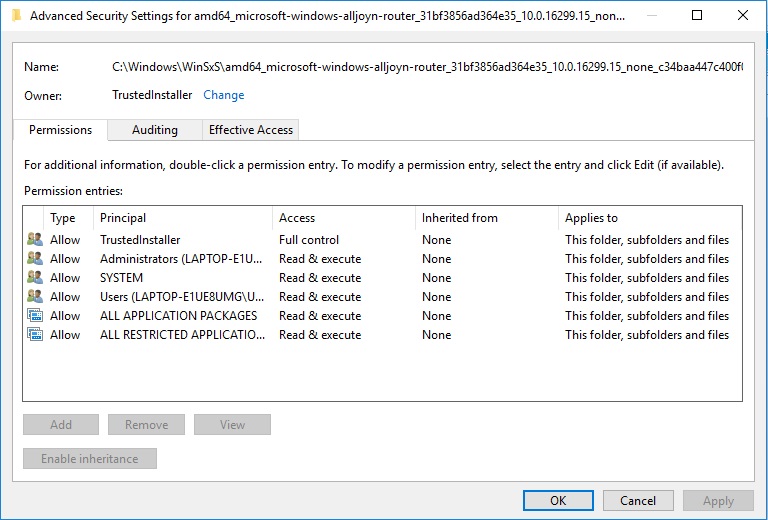
And then I press the OK button and I am returned to "Properties>Security" window.
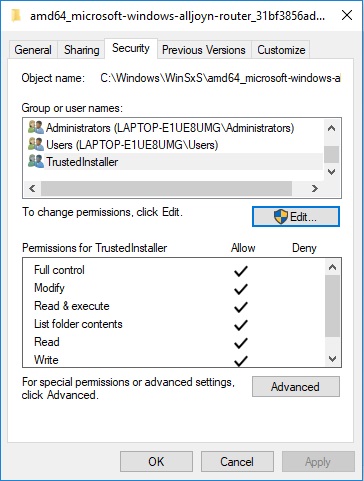
Nothing has changed here so I press "OK" and return to File Explorer to try and delete "AllJoyn Router" off my computer.
It's the same pop-up with the same statement as before "You'll need to provide administrator permission to delete this folder." with 3 buttons: "Continue", "Skip" and "Cancel". Well, I am logged in on this computer as the administrator and there are no other
profiles with access to my windows account, so yes, I should press "Continue", so I do.
And yes, the same error message as before "You need permission to perform this action"
"You require permission from TrustedInstaller to make changes to this folder"
Very frustrating. The helpsite directions seem to make no effect towards permission change.
I am guessing that although I am the account administrator and sole owner and operator of this PC I am still not in control of the editing of program files on this PC because that permission is given to "trustedinstaller". How do I login on my PC as the
Trusted Installer so that I can make changes?
' cx='32' cy='32' r='32' /%3E%3Ctext x='50%25' y='55%25' dominant-baseline='middle' text-anchor='middle' fill='%23FFF' %3EA%3C/text%3E%3C/svg%3E)
