I tried Microsoft Chat Support first and they were completely unhelpful. Their sole solution for this was to continue to do an in place upgrade install that would erase all of the programs on the computer. So, I am hopeful that the Community can help.
We have a Windows 10 computer (came from HP with Windows 10 on it). It would not get online via wireless or ethernet. Tried the following:
- netsh int ip reset
- statically assigned IP address
- revert back to dynamic
- netsh advfirewall reset
- disabled firewall
- netsh winsock reset
- sfc /scannow
- dism /online /cleanup-image /restorehealth
None of the above worked. We even saw one thread that said you needed to input a registry value for IPv6. Did not work.
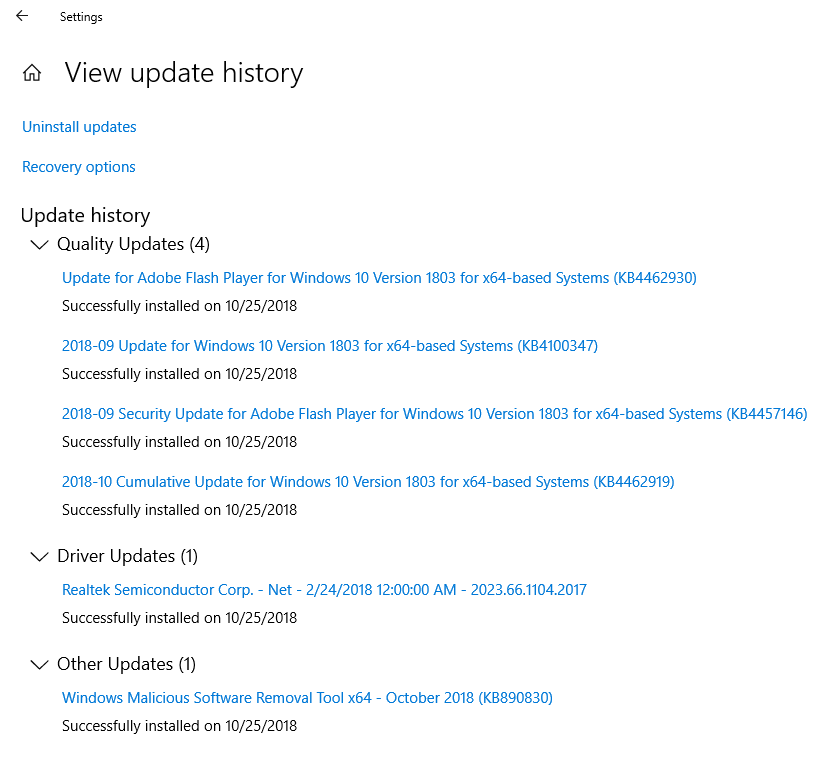
We have a Windows 10 CD. So, we did an in place upgrade reinstall (keeping programs and files). When it was finished, that worked. We were online and all was working fine again. Then it downloaded Windows Updates: KB4462930, KB4100347, KB4457146, KB4462919,
KB890830 and a Realtek Driver update 2023.66.1104.2017. See image below.
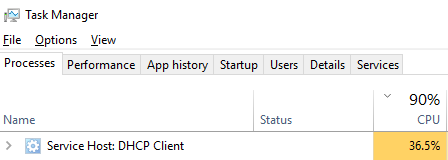
After the restart, it would not get online again. Plugged ethernet cable in and tried. Disconnected and tried wireless. The DHCP Client pegs out. See image.
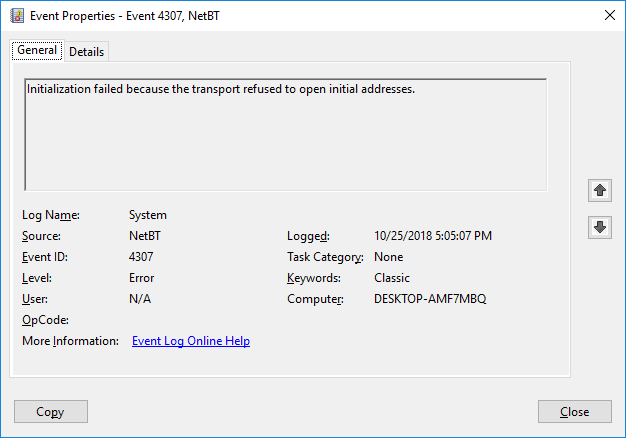
Also, in the Event Viewer, we get a NetBT Event 4307 "Initialization failed because the transport refused to open initial address". See image.
Did an in place upgrade install again. Once again, it was fixed and online. Set a restore point. Went online and it downloaded the same updates again, because the in place upgrade reverted the system. Restart. Will not go online again. Tried system restore
to before Windows updates. Still will not get online.
I tried Microsoft Chat Support and they want me to do an In-Place Upgrade Custom Install that will erase all of my applications. In my opinion, reinstalling Windows and removing all of the applications is NOT a fix. Since I have very specific information
on the error and what exactly is producing the issue, I feel that I should have a single fix or solution.
I am hopeful that someone in the Microsoft Community has had this problem and has a fix other than an In-Place Upgrade Custom Install. If I do not get a solution, my final option is going to be to use the Microsoft Update Blocker, do an In-Place Upgrade
Install (keeping all files and applications) and simply block those updates. But that is not preferred.
Any insight would be greatly appreciated.
' cx='32' cy='32' r='32' /%3E%3Ctext x='50%25' y='55%25' dominant-baseline='middle' text-anchor='middle' fill='%23FFF' %3EA%3C/text%3E%3C/svg%3E)
