' cx='32' cy='32' r='32' /%3E%3Ctext x='50%25' y='55%25' dominant-baseline='middle' text-anchor='middle' fill='%23FFF' %3EKE%3C/text%3E%3C/svg%3E)


Hi @Kartheen E
SMB signing and security signatures can be configured for the Workstation service and for the Server service. The Workstation service is used for outgoing connections. The Server service is used for incoming connections.
When SMB signing is enabled, it is possible for clients that support SMB signing to connect and it is also possible for clients that do not support SMB signing to connect. When SMB signing is required, both computers in the SMB connection must support SMB signing. The SMB connection is not successful if one computer does not support SMB signing.
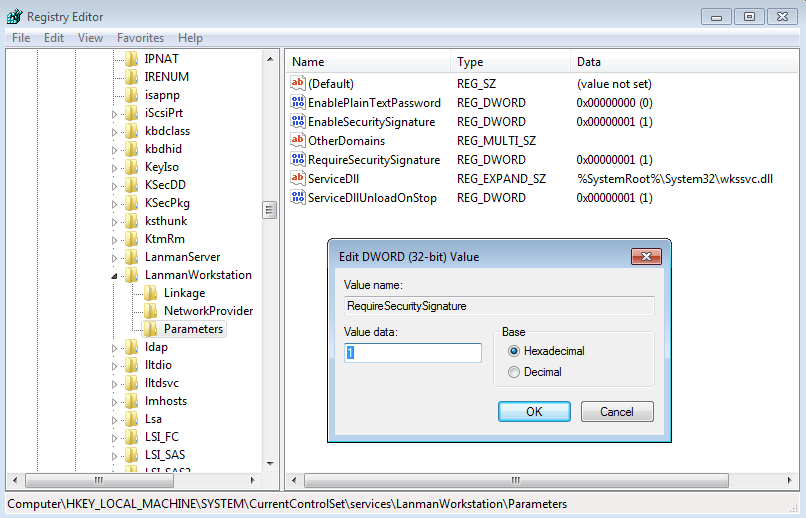
Policy is named "Digitally sign server communication (always)" and both map to the following registry key:
HKEY_LOCAL_MACHINE\SYSTEM\CurrentControlSet\Services\LanManServer\Parameters
Value Name: RequireSecuritySignature
Data Type: REG_DWORD
Data: 0 (disable), 1 (enable)
If the Answer is helpful, please click Accept Answer and up-vote, this can be beneficial to other community members.
' cx='32' cy='32' r='32' /%3E%3Ctext x='50%25' y='55%25' dominant-baseline='middle' text-anchor='middle' fill='%23FFF' %3EA%3C/text%3E%3C/svg%3E)