Azure Machine Learning
An Azure machine learning service for building and deploying models.
This browser is no longer supported.
Upgrade to Microsoft Edge to take advantage of the latest features, security updates, and technical support.
' cx='32' cy='32' r='32' /%3E%3Ctext x='50%25' y='55%25' dominant-baseline='middle' text-anchor='middle' fill='%23FFF' %3ECM%3C/text%3E%3C/svg%3E)
Hi,
I need some help trying to understand why I can't see any GIT options (left panel and top selection drop down menu) in my Azure machine learning JupyterLab.
I did the following steps:
 jupyter labextension install @jupyterlab/git
 pip install --upgrade jupyterlab-git
 jupyter serverextension enable --py jupyterlab_git
 jupyter lab build
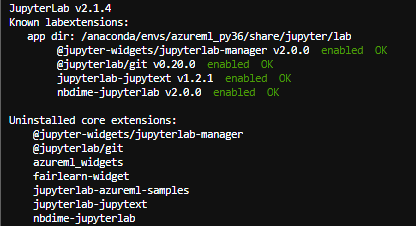
I've restarted my jupyterLab a couple of times, if I check the command:
jupyter labextension list
I get that @jupyterlab/git v0,20,0 is enabled and ok.
What am I doing wrong?
Thank you in advance,
Carla
An Azure machine learning service for building and deploying models.
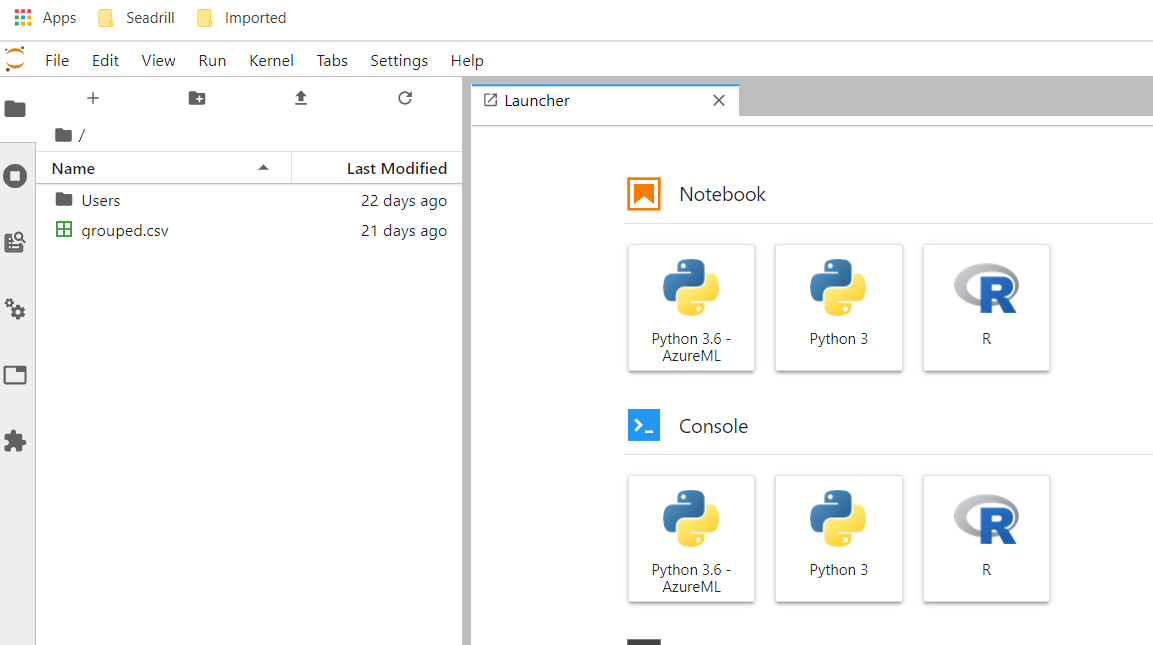
But I can't see any GIT extension

' cx='32' cy='32' r='32' /%3E%3Ctext x='50%25' y='55%25' dominant-baseline='middle' text-anchor='middle' fill='%23FFF' %3ERM%3C/text%3E%3C/svg%3E)
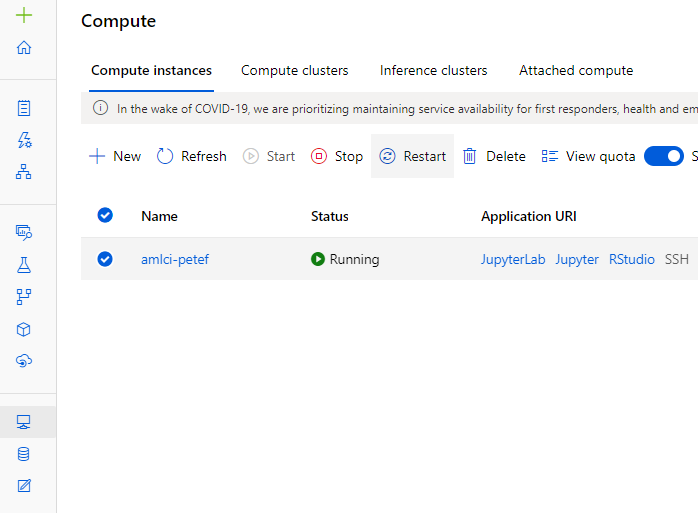
@CarlaFiadeiro-3395 could you please try from the UI as shown below for JupyterLab in ml.azure.com.

Hi @ramr-msft,
Thank you for the quick reply.
The second screenshot I added was from the Azure Machine Learning UI, I've just changed the theme to be black. Anyway I'm sending a new one with a white theme.
@CarlaFiadeiro-3395 You can still clone and manage git repositories using the command line. The JupyterLab git extension impacts the perfromance of JupyterLab given it's heavy use of the git status. It severely impacts the fileshare mount by issuing multiple metadata requests over the network. This can be mitigated by removing the extension using this command
jupyter labextension disable @jupyterlab/git
@CarlaFiadeiro-3395 Thanks for the details. Here is the link for git/github extension for jupyter lab. https://github.com/mauhai/awesome-jupyterlab
Hi @ramr-msft ,
Thank you a lot for the reply.
For the moment I'll use git CLI.
Once again thank you for the help.
Regards,
Carla
@CarlaFiadeiro-3395 We have checked with the product team and As per the confirmation this extension is removed as of March-2020 releases since it has been causing perf issues with fileshare storage. We will add it back in future once we fix perf issues. Current alternative is to use git CLI.
Hi @ramr-msft ,
I did the steps mention in the link you gave me (https://github.com/jupyterlab/jupyterlab-git) but still I can't open the Git extension from the Git tab on the left panel because it still doesn't exists.
You mentioned we can still manage git repositories using the command line. Do you have any useful documentation on this approach?
Once again, thank you in advance.
Carla
@Anonymous Thanks we have forwarded to the product team to check.
Hi @ramr-msft ,
Thank you for the reply and help.
Do you know when or even if the product team will get back with a reply?
Thank you,
Carla
@CarlaFiadeiro-3395 I will keep you update on this Jupyterlab git extension.
Other options you may like you can also connect VS Code Remote to Jupyter and use it’s git plugin.
In near future we are working on first class git repo support in new Azure ML Web Experience (ml.azure.com).

Carla, after you complete the steps you mentioned at the beginning of this thread, try restarting your Azure ML Compute and then open Jupyter Lab: