I have Windows 10 Home Version 1803 installed in my pc.
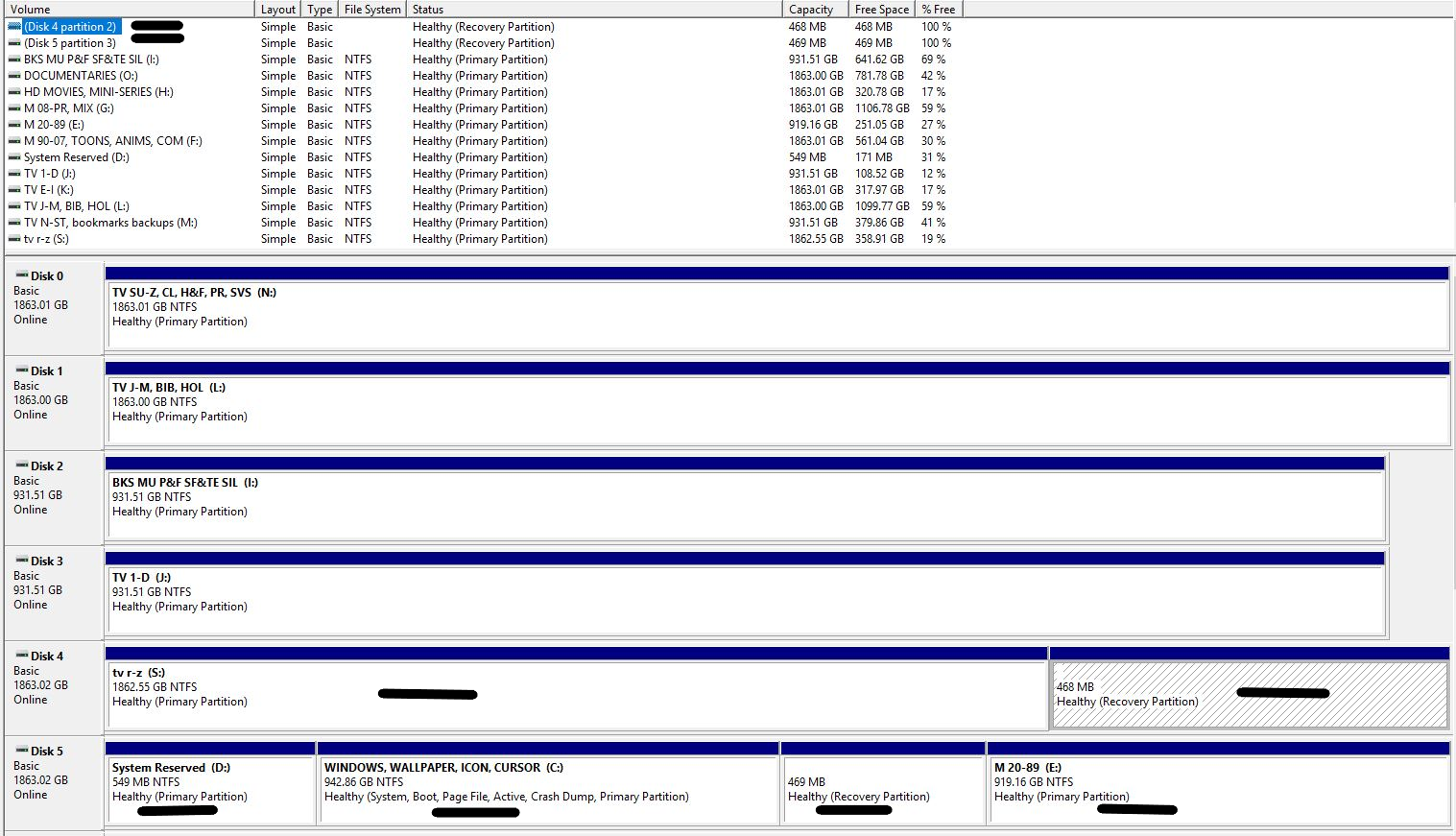
Windows is installed on Disk 5. Disk 5 contains my C drive and D partition that I created after Windows was installed. It also contains a partition named System Reserved which Windows created when I installed Windows and a partition named Recovery Partition,
which Windows also created when I installed Windows. It was a brand new hard drive, never before used, when I installed Windows on it. Windows won't allow me to delete either of these partitions/merge them with my C or D partitions. I don't understand why
I have both a Recovery partition and a System Reserved partition. Isn't the Recovery partition something that Windows 7 used to create? I never had Windows 7.
Also, on my S drive which Windows labelled Disk 4, there is also a 468Mb Recovery partition that Windows created. I don't understand why Windows created this partition on this hard drive. It has no system files on it. Windows didn't create a Recovery
partition on any of my other hard drive. All of my hard drives are WD Caviar Black, 1T and 2T.
I know that Windows 10 Home needs a System Reserved partition but can someone explain the reason for all these other partitions? They're so small in size that I'm not concerned about the room they're taking up on the hard drives but I especially am interested
in the reason Windows created a Recovery partition on my S drive. I tried to merge the partitions but Windows wouldn't do it. I then tried EaseUS Partition Manager and it couldn't merge the partitions either.
' cx='32' cy='32' r='32' /%3E%3Ctext x='50%25' y='55%25' dominant-baseline='middle' text-anchor='middle' fill='%23FFF' %3EA%3C/text%3E%3C/svg%3E)

