Share via

Windows 10 Version 1903 Has Multiple ERRORS & PROBLEMS - SEE Description For There Are To Many To LIST!

Anonymous
2019-07-04T17:39:21+00:00

Windows 10 Version 1903 has many problems that have been plaguing my computer at times. The FIRST on is the SAME ONE that constantly plagued me after installing Windows 10 Version 1809 to the point that I constantly rolled back to the WORKING version of Windows; Windows 10 Version 1803. Yet with Microsoft's STUPIDITY of forcing Feature Updates when a version is reaching its End of Support is warranting keeping this yet again FLAWED version of Windows 10 for I'll be forced to the Flawed Version soon enough & will be forced to DEAL with it if I want to keep my Computer getting Updates according to Microsoft Windows!

Here are all of the issues going on with Windows 10 Version 1903, the first one was a MAJOR issue in Windows 10 Version 1803 as well

1. Won't Login At Times

2. Won't Unlock If In Sleep Mode

3. Won't Hibernate/Enter Sleep Mode

4. Installers Won't Open/Work when open; they do nothing

5. Windows Explorer Freezes When Ending Unresponsive Tasks

THIS IS WHAT I DISCOVERED SO FAR!

*****

Going Further In-Depth With The Issues Above:

1. After Upgrading from Windows 10 Version 1903 not able to login to my computer at times (same issue was in Windows 10 Version 1809). When the issue occurred on Windows 10 Version 1809 I just would rollback to Windows 10 Version 1803 since it had not problems whatsoever but now that Version 1803 is reaching its ending of support for Updates and Microsoft is forcing Users to Upgrade to the Next Version (1903) I'm forced to keep this version of the FLAWED and Buggy Windows 10; Version 1903 with all of these errors and problems occurring.

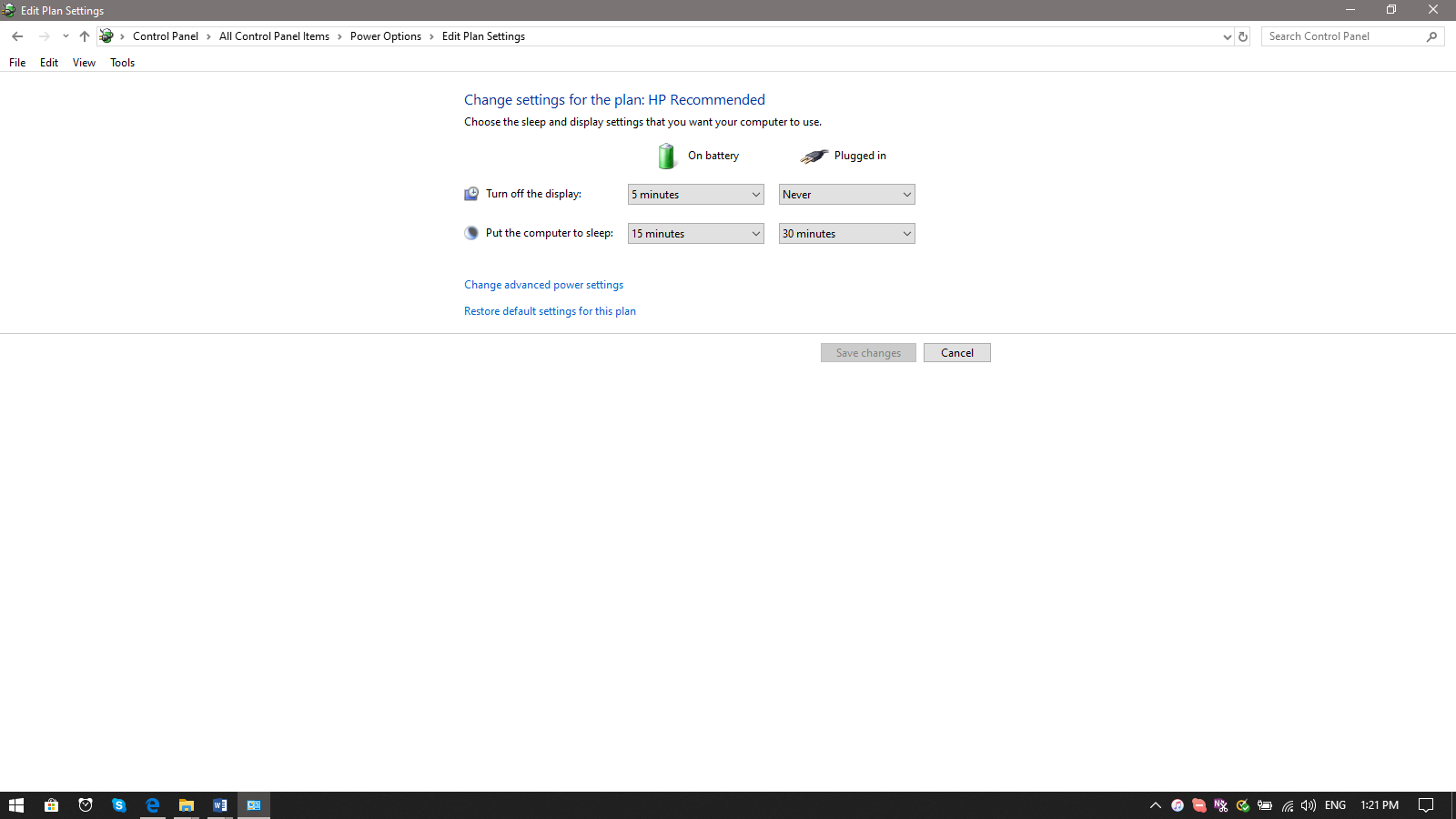
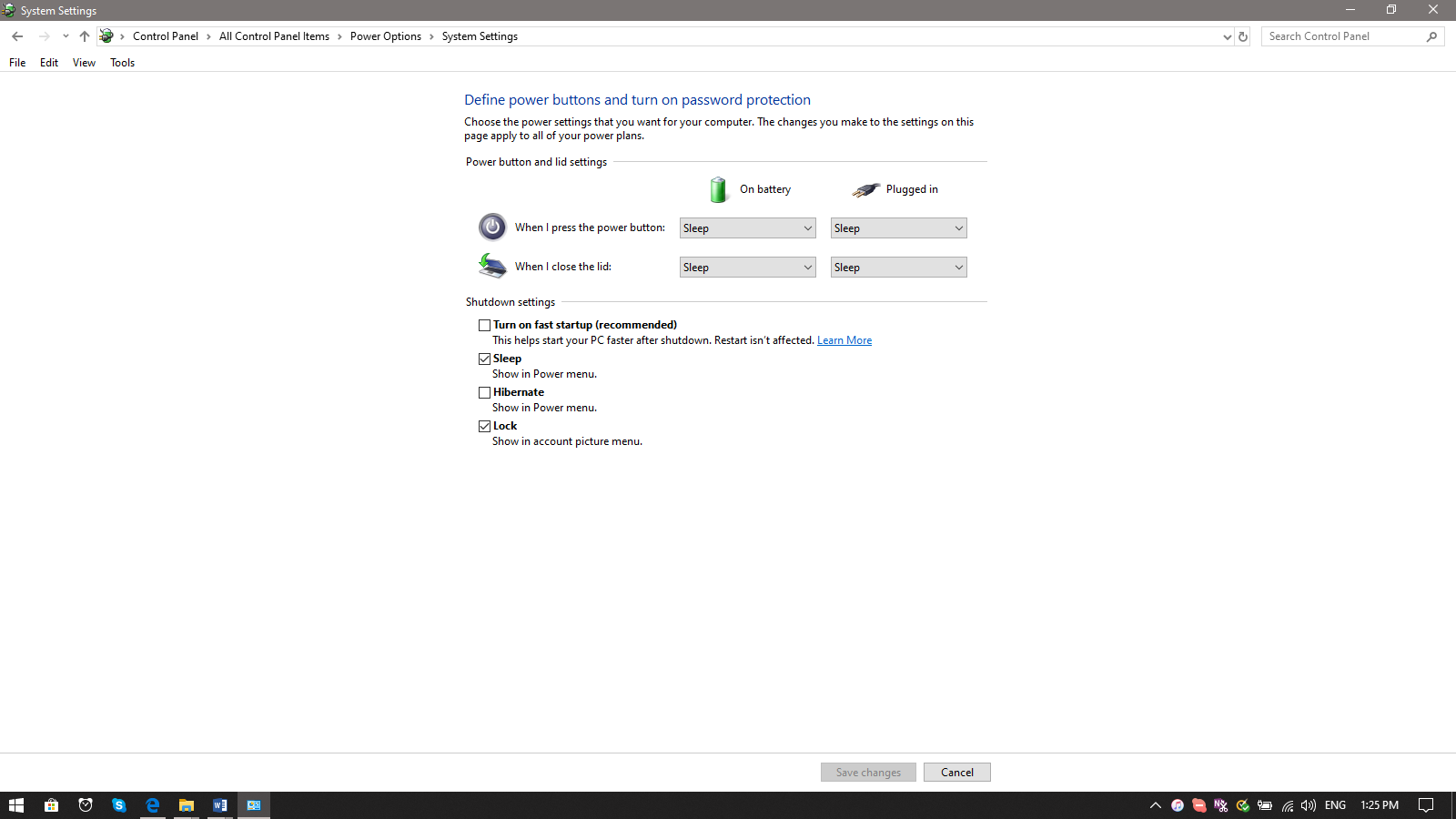
**2.**Windows 10 Version 1903 won't Hibernate and stays on even though Power Settings tell it to do so after 30 Minutes of inactivity. I used to have the Display turn off at 15 minutes but that also wasn't working in Windows 10 Version 1903 so I turned it off like it used to be off when my computer was still using Windows 7. (Note: I never had or upgraded to Windows 8 for in my opinion it was terrible and I didn't want that OS that I considered to be trash.)
3. Installers on Windows 10 Version 1903 won't open and if they open they don't work and just hang.

4. Windows 10 Version 1903 freezes (as in Explorer.exe) stops working if ending any task that isn't working including trying to run an Installer. The Folder that has the Installer in it is also not responding and is stuck to the desktop unless you press the Task Bar Option of Switching to the Desktop.

5. Windows 10 Version 1903 WILL NOT Shutdown when it is told to do so and it also won't do Restarts. It is requiring a Forced Shutdown. But then it won't login and if it allows you put in your Password it just spins with the "WELCOME" message doing nothing. It takes many Forced Restarts to get passed this before the Computer will Login. Then it is meet with the issues recorded above!

For issues 3, 4, & 5 I haven't been able to get Screenshots of because it is quite hard to get one when 3 and 4 result in Windows Explorer (explorer.exe) to stop working. And I haven't been able to get a Screenshot taken when the Computer is trying to Shutdown or Restart; and I haven't been able to get one with it spinning on the "Welcome" Screen.

*****

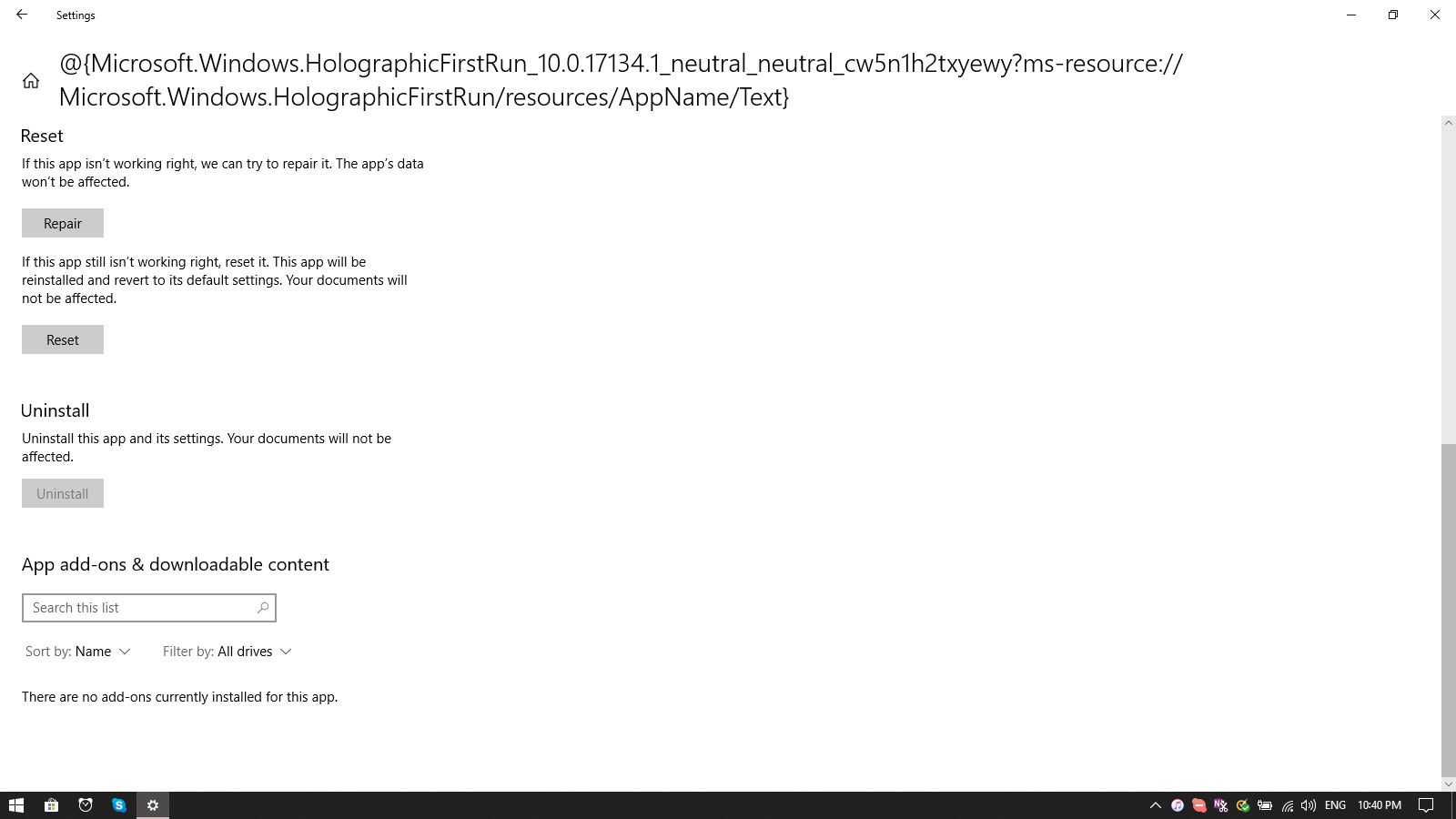
I've also still discovered that this program that was in Windows 10 Version 1809 that I suspected was causing the errors for not be able to login is STILL in Windows 10 and Microsoft has includes it in Windows 10 Version 1903 even though many people I have seen want to be able to remove it; it is still un-removable. I have seen and been using many computers that have been using Windows 10 Version 1809 and also now Version 1903 and many of them DON'T have this JUNK program yet my computer (which like many of those other computers is a Laptop) has it for some illogical purpose when I don't want it whatsoever.
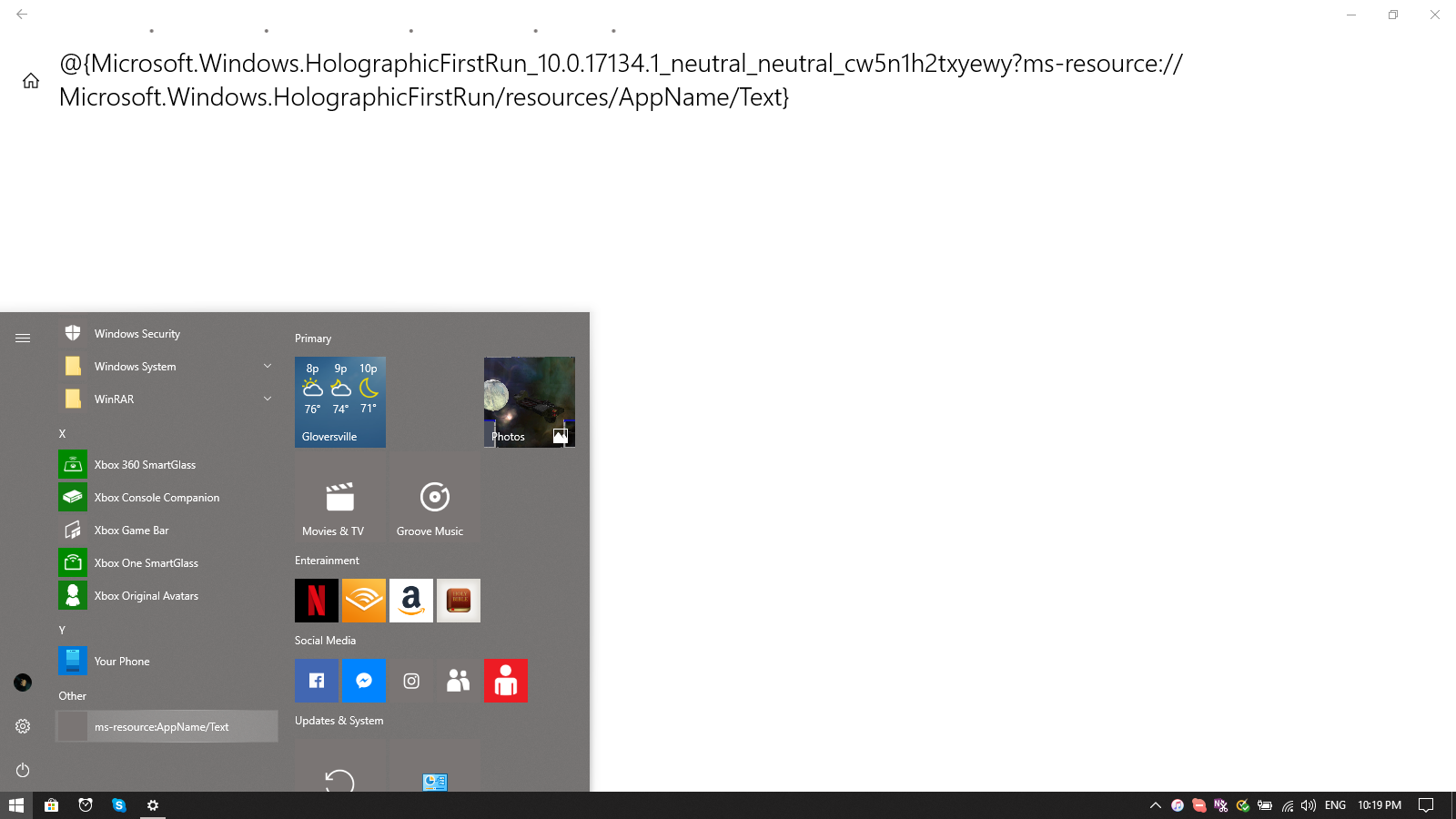
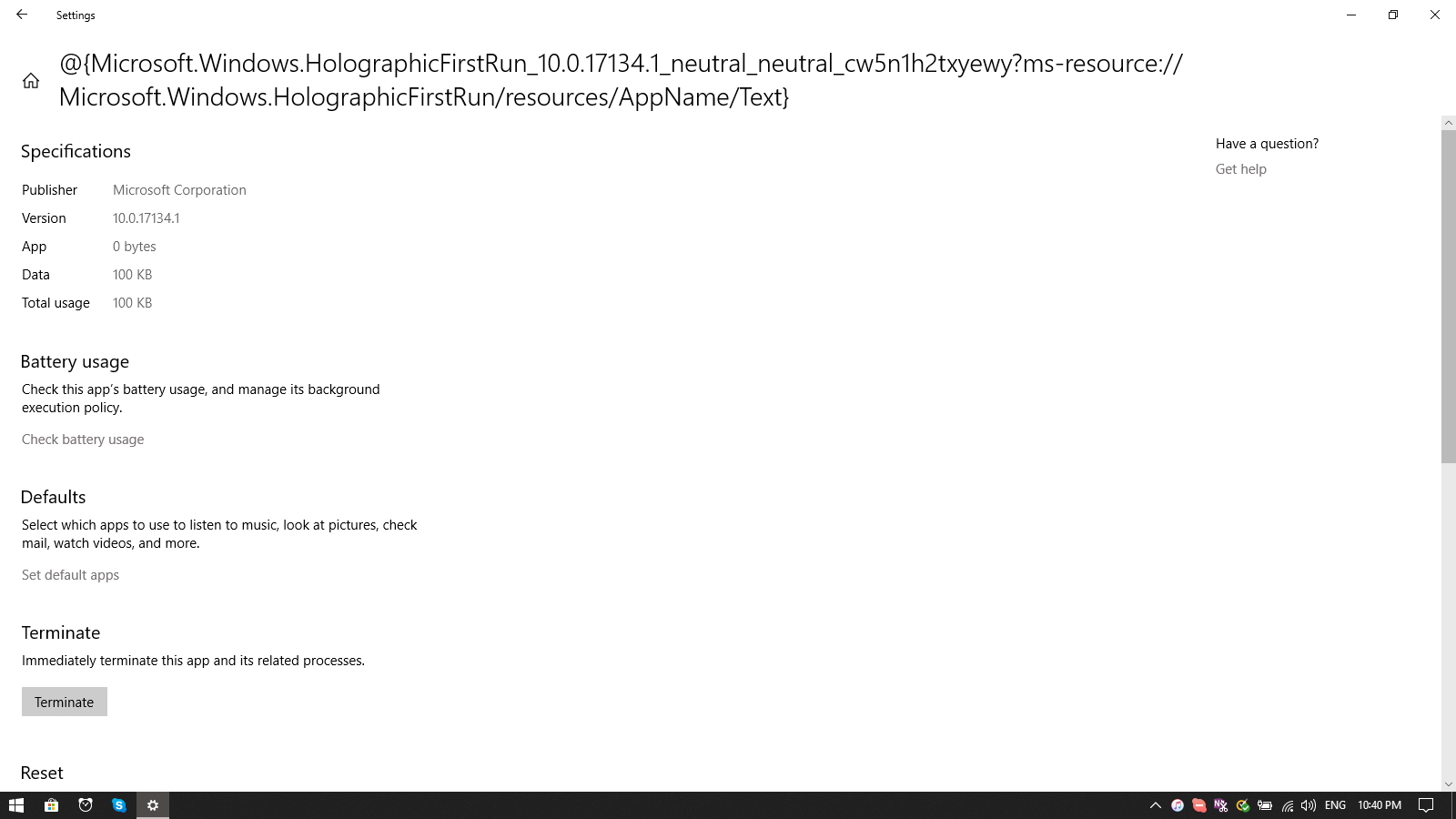
I have tried to remove it myself but it is 100% impossible to do and I have attempted to even disable it in Startup Programs but it doesn't show up with its name that it has. I have though been able to remove everything related to Mixed Reality Viewer and the 3D Viewer Program from my Computer which I didn't need or want anyways. Now I want this stupid thing gone as well and I want it gone FOR GOOD!

*****

Now everyone of these problems (1 - 5) I want FIXED NOW! I also want that Program I have shown in the second Section GONE as well!

The errors for 1 - 5 I have attempted to try and fix on my own and nothing has worked. They have still occurred in doing Clean Boots, and a Clean Install. I have even disabled my Norton Internet Security to see if that was the problem and that didn't help either. I had Norton disabled and not to restart until I started it when I upgraded from Windows 10 Version 1803 to Windows 10 Version 1903, but it didn't help. I couldn't unistall it because I don't have the Install Program available and Norton (Symantec) is trying to get me to install and purchase Norton 360 if I remove Norton Internet Security. I have had viruses and spyware using Winodws Defender so I don't trust it whatsoever. I have never had any viruses or spyware or any other problem using Norton Internet Security to protect my computer; thus I 100% trust it over all the other junk out there; includine Microsoft's Windows Defender.

***When Replying to this Please Heed everything that I have stated here and don't tell me to do something I have already tried since I have already tried them and they didn't work. I can't rollback to Windows 10 Version 1803 again for soon Microsoft is going to force this Update (Windows 10 Version 1903) on me anyways and then I'll have to deal with all of this all over again. The fact here is that when these errors aren't occurring and I am able to login into my computer Windows 10 Version 1903 is working for use as long as I don't run installers of any kind and just use my computer to get online and Office Programs; and also if I don't intend to Shutdown the Computer or Restart it. Then and only then aren't there any problems.

Windows for home | Windows 10 | Windows update

Locked Question. This question was migrated from the Microsoft Support Community. You can vote on whether it's helpful, but you can't add comments or replies or follow the question.

0 comments No comments

12 answers

Sort by: Most helpful
  1. Anonymous
    2019-09-23T01:57:39+00:00

    Well I see this post was originally begun in July, and I am wondering if you have ever reached any resolution?   I too have a list of problems that I wouldn't even know where to start (at the push of the power button,) and all or almost all are not the problems you mention.  The thing that really annoys me, and I am being 'nice' about this, is that they shove the update on you...despite me putting it off, every damn time the annoying, intrusive pop-ups, and it was more or less accidental that I updated it about a month ago.  It was only that tonight I was so frustrated with the problems - the convenience of a laptop...until you turn it on, that instead of doing a search on one problem, I did a more generalized search just looking for problems with recent Windows 10 Ver 1903, that I came  across someone else having issues.   I believe I was running 1803 (hell, it could've been 1809,) and all I know was that I had a functioning system until the "hey, I'm not looking for a new experience," or "I want a totally dysfunctional Microsoft operating system " with so many baffling issues, you don't know where to start, as it seems almost impossible to fix everything....so I second the sentiment - why the hell do we have to be forced to accept Microsoft making a mess of everything - and why, why do we have to look all over the internet to find solutions.  Microsoft develops the damn revolving updates, they constantly have "known problems," and there never seems to be an official Microsoft support vehicle to actually get them to rectify the problems they have created!  I love the unofficial help, and the try this, or go to this site, and try what they are doing, and so on, and so on.  

    Just wondering if you found resolution - I still have no clue where to even begin with all the issues I have.


    I have fixed all of the problems that I mentioned and all on my own without even needing to take my laptop to any repair place. I ran System File Checker (SFC/ Scannow) and every command associated with that. I also downloaded and used Malwarebytes just for the hell of it since people here always seem to say to use it. I also did a Hard Drive Full Scan and Repair for my C Drive and after all of that all the problems I mentioned ceased occurring. Even with the Monthly updates no problems.

    2 people found this answer helpful.
    0 comments No comments
  2. Anonymous
    2019-07-08T00:32:06+00:00

    Hi there i'm "Techgeni" If you are having windows 10 software issue's,  than I'd Recommend that install windows 7, or 8.1 as these still have security update's 

    Links for installations (USB or CD only) "Note" Product keys needed

    Win 7 Iso    ( https://www.microsoft.com/en-us/software-download/windows7  ) 

    Win 8.1 iso ( https://www.microsoft.com/en-us/software-download/windows8ISO )

    These are Microsoft safe links 

    I hope that this work's!

    I can not go back to Windows 7 because I DO NOT WANT TO LOSE ANYTHING on my computer whatsoever; I have no way whatsoever to back anything up for I am on a budget and everything costs to much to have an extra hard drive on top of the one I have that is to hold the programs and files that will not fit on my computer's built-in hard drive; and it has no room whatsoever to hold an entire backup of everything I have on Drive C from pictures, videos and documents! Furthermore I do not have access to my Computer's ORIGINAL Windows 7 Product Key for it is FADED out on the bottom of my laptop making it 100% IMPOSSIBLE to read.

    Furthermore I NEVER used Windows 8 or Windows 8.1 for Windows 8 and 8.1 SUCKED and was 100% TERRIBLE and NOTHING BUT TRASH created by Microsoft. Thus I will NEVER use it.

    Furthermore, the FACT is I have never had any problems whatsoever with Windows 10 Version 1803 and that is because it is 100% PERFECT. It never caused the errors I had with Windows 10 Version 1809 and the same errors and more with Windows 10 Version 1903. The best version of Windows 10 was and STILL IS Windows 10 Version 1803 and Microsoft is the one forcing users away from it! I want to KEEP that version of Windows 10 and TO NOT BE FORCED from it by having to take these BROKEN Windows 10 Versions that Microsoft won't fix! I say won't fix because browsing online with Google Searches has constantly shown that I am not the only Windows 10 Version 1809 or Windows 10 Version 1903 user that have had these issues. Issues apparently that Microsoft is content to ignore!

    2 people found this answer helpful.
    0 comments No comments
  3. Anonymous
    2019-07-08T00:52:42+00:00

    I recommend an in-place upgrade repair.

    To repair Windows without losing any data then follow the instruction here:

    https://www.tenforums.com/tutorials/16397-repai...

    This will also upgrade you to the latest version of Windows - currently 1903.

    In a nutshell you just download the media creation tool & choose to upgrade now.

    Note: This is a non-Microsoft website. The page appears to be providing accurate, safe information. Watch out for ads on the site that may advertise products frequently classified as a PUP (Potentially Unwanted Products). Thoroughly research any product advertised on the site before you decide to download and install it.

    You must have failed to read or fully grasp and comprehend the situation here because I cannot open or use any Installers of any kind whatsoever with Windows 10 Version 1903. Windows 10 Version 1903 will NOT allow me to do so! Now the Downloaded program for MediaCreationTool1903 is frozen in limbo and will not open whatsoever on my computer! As I have stated in my original post of the problem this constantly happens with ANY and ALL installers and thus Executable Files/Programs on Windows 10 Version 1903.

    So explain how you overlooked that and how I'm supposed to use the stupid Media Creation Tool (MediaCreationTool1903.exe) when it will not launch whatsoever and has frozen into limbo and placed my computer into a frozen state with the cursor having a spinning circle and leaving the only option to forcibly shutdown the computer and risk taking multiple tries just to login or having to get Task Manager running to kill and then restart: explorer.exe?

    1 person found this answer helpful.
    0 comments No comments
  4. Anonymous
    2019-07-08T00:51:47+00:00

    Hi SoaringHigh2061

    I am Vijay, an Independent Advisor. I am here to work with you on this problem.

    I would recommend that you perform a Windows 10 repair upgrade (This is not Reset or Reinstall of Windows). Repair upgrade fixes all Windows errors and retains all files, applications and settings. (You will not lose any data while backup is a good idea) Below is a good guide to perform repair upgrade

    https://www.tenforums.com/tutorials/16397-repai...

    Do let me know if you require any further help on this. Will be glad to help you.

    Disclaimer - This is a non-Microsoft website. The page appears to be providing accurate, safe information. Watch out for ads on the site that may advertise products frequently classified as a PUP (Potentially Unwanted Products). Thoroughly research any product advertised on the site before you decide to download and install it.

    You must have failed to read or fully grasp and comprehend the situation here because I cannot open or use any Installers of any kind whatsoever with Windows 10 Version 1903. Windows 10 Version 1903 will NOT allow me to do so! Now the Downloaded program for MediaCreationTool1903 is frozen in limbo and will not open whatsoever on my computer! As I have stated in my original post of the problem this constantly happens with ANY and ALL installers and thus Executable Files/Programs on Windows 10 Version 1903.

    So explain how you overlooked that and how I'm supposed to use the stupid Media Creation Tool (MediaCreationTool1903.exe) when it will not launch whatsoever and has frozen into limbo and placed my computer into a frozen state with the cursor having a spinning circle and leaving the only option to forcibly shutdown the computer and risk taking multiple tries just to login or having to get Task Manager running to kill and then restart: explorer.exe?

    1 person found this answer helpful.
    0 comments No comments
  5. Anonymous
    2019-07-04T18:01:14+00:00

    Hi there i'm "Techgeni" If you are having windows 10 software issue's,  than I'd Recommend that install windows 7, or 8.1 as these still have security update's 

    Links for installations (USB or CD only) "Note" Product keys needed

    Win 7 Iso    ( https://www.microsoft.com/en-us/software-download/windows7  ) 

    Win 8.1 iso ( https://www.microsoft.com/en-us/software-download/windows8ISO )

    These are Microsoft safe links 

    I hope that this work's!

    1 person found this answer helpful.
    0 comments No comments