Hello there,
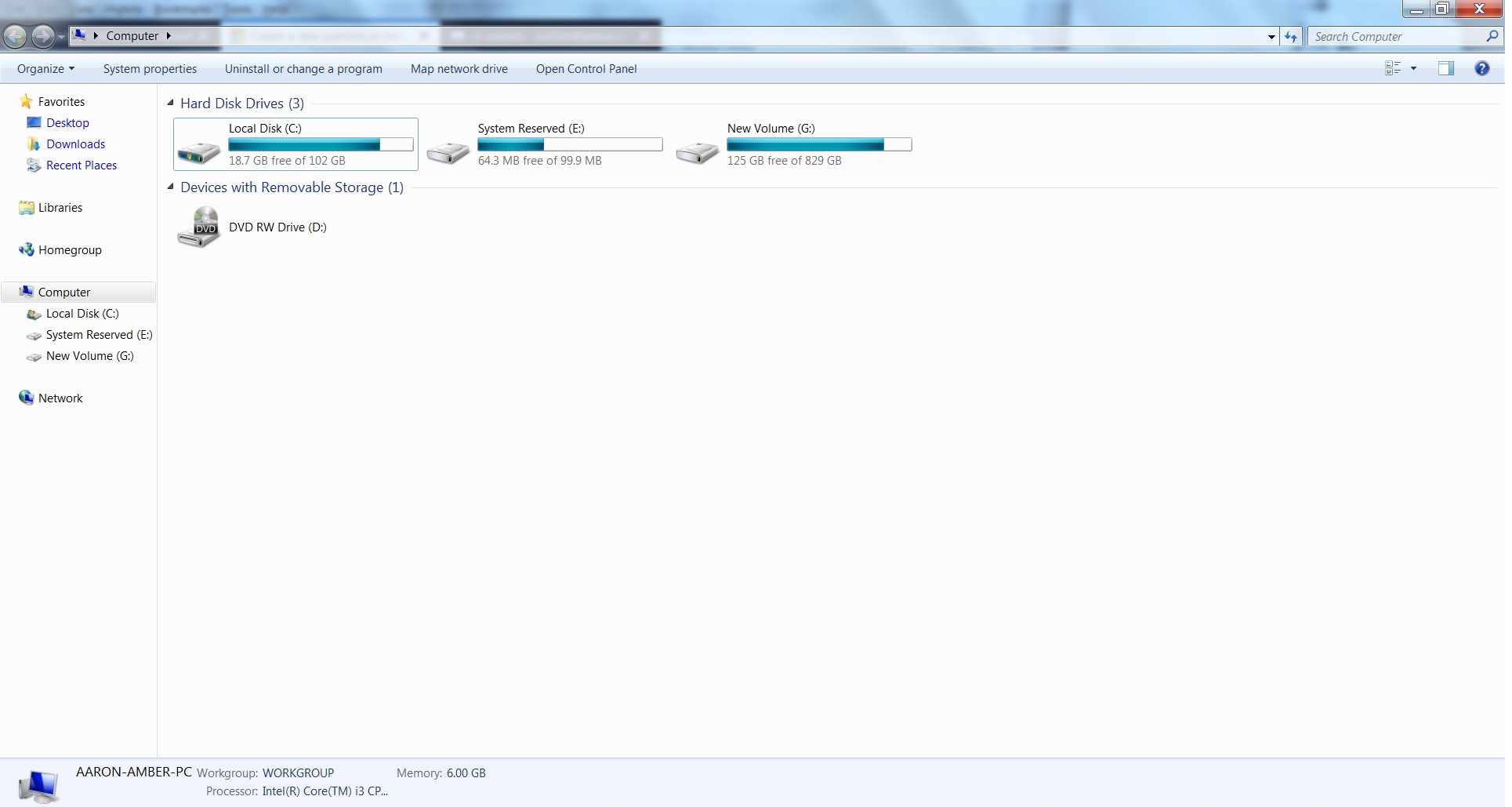
Im facing storage issues with C drive. I mean earlier i used only 50 GB for my C drive and then it gets filled up. Then I alloted 52 more GB toatalling 102 GB. now it is showing 18 GB free of 102 GB.
Does this mean it will keep on adding 30 GB or so per year... ?
What is the limit?
Do I have to keep on adding more space to C drive now and then.
What is System Reserved mean...(earlier prior to format, there was no "system reserved" drive)
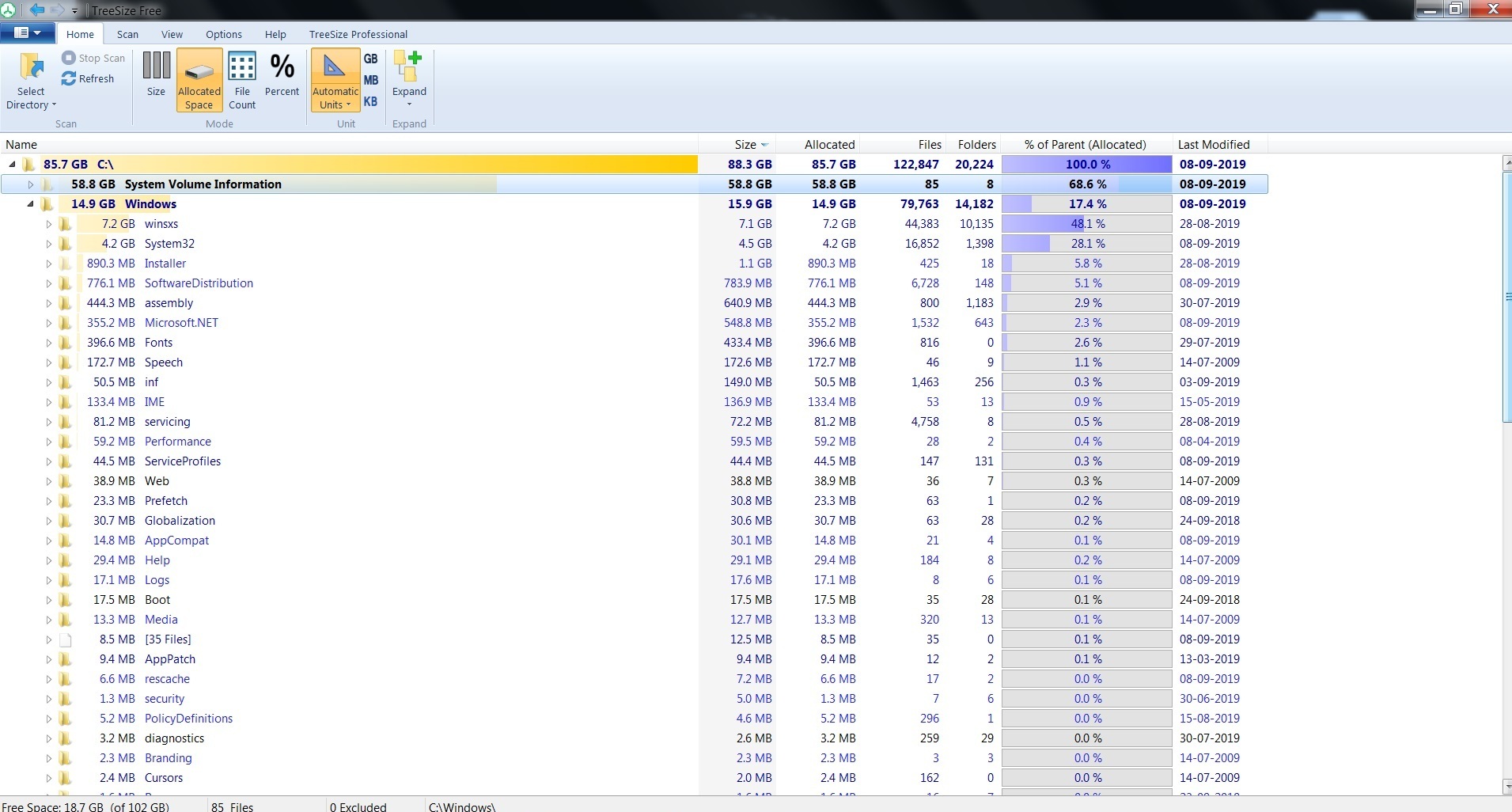
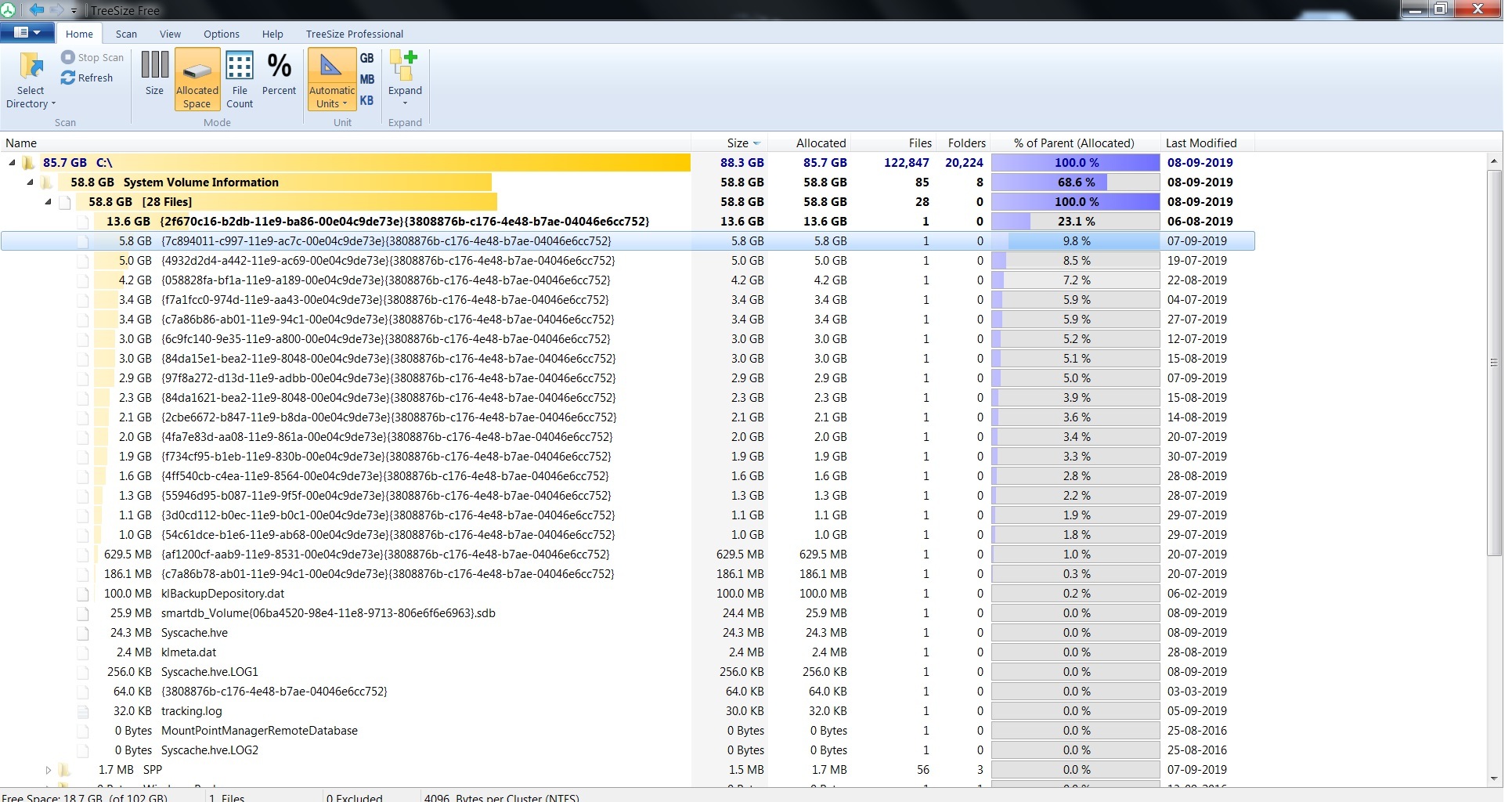
I have placed the screenshots (where folder sizes are shown) for your reference. One Folder shows 58 GB another Folder shows 58 GB.
Which of these folders or sub folders can i delete? (i can see a file size of 13.6 GB)
Things that i have done:
I have clean up the "recent" folder from run command.
also I have cleaned the items inside "%temp% folder from run command.
also I use C Cleaner and clean my PC regularly like every alternate days.
' cx='32' cy='32' r='32' /%3E%3Ctext x='50%25' y='55%25' dominant-baseline='middle' text-anchor='middle' fill='%23FFF' %3EA%3C/text%3E%3C/svg%3E)
