Microsoft 365 and Office | Word | For business | Windows
A family of Microsoft word processing software products for creating web, email, and print documents.

This browser is no longer supported.
Upgrade to Microsoft Edge to take advantage of the latest features, security updates, and technical support.
' cx='32' cy='32' r='32' /%3E%3Ctext x='50%25' y='55%25' dominant-baseline='middle' text-anchor='middle' fill='%23FFF' %3EFL%3C/text%3E%3C/svg%3E)
Hi,
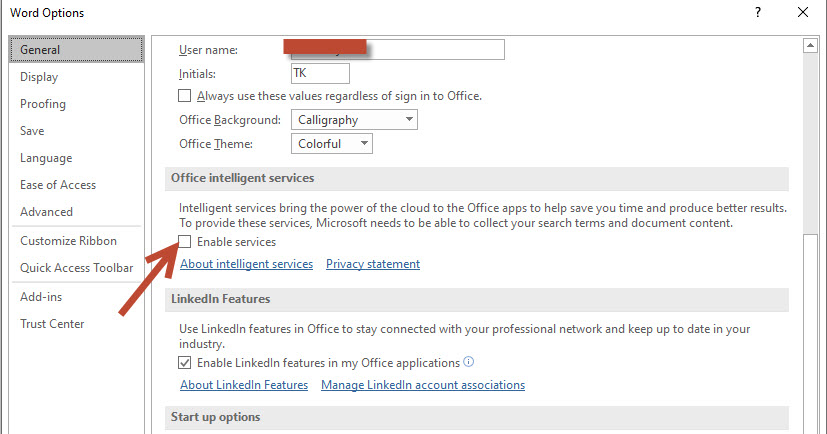
I just recently installed 2019 Office Pro Plus and it has no dictate button where the button should be in Word and PPT. I tried to customize the quick access tool bar but there is no option to add it. I also, based info from other threads, tried the Office Intelligent Services to no avail. Any advice, ideas would be much appreciated. Thanks in advance.
A family of Microsoft word processing software products for creating web, email, and print documents.

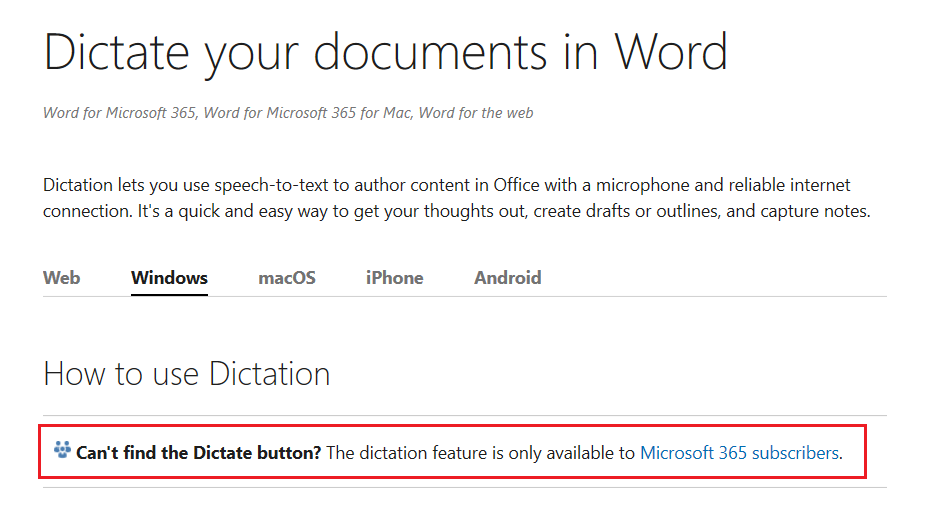
The dictation feature is only available to Microsoft 365 subscribers, you're using Office 2019 ProPlus and the feature is not available in Office 2019.
Please refer to this support article:
Dictate your documents in Word
' cx='32' cy='32' r='32' /%3E%3Ctext x='50%25' y='55%25' dominant-baseline='middle' text-anchor='middle' fill='%23FFF' %3EC%3C/text%3E%3C/svg%3E)
Sorry I am writing this from the perspective of Outlook. Perhaps is will help. I forgot this was about Word and PPT because I am looking for help in Outlook.
Anyway, a little late, however if it helps someone else I just found if I type "dictate" into the "Tell me what you want to" box at the top of an email I get a couple of selections to pick of which one is "Office Dictation". I click that and the little mic dialog box opens and I can dictate. I am using Office 365 through my work and I am signed into Office 365. I cannot for the life of me find a dictate button. For that matter I can't find the "Actions" section either like the help seems to indicate.
I have used dictate to a limited degree in Word and found it better. Outlook seems to just take words. If I say "delete" it does not delete the previous word, it adds delete. I did find that it would find an email address when I spoke a name so there is some intrinsic functionality.
As a cross comparison, I just tried to dictate an email and it was very slow to pick up my words. As a cross check I went immediately to Word and found word pick up was fine. I do speak words individually so it is not "quick" either way. So even though it seems like they might draw on the same office capability in practice there is a performance difference.
BTW I am also dictating from home while remoting (Microsoft Remote Desktop) into my work laptop. 6 months ago I could not do this and I didn't find any help on line to resolve this at the time. I don't know if the functionality has been added or not. What I do know is my work laptop shows "remote audio" when I hover over the little speaker button on the task bar and I had to change setting on my MRD to allow my local mic (and video) to be used remotely. This also allows me to make Zoom calls remotely.
' cx='32' cy='32' r='32' /%3E%3Ctext x='50%25' y='55%25' dominant-baseline='middle' text-anchor='middle' fill='%23FFF' %3ENK%3C/text%3E%3C/svg%3E)
My microphone and all options referring to dictate are just gone. I tried to log out an in again, then agreeing to send optional data and finally this last "tell me what you want to do". None of these helped. After I installed MS Office 2019 I had the mic button and used it too, but now within a few days it disappeared like it never existed. I really don't understand Microsoft how they keep changing their software and windows itself and stuff it up every other time. If it aint broken don't fix it! Let your software mature and let users enjoy it for years without re-learning stuff all the time.
' cx='32' cy='32' r='32' /%3E%3Ctext x='50%25' y='55%25' dominant-baseline='middle' text-anchor='middle' fill='%23FFF' %3ER%3C/text%3E%3C/svg%3E)
Right, so i have read many threads that are now locked on technet forums (thanks M$ for sunsetting an amazing and still useful site)...
As far as i can tell, we need to enable user config -> policies -> administrative templates -> microsoft office 2016 -> privacy -> trust center -> Send Personal Information = ENABLED
I have done that, and i still dont have a menu item for "Intelligent Services" or the dictate button.
I am using word 2016 (16.0.5095.1000) MSO (16.0.5095.1000) 64-bit
I am logging onto word with my office365 credentials. I have an academic office 365 A3 license.
I am trying to use this on the Thick word 2016 application and people in other threads, say that works fine.
So what am i doing wrong here? I have also heard anecdotally that some workstations in the company have this enabled already, but i havent actually seen it.
What else is required for making dictate work? I have no office group policies, and very minimal windows 10 policies in general, so i doubt i have turned off this feature. This problem exists on multiple devices i have tried, and across multiple accounts.

Hi @Frank Lee ,
You could verify that the Intelligent Services is turned on.
Click the File tab in Word or PowerPoint.
Click Options.