Hi,
I am certain that you were already advised to restart your gateway/router. If you are using both a router AND the Gateway that should be provided by your ISP this can cause multiple issues. If so; try to connect using ONLY the Gateway first, use an ethernet
cable as well to narrow down anything else that can cause issues, restart the computer and the Gateway, waiting about 30 to 60 seconds before reconnecting the power cord, then test to see if you experience the same issues, if not then try adding your router,
restart as before, continue using the ethernet cable as well. See if you are still no longer experiencing the problem, if not then, if you were normally connecting wirelessly remove the cable, restart exactly as you have been, test again. If your problem is
ongoing then remove all other equipment except the Gateway your provider gave you to use, do not add your additional equipment until you have finished following the troubleshooting steps along the way, including using the ethernet cable. If nothing works up
to this point then go forward using the steps I provided you below.
Personally I am the "simple" species of techie, I have to begin at point A then on to B or I get confused by all the variables that factor into the issues but this method can be easy enough to use doing half as much work, sometimes she says while (crossing
fingers),
I hope the information and the tips above along with these IP DOS commands provide you a bit more information to help find the answer and even help to fix your issues; personally even after doing this type of tech work for many years I still resort to good
old Google before researching other avenues. Hope this will help was able to provide some information that can narrow down your search for the answers you are seeking. Happy teching, lol
Here are the basic list of DOS commands
This is just an example of what you will see using the cmd prompt:
Windows IP Configuration heading (see example below)
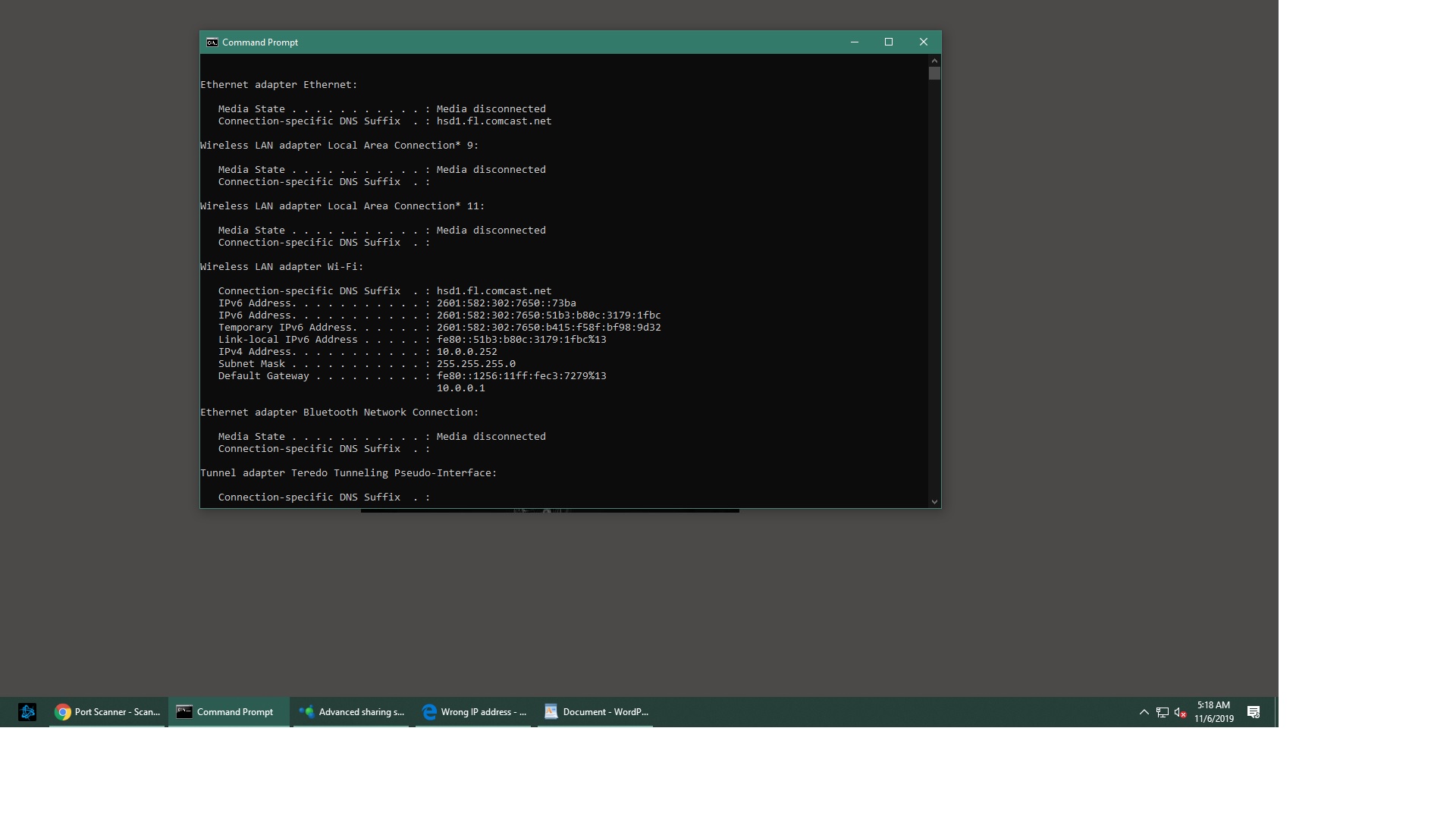
These are a list of basic commands for all the information you may need;
make sure to take some notes on the various types of information you gather.
You will use the same technique as the first poster suggested:
Display Connection Configuration: ipconfig /all
Display DNS Cache Info: ipconfig /displaydns
Clear DNS Cache: ipconfig /flushdns
Release All IP Address Connections: ipconfig /release
Renew All IP Address Connections: ipconfig /renew
Re-Register the DNS connections: ipconfig /registerdns
Change/Modify DHCP Class ID: ipconfig /setclassid
Network Connections: control netconnections
Network Setup Wizard: netsetup.cpl
Test Connectivity: ping whatismyip.com
Trace Route: tracert
Displays the TCP/IP protocol sessions: netstat
Display Local Route: route
Display Resolved MAC Addresses: arp
Display Name of Computer Currently on: hostname
Display DHCP Class Information: ipconfig /showclassid
NameServer Lookup: nslookup whatismyip.com
Hope this helps your issues; if nothing does the trick; perhaps system restore could help, or using the network troubleshooter will offer at least some further information; scroll down and expand the details section and note the wording, you might not understand
everything but almighty Google will lead the way...
' cx='32' cy='32' r='32' /%3E%3Ctext x='50%25' y='55%25' dominant-baseline='middle' text-anchor='middle' fill='%23FFF' %3EA%3C/text%3E%3C/svg%3E)
