Back in the days 4+ years ago when MS was offering (pushing) Windows 7 customers to upgrade to Windows 10 for free some folks took on the offer, did the upgrade and decided they didn't like Windows 10 and chose to revert back to Windows 7.
Most of the time things went okay but sometimes folks would report problems with Tasks - particularly the Backup task the next time they went to do something with Windows Backup - the most common complaint was a message like this:
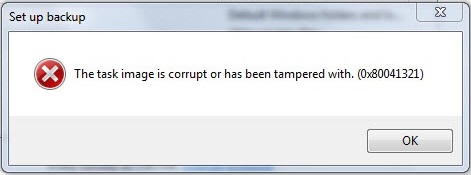
Even if you are not using Windows Backup do you see something like that if you attempt to go through Control Panel, Backup and Restore, Setup Backup?
There was never anything "missing" but there was corruption as the registry part of the task and the task file on the HDD were essntially from two different versions of Windows (one from Windows 7, the other from Windows 10).
In the MS community were offered many wild goose chase ideas and suggestions that began with the word "try" that would never work because nobody seemed to know what the problem was or they would just focus on fixing the backup task now knowing that the problem
was bigger than just one task - and many ideas even from the MS Support Engineer alleged "experts" just did not pan out.
Some nice person named Dijji has already figured out that ALL the Windows 7 Tasks were corrupted, he figured out the problem and he figured out how to fix the problems with the Windows 7 Tasks by essentially replacing the registry portion of each task and
the task files themselves - just replace everything with known good fresh copies from a working system.
If you go to this link you can get started and it will end up on GitHub where there is more to read and in the next to last paragraph links that tell you what to download and how to do it (a link to release and a link to a wiki).
https://repairtasks.codeplex.com/
It might help to understand the problem better if you to read through the Home and Documentation tabs first so you can walk through the repair process. Note that there is a separate Discussion tab where folks report success, issues, problems and questions.
The Discussions are helpful too when you read them and see what kinds of things folks like you have run into and how to fix them.
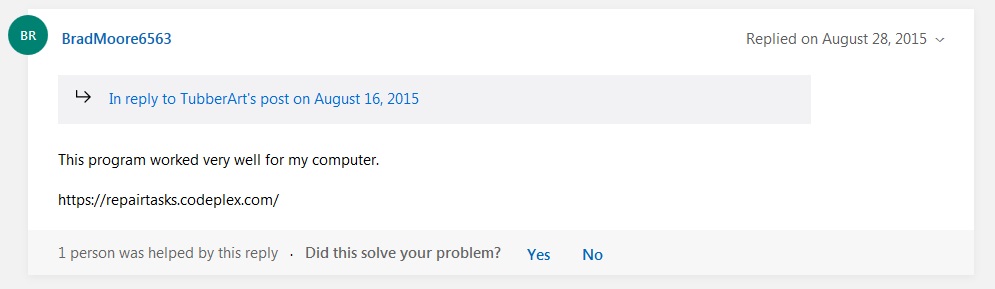
This will not help with tasks that you have created yourself or tasks that have been added by third party programs (Google, Adobe, etc) but it will fix the Windows tasks (notice the date):
' cx='32' cy='32' r='32' /%3E%3Ctext x='50%25' y='55%25' dominant-baseline='middle' text-anchor='middle' fill='%23FFF' %3EA%3C/text%3E%3C/svg%3E)
