Share via

Laptop seems to freeze on any install, update or uninstall of programs

Anonymous
2020-01-22T13:10:31+00:00

I have been having issues lately where it seems my laptop can never fully complete any update,  install or uninstall. 

I have tried repeatedly to get Windows to update,  but it never seems to complete the process. 

I started having issues with Google chrome having issues if I closed browser and if attempted to open again, would not open. I would see a task running, but could not kill it. My Task Manager also seems to show lots and lots of Google Chrome processes.
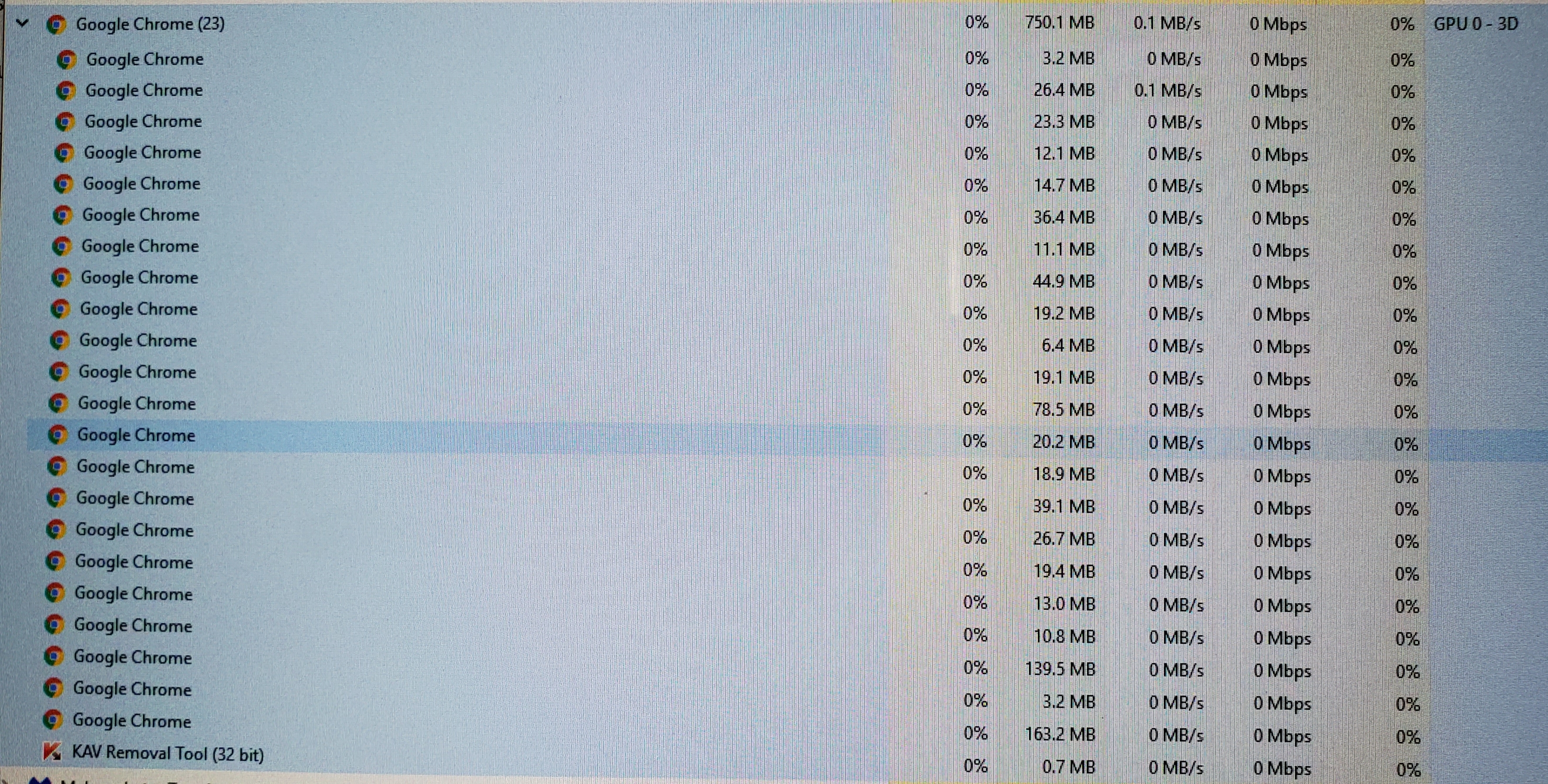
I also started having random issues with Adobe files not opening and would have to restart to open. 

Another issue that started as this same time is now when I logon to my laptop,  it takes anywhere between 5-10 minutes before I can launch file explorer or onedrive. If I click on onedrive, says not signed in. I can't even right click for more options. I have noticed that the minute onedrive actually starts the signin process,  file explorer launches right away.

I also recently downloaded Turbo Tax to start by taxes and the install worked fine. When it came time to update,  the update stalled and never completed.

After doing all kinds of troubleshooting on pc and after reading several forums, I thought maybe I had some registry errors on computer, so I purchased CC cleaner. Even when I tried to analyze system, it only got to 30% and froze and never proceeded after I gave it hours to complete. 

My last ditch thought was to trying removing Kaspersky after the only other thought was that these issues all started after I had uninstalled and reinstalled Kasperky at recommendation after I spent hours with a Microsoft office tech troubleshooting when I could not launch onedrive or sharepoint. Issue ended up being with Comcast/Xfinity.

During the troubleshoot we changed lots of settings, but pretty sure we set each one back after testing. 

I reinstalled Kaspersky the next day and I have noticed more of these issues since then.

After thinking that could be the issue, have tried to uninstall Kaspersky entirely to see if these issues relate to that install.  I now cannot remove Kaspersky. I ran the KAV removal and the status bar looks complete, but seems to have stalled as well.
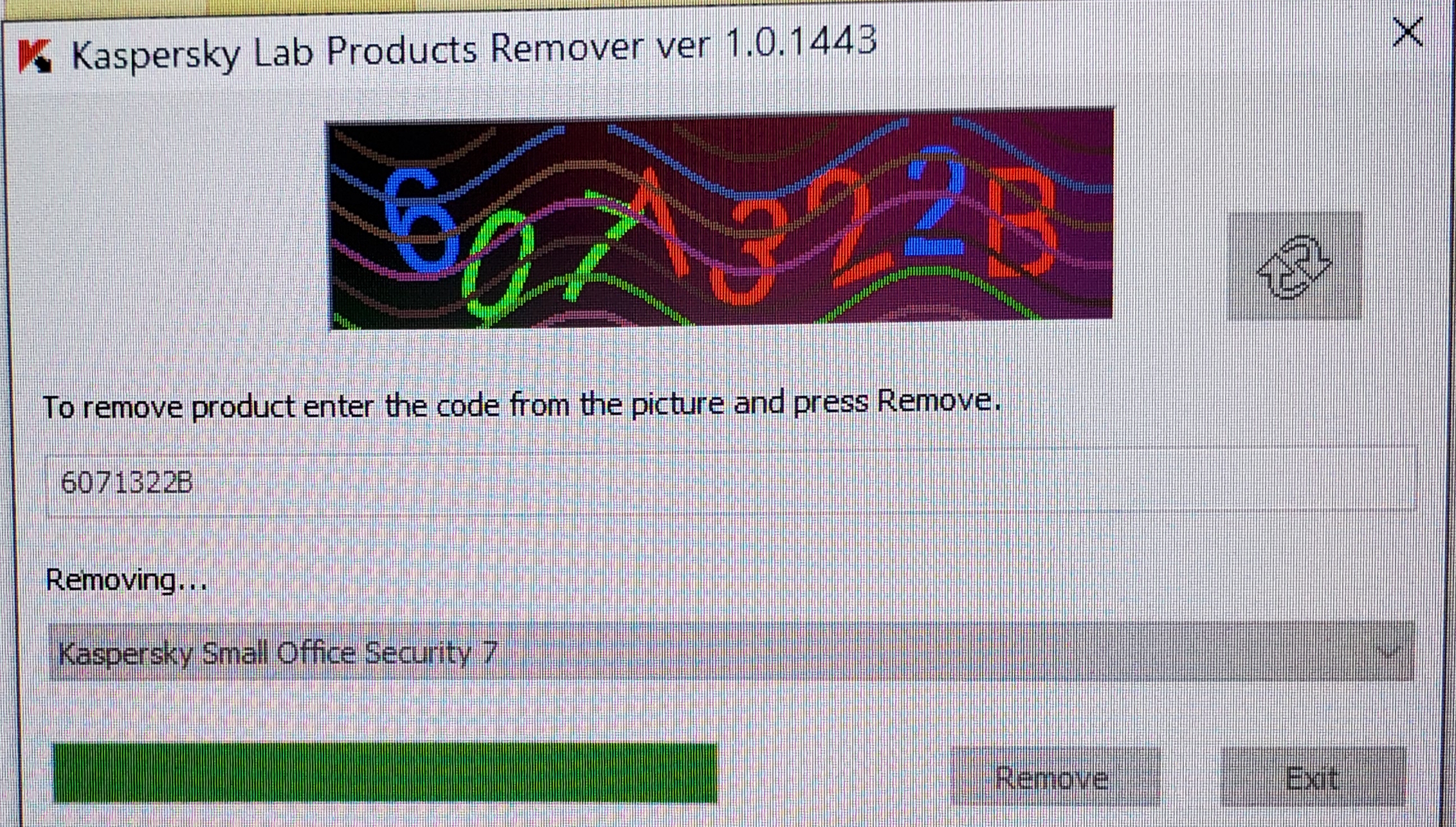
Anyone have any ideas other than a complete restore?

Windows for home | Windows 10 | Performance and system failures

Locked Question. This question was migrated from the Microsoft Support Community. You can vote on whether it's helpful, but you can't add comments or replies or follow the question.

0 comments No comments

6 answers

Sort by: Most helpful
  1. Anonymous
    2020-01-24T11:25:07+00:00

    I was only on version 1809.

    After 2 attempts, I was finally able to update Windows 10 to Version 1909.

    The culprit of ALL my issues was Kaspersky and maybe that was because I was not on the most up to date Windows 10 version.

    Will consult with Kaspersky before I reinstall it back on my pc.

    Thanks for your help....I was able to install using the windows 10 update assistant.

    Was this answer helpful?

    0 comments No comments
  2. Anonymous
    2020-01-23T23:09:20+00:00

    If you have already updated to version 1909 then there is no problem.

    Was this answer helpful?

    0 comments No comments
  3. Anonymous
    2020-01-23T21:18:36+00:00

    Thanks for this info.

    I did finally get Kaspersky to fully uninstall and all other issues no longer exist.

    Only problem I have it Windows 10 does not complete the process of updating to Version 1909.

    I am on version 1809 currently. Version 1903 failed back in September...probably because if Kaspersky I am guessing.

    It gets all the way to 91% and just hangs there.

    In your message above, you mention I should NOT be connected to the internet when updating, correct?

    Do I just do the Update to 1909 or the Create Windows Installation Media?

    Thanks so much.

    Was this answer helpful?

    0 comments No comments
  4. Deleted

    This answer has been deleted due to a violation of our Code of Conduct. The answer was manually reported or identified through automated detection before action was taken. Please refer to our Code of Conduct for more information.


    Comments have been turned off. Learn more

  5. Anonymous
    2020-01-22T14:38:33+00:00

    Hi, Kathy

    My name is Jeffrey and I am an Independent Advisor. I would be happy to help you today.

    You can do it manually by downloading the Windows ISO. This also applies to version 1909.

    When updating with the ISO, disconnect the Internet.

    https://www.microsoft.com/en-us/software-downlo...

    https://answers.microsoft.com/en-us/windows/for...

    Was this answer helpful?

    0 comments No comments
