Share via

Windows server 2019 shutdown or restart without doing login server

toni 1 Reputation point
2020-07-27T17:45:55.53+00:00

hi
how can i enable Windows server 2019 in local group policy that any user can do shutdown or restart without doing login server in the ctrl Alt Dell Screen Just like a windows workstation

toni

Windows for business | Windows Server | User experience | Other
0 comments No comments

2 answers

Sort by: Most helpful
  1. Teemo Tang 11,501 Reputation points
    2020-07-28T06:05:40.44+00:00

    Welcome to Microsoft Q&A Platform. Toni
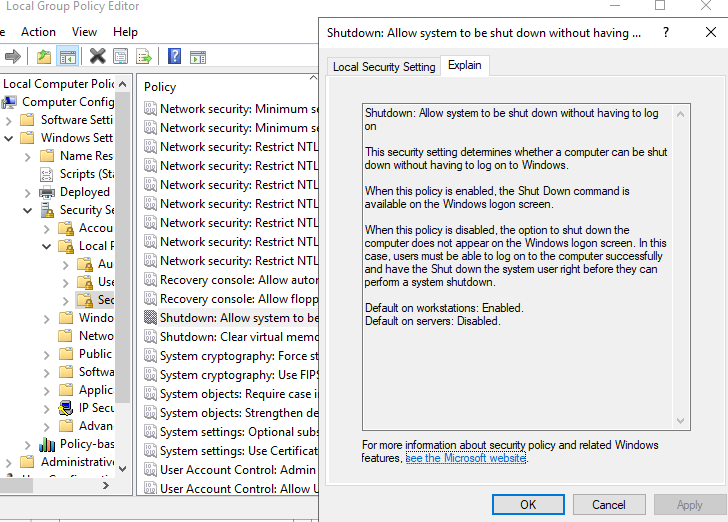
    Refer to this Microsoft document for how to configure
    Shutdown: Allow system to be shut down without having to log on
    https://learn.microsoft.com/en-us/windows/security/threat-protection/security-policy-settings/shutdown-allow-system-to-be-shut-down-without-having-to-log-on
    14042-shut.png

    1 person found this answer helpful.
    0 comments No comments

  2. Anonymous
    2020-07-27T18:00:20.783+00:00

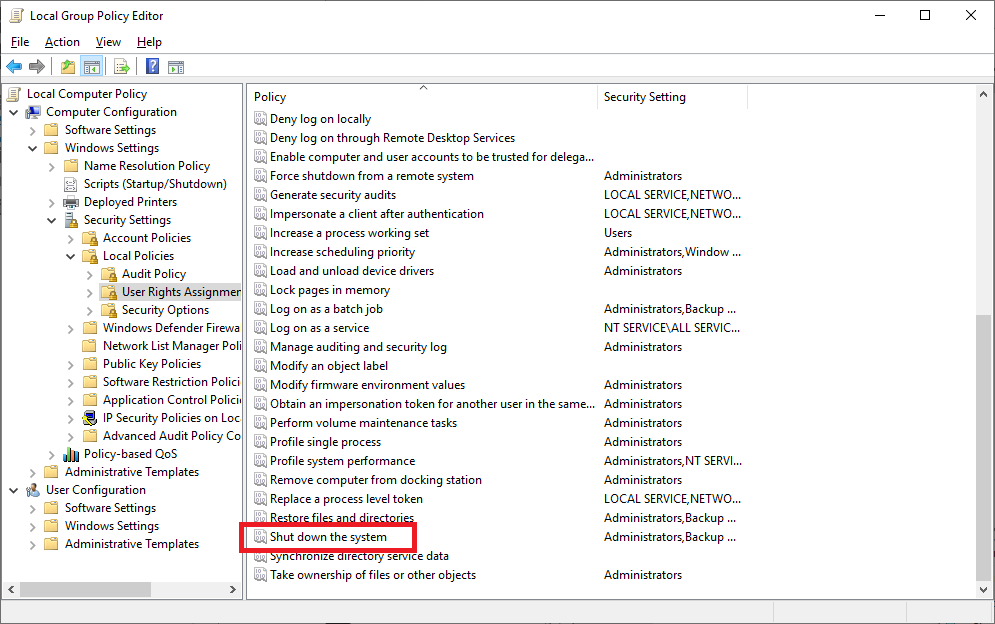
    Try adding the user to this one.

    13786-image.png

    --please don't forget to Accept as answer if the reply is helpful--

    0 comments No comments

Your answer

Answers can be marked as 'Accepted' by the question author and 'Recommended' by moderators, which helps users know the answer solved the author's problem.