Exchange | Exchange Server | Management
The administration and maintenance of Microsoft Exchange Server to ensure secure, reliable, and efficient email and collaboration services across an organization.
This browser is no longer supported.
Upgrade to Microsoft Edge to take advantage of the latest features, security updates, and technical support.
' cx='32' cy='32' r='32' /%3E%3Ctext x='50%25' y='55%25' dominant-baseline='middle' text-anchor='middle' fill='%23FFF' %3EKU%3C/text%3E%3C/svg%3E)
I prepared AD and schema on AD machine already.
But when i try to Access user and computer from my Exchange server which is on a separate machine i am getting the following error even i added administrator account to each group which is available on AD but still same issue this is the first issue while click on ADUC .
i am doing this for installing exchange server.

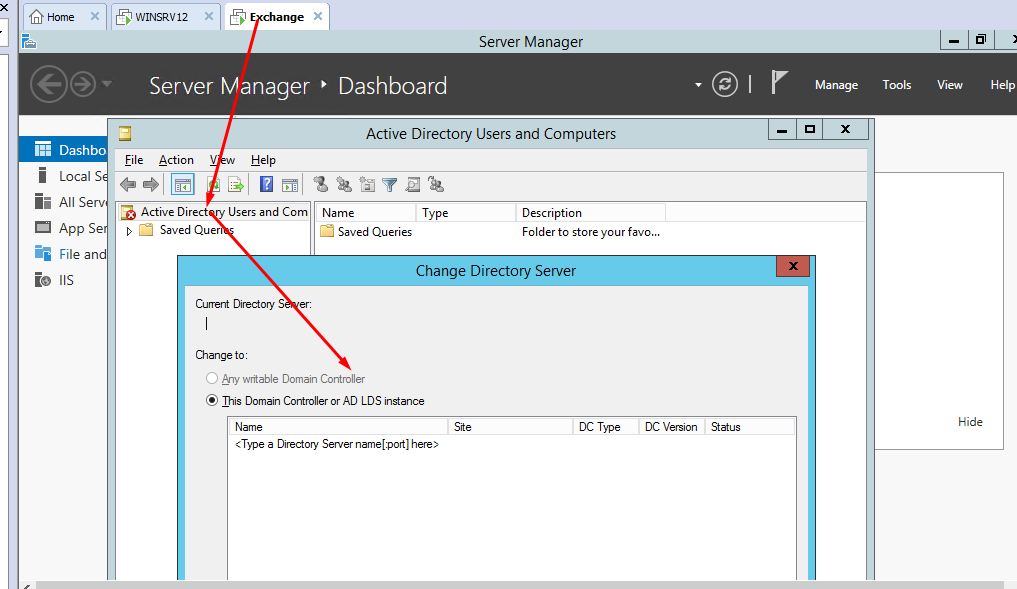
2.WHEN i install exchange server i am facing the below errors of group ous.
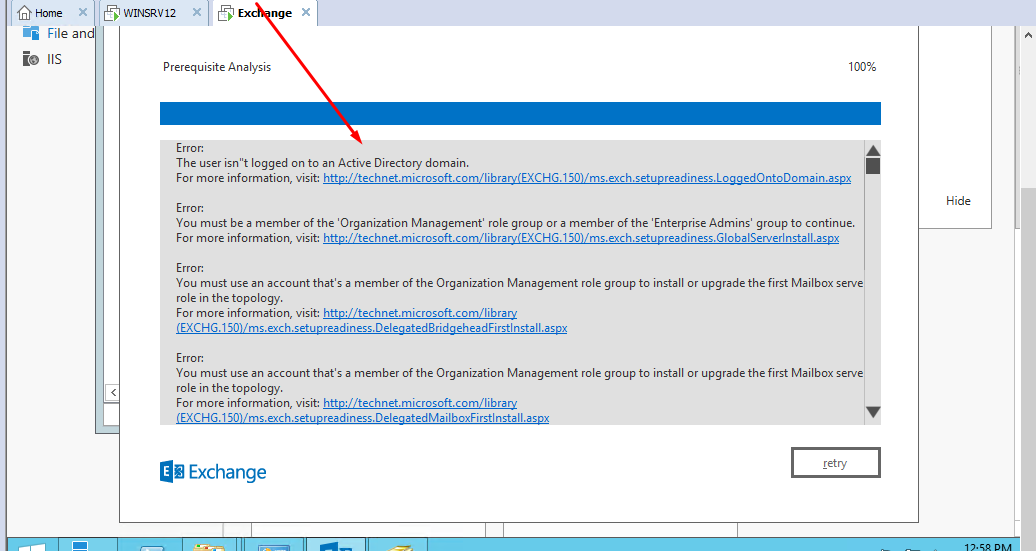
if first issue is fixed i think the 2nd one will auto fix.
The administration and maintenance of Microsoft Exchange Server to ensure secure, reliable, and efficient email and collaboration services across an organization.
Answer accepted by question author

From the error and info provided, it sounds like you logged on to the Exchange server with your local administrator account (for that server) instead of your domain administrator account.
Verify whether you have joined the server to the domain already.
If so, logoff and logon with domain credentials instead.
If not, join the server to the domain first and then logon with your domain credentials.

Where is your DC located? Does your Exchange server join the DC correctly?
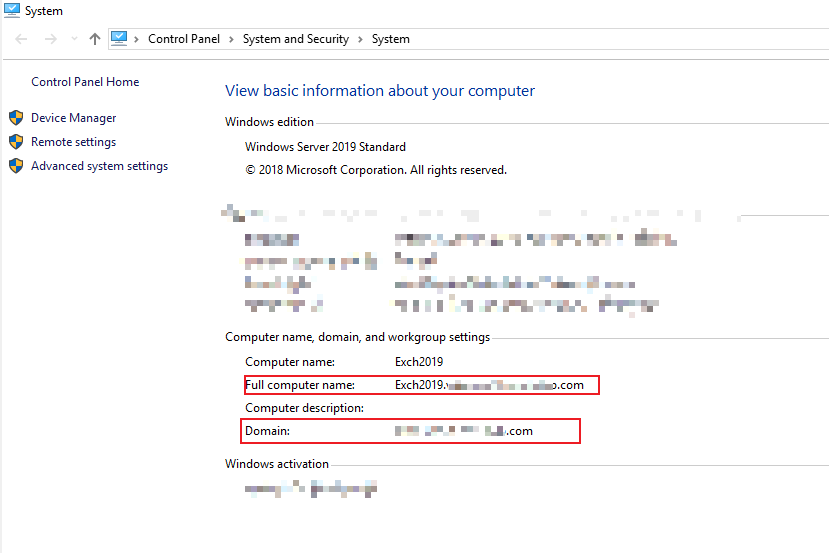
You need to join your Exchange server into domain, then logon this computer with domain admin account to install Exchange server.
Those article will be useful to you:
How to setup a domain controller? Please Note: Since the web site is not hosted by Microsoft, the link may change without notice. Microsoft does not guarantee the accuracy of this information.
Install Exchange Mailbox servers using the Setup wizard
If the response is helpful, please click "Accept Answer" and upvote it.
Note: Please follow the steps in our documentation to enable e-mail notifications if you want to receive the related email notification for this thread.

Hello @Kaleem Ullah
Please login using which is having Admin rights using username@yourDomainname
Also, Please verify AD Replication is in good health and your exchange server placed in proper OU and Group.
If the reply was helpful, please don’t forget to upvote or accept as answer.
hi
thank all of you.
i logged in with the domain/admin and its sorted. Thanks all of you.
