Developer technologies | .NET | Blazor
A free and open-source web framework that enables developers to create web apps using C# and HTML, developed by Microsoft.
This browser is no longer supported.
Upgrade to Microsoft Edge to take advantage of the latest features, security updates, and technical support.
' cx='32' cy='32' r='32' /%3E%3Ctext x='50%25' y='55%25' dominant-baseline='middle' text-anchor='middle' fill='%23FFF' %3ESP%3C/text%3E%3C/svg%3E)
Hello,
How can I test ASP.net chore chrome extension?
regards,
Saeed
A free and open-source web framework that enables developers to create web apps using C# and HTML, developed by Microsoft.
Here comes the related code for the chrome extension:
{
    "name": "instaberry",
    "description": "simply upload your posts and story to instagram.",
    "app": {
        "urls": ["http://instaberry.ir/"],
        "launch": {
            "web_url": "http://instaberry.ir/"
        }
    },
    "manifest_version": 2,
    "update_url": "http://clients2.google.com/service/update2/crx",
    "version": "0.1",
    "icons": {
        "128": "icon.png"
    }
}
Can you please let me know do you think is this correct or not?
thanks,
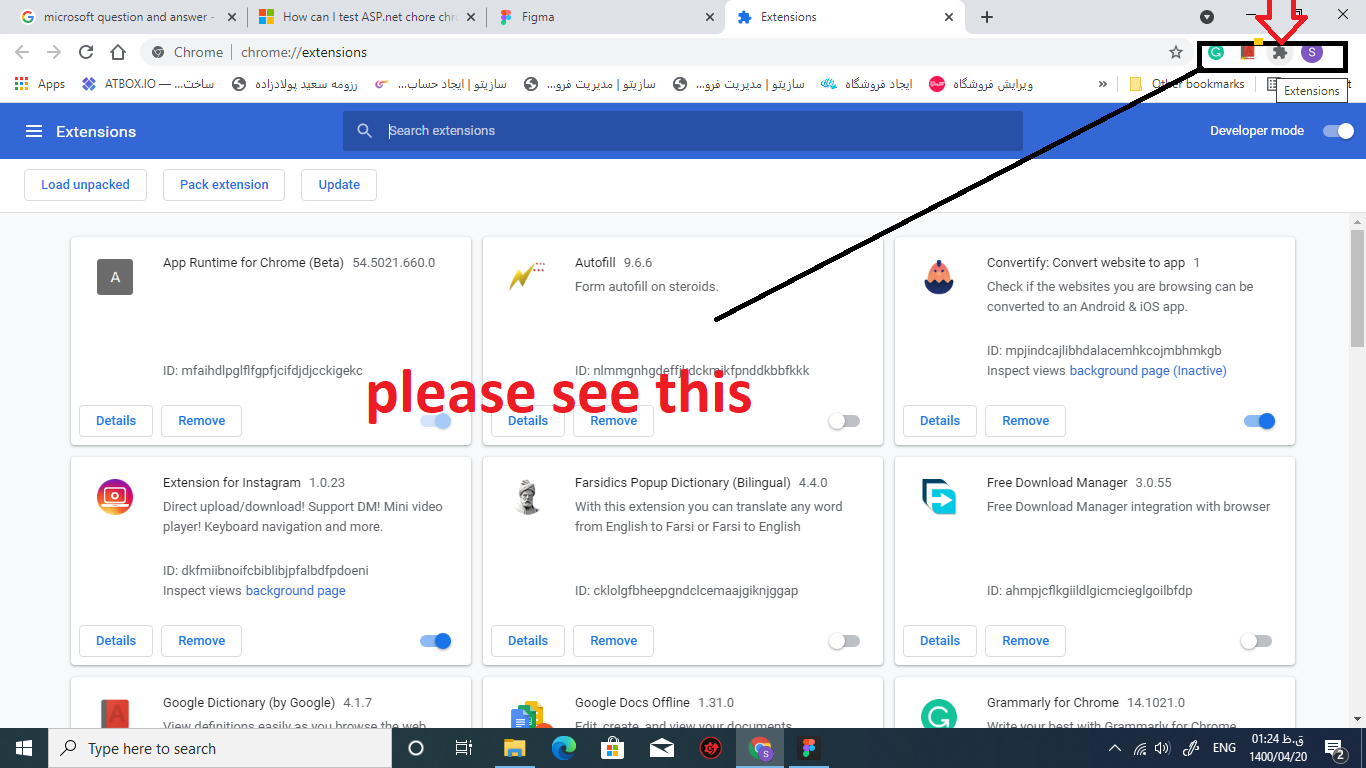
Please see this image. My extension name is Instaberry.
Why that's not active in that part?
' cx='32' cy='32' r='32' /%3E%3Ctext x='50%25' y='55%25' dominant-baseline='middle' text-anchor='middle' fill='%23FFF' %3EA%3C/text%3E%3C/svg%3E)
Hi @Saeed Pooladzadeh ,
The issue might be relating the extension source code (for example: the manifest.json file, in this file, we could set the browser default_icon), More detail information about creating chrome extensions, check the following links:
I have installed it and it's in my extensions. That's active but can't see it in the progress bar!
Do you have any idea?
Hi @Saeed Pooladzadeh ,
Can you share the relate code to reproduce the problem?
While I have installed my extension on chrome, and that is in the installed section, when I click the puzzle piece, I can’t see it!
How it is possible? Do you have any idea?
The extension site which extension works from it is instaberry.ir.
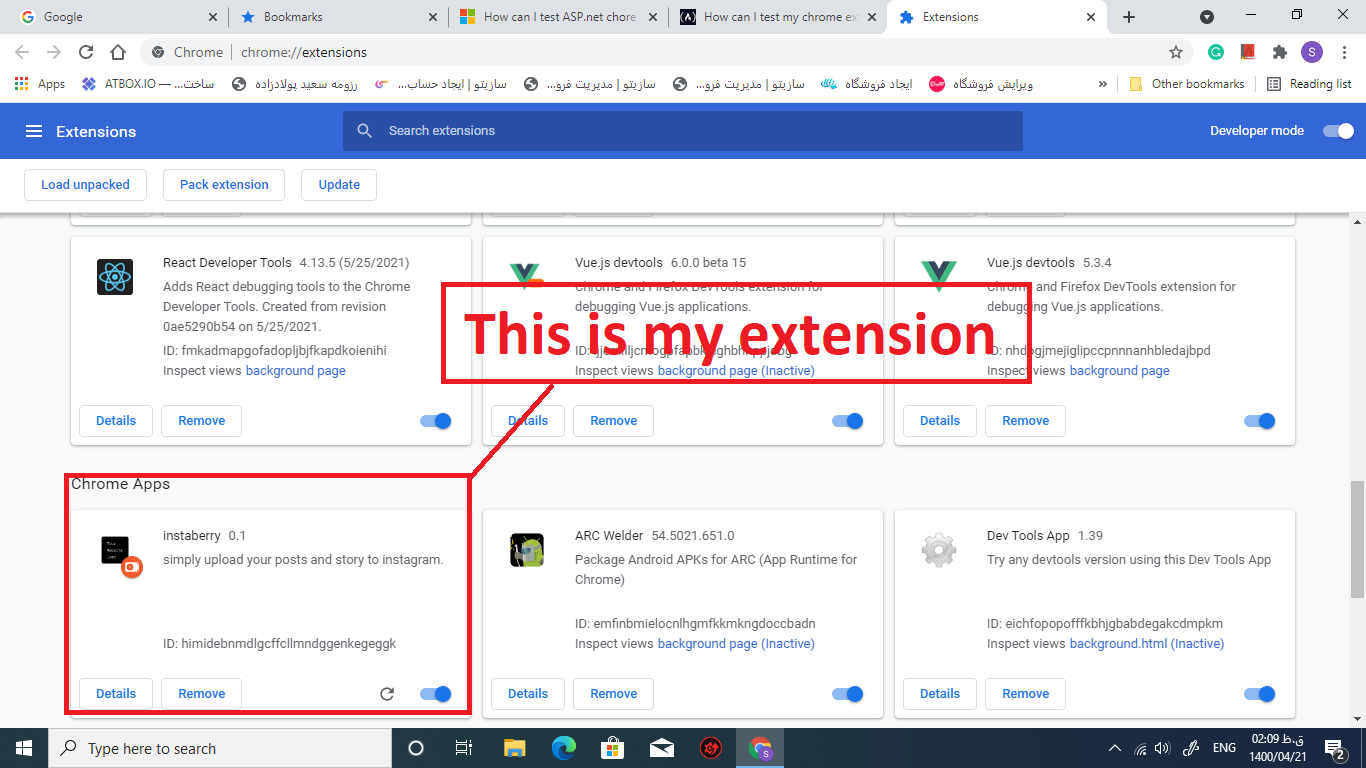
Hi @Saeed Pooladzadeh ,
Do you mean you create a Chrome extension using Asp.net Core, and now you want to test it?
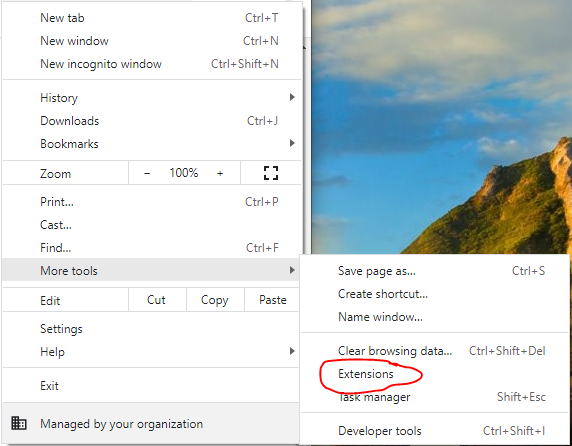
Generally, to test the chrome extension, you could open Chrome Browser and go to Extensions:
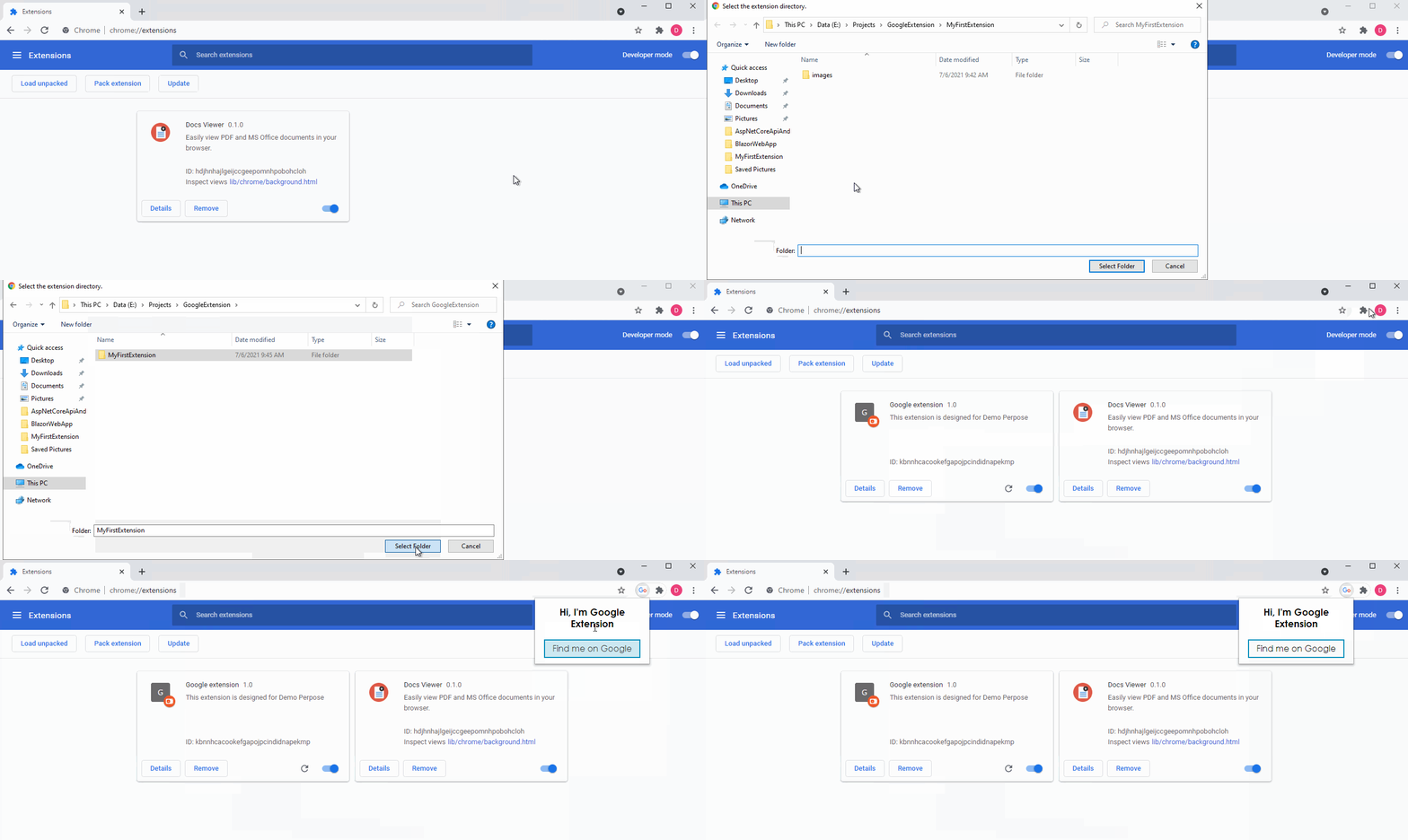
Then, enable Developer Mode and click on Load Unpacked, Choose the Project Folder, after that the extension is added to Chrome successfully. Like this:
More detail information about creating the Google Extension, see How To Create Chrome Extensions.
If the answer is helpful, please click "Accept Answer" and upvote it.
Note: Please follow the steps in our documentation to enable e-mail notifications if you want to receive the related email notification for this thread.
Best Regards,
Dillion
' cx='32' cy='32' r='32' /%3E%3Ctext x='50%25' y='55%25' dominant-baseline='middle' text-anchor='middle' fill='%23FFF' %3EBS%3C/text%3E%3C/svg%3E)
Not sure what asp.net core has to do with a chrome extension. As chrome extensions are a html file with JavaScript, you typically use standard JavaScript test tools.
See this node package for jest