Share via

Something causes 5-10 second IP drop at DHCP lease expiry

Anonymous
2020-08-18T19:53:43+00:00

Hi.

I have my DHCP lease set at around 45 minutes (I cannot change it in my routers settings). At each 45 minute mark, I lose my internet connection for about 5-10 seconds. I have reset my router and tried everything with the hardware, but I have read older threads from 1 year ago where win10 was the problem. See here: 

https://answers.microsoft.com/en-us/windows/forum/all/kb4493509-causes-6-second-ip-drop-at-dhcp-lease/0d64c273-a964-49a2-8d18-12f9d04c868a

I do not see how that update can be my problem after 1 year. But I would like to have some insight if this problem is common and/or still occurs because of Win updates. Pinging Google gives me "request time out" and "general failure" when internet is down, about 5-10 seconds.

Thanks.

Windows for home | Windows 10 | Internet and connectivity

Locked Question. This question was migrated from the Microsoft Support Community. You can vote on whether it's helpful, but you can't add comments or replies or follow the question.

0 comments No comments

22 answers

Sort by: Most helpful
  1. Anonymous
    2020-08-18T20:49:01+00:00

    What Windows 10 version and edition are you running? Windows is fully updated?

    What you have tried so far? This a cabled connection or wireless? Have you tried both?

    Hello again! I am running Windows 10 Home. 

    I run with an Ethernet cable. It's a stationary computer. The version is KB4566782.

    It's fully updated. 

    All my devices is set to around 45 min lease time and they all DC for this amount of time, wireless and with cable.

    Was this answer helpful?

    1 person found this answer helpful.
    0 comments No comments
  2. Anonymous
    2020-08-18T20:15:26+00:00

    Hi! My name is Anderson Souza. I'm an Independent Advisor and a Microsoft user like you, I'll be glad to help you today.

    If you can not change the DHCP lease time in your router, you could try to use static IP, have you tried this?

    Please open Comand Prompt and run the following command:

    ipconfig /renew

    Tell me if there are any error messages.

    Do you know if something changed on your system that caused the problem?

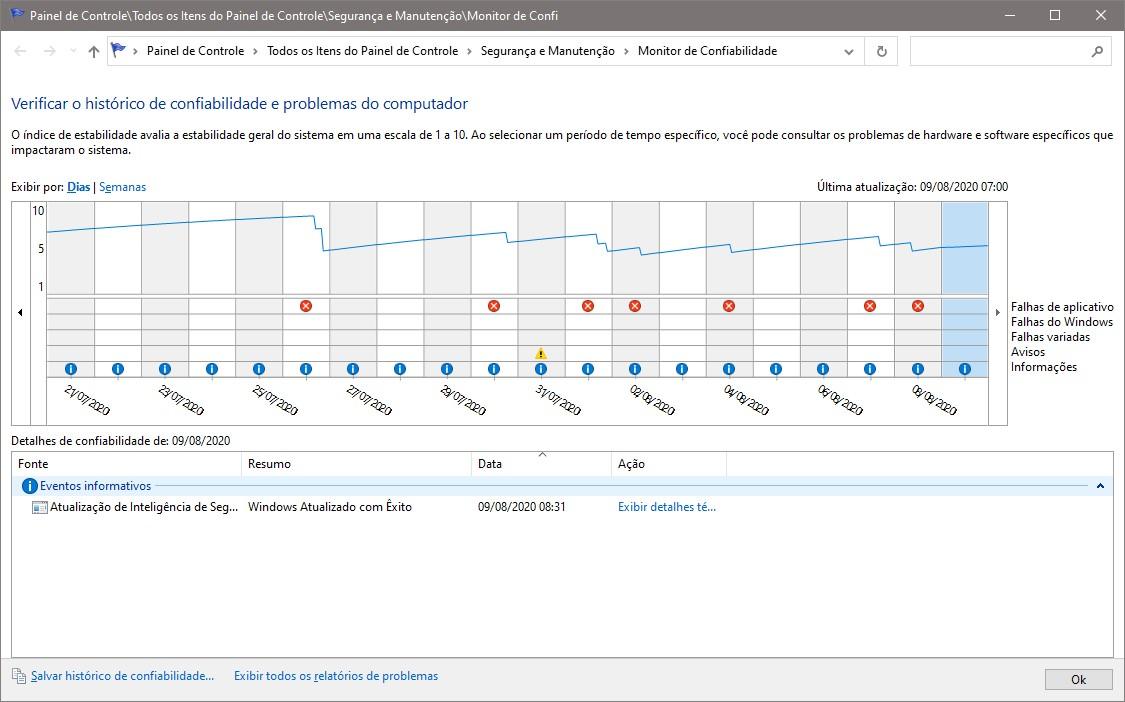
    If you're not sure, a good source of information for troubleshooting Windows is the "Reliability Monitor", you can access it on the path below:

    Control Panel> All Control Panel Items> Security and Maintenance> Reliability Monitor

    Or simply by clicking on the Windows Start button and typing "Reliability Monitor", it will show the option by simply clicking it to open the tool.

    The tool will show a timeline where you can see a history of changes made to the system.

    Check the days before the problem and let me know if there is anything suspicious.
    Was this answer helpful?

    1 person found this answer helpful.
    0 comments No comments
  3. Anonymous
    2020-08-18T20:03:40+00:00

    Have you gone Device Manager, Adapter type, click on the adapter, click on Power Management, and removed the check from "Allow the computer to turn off this device to save power"?

    Hi. I have that unticked, yes!

    Was this answer helpful?

    1 person found this answer helpful.
    0 comments No comments
  4. Anonymous
    2020-08-18T20:00:22+00:00

    Have you gone Device Manager, Adapter type, click on the adapter, click on Power Management, and removed the check from "Allow the computer to turn off this device to save power"?

    Was this answer helpful?

    1 person found this answer helpful.
    0 comments No comments
  5. Anonymous
    2020-08-18T20:21:39+00:00

    Hi and thanks for your reply!

    It is a new computer. I installed W10 just around 4 days ago. I had no prior problems on other pcs or devices until yesterday. 

    No errors when using IPconfig!

    /Viktor

    Was this answer helpful?

    0 comments No comments
