Share via

Failed Install of Microsoft Visual C++ Redistributable 2015

Anonymous
2020-12-09T01:49:04+00:00

I recently purchased a new laptop.  It is running Windows 10 Home x 64.

I was having some trouble getting Electronic Art's Origin Launcher to run.  It is running into the error related to Microsoft Visual C++ Redistributable 2015.

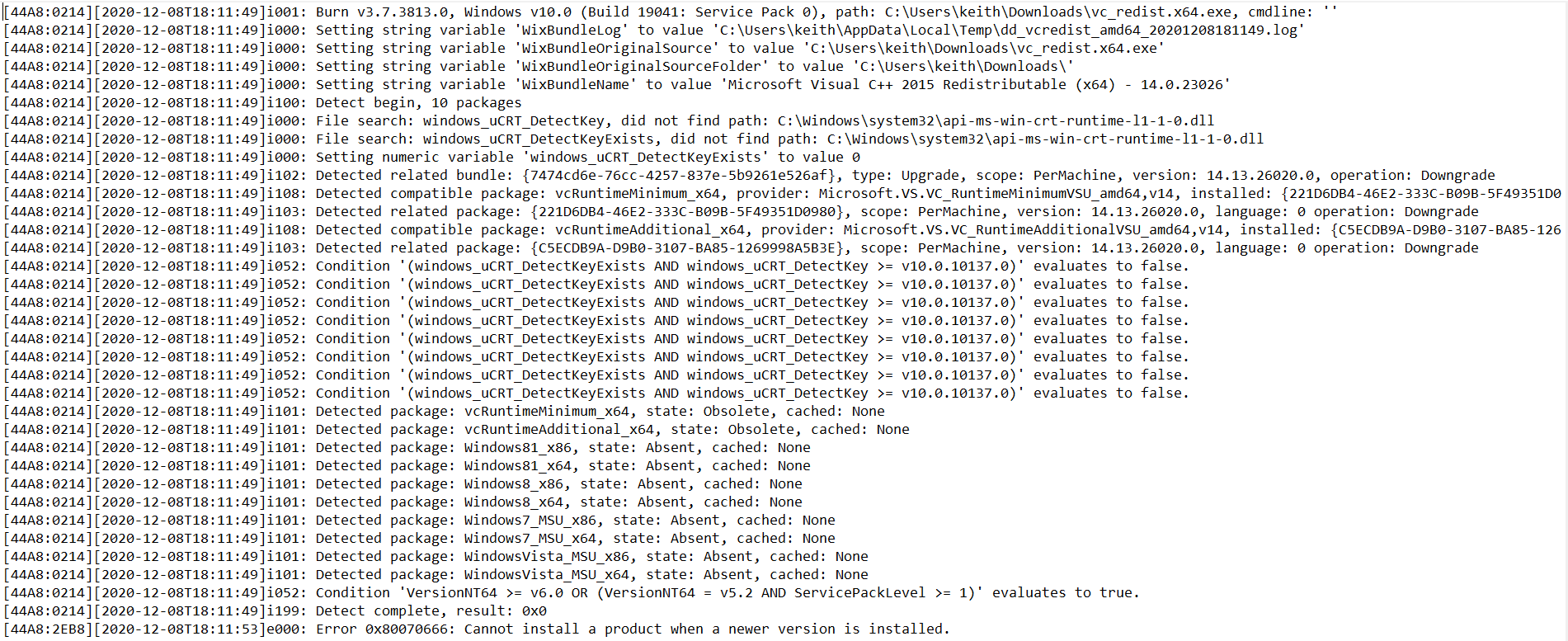
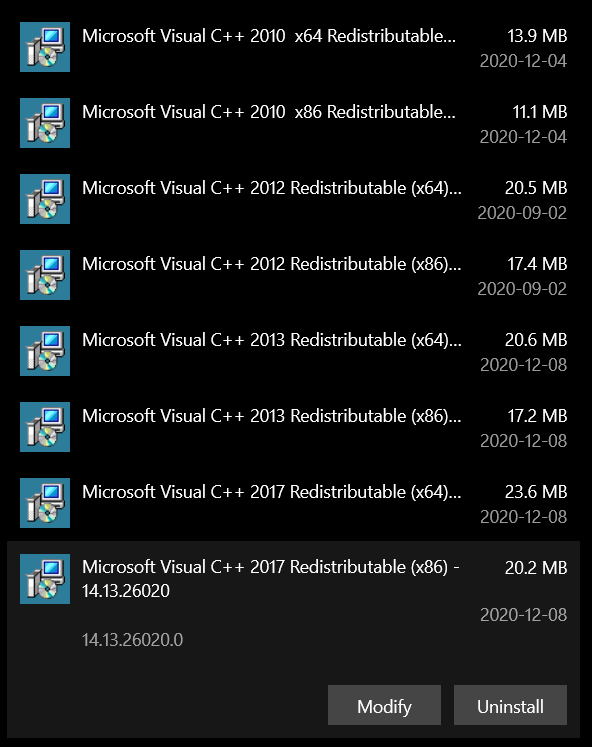
I have been trying to correct the error, but when I download and run the files from Microsoft, the set up fails.  It is stating that another version is already installed and needs to be removed before continuing with the installation.  However, while there are several versions of the Visual C++ Redistributable installed, the 2015 version is not.

I am confused as to which version I am supposed to remove (if any).

Please see below:
Windows for home | Windows 10 | Performance and system failures

Locked Question. This question was migrated from the Microsoft Support Community. You can vote on whether it's helpful, but you can't add comments or replies or follow the question.

0 comments No comments

Answer accepted by question author

  1. Anonymous
    2020-12-09T02:19:54+00:00

    Hi KeithShroyer, I'm Teresa A. I'm an independent consultant and I hope to help you.

    The problem arises because you have a post-2015 version installed, you will have to uninstall it first and then if you can install the 2015 and then reinstall the 2017 version you already had before.

    Greetings.

    3 people found this answer helpful.
    0 comments No comments

1 additional answer

Sort by: Most helpful
  1. Anonymous
    2020-12-09T19:29:45+00:00

    That worked out great.

    Thank you very much!

    0 comments No comments