Share via

Windows Update Continuously fails "error 0x8007000d"

Anonymous
2021-01-18T18:23:58+00:00

I've been trying to install Windows Update 2004 for x64 Systems KB4596242, but I keep getting the following error message every single time.
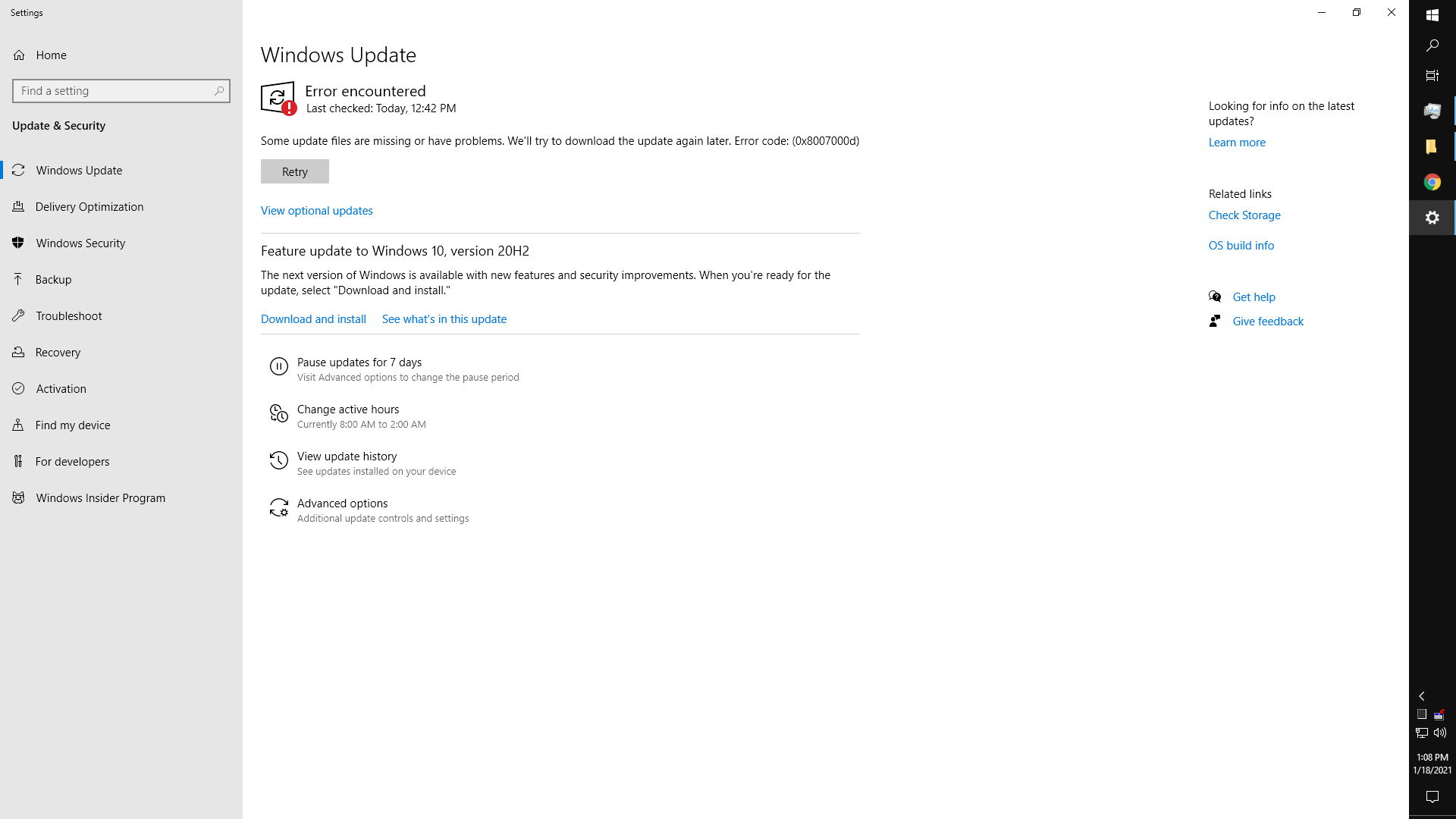
Thinking that it was a corrupt download, I cleaned out Windows/Software Distribution  to force Update to redownload which has worked before but the same result happened again. Oddly enough, looking at Task Manager shows that Windows Modules Installer Worker continues to run even after this update "fails."

ReportingEvents.log reads as thus

{1D184625-617A-4C51-AE48-F505BA35CD69} 2021-01-18 12:42:37:920-0500 1 147 [AGENT_DETECTION_FINISHED] 101 {9482F4B4-E343-43B6-B170-9A65BC822C77} 0 0 MoUpdateOrchestrator Success Software Synchronization Windows Update Client successfully detected 0 updates. O3GAvYuV8kuONRhT.0.1.0.0.3.0

{6F26208D-500B-451D-81A0-C031E2AF9ACD} 2021-01-18 12:42:40:860-0500 1 147 [AGENT_DETECTION_FINISHED] 101 {8B24B027-1DEE-BABB-9A95-3517DFB9C552} 0 0 MoUpdateOrchestrator Success Software Synchronization Windows Update Client successfully detected 8 updates. O3GAvYuV8kuONRhT.0.1.1.0.4.0

{C58BDA01-AACB-4321-99F9-BD1615525463} 2021-01-18 12:42:59:776-0500 1 167 [AGENT_DOWNLOAD_STARTED] 101 {CC5D8638-91D7-4381-9F67-FD691721FBCE} 1 0 MoUpdateOrchestrator Success Content Download Download started. O3GAvYuV8kuONRhT.1.1.3.0

{AB29110C-A25D-4E2E-90C2-1227F063ADED} 2021-01-18 12:43:41:557-0500 1 162 [AGENT_DOWNLOAD_SUCCEEDED] 101 {CC5D8638-91D7-4381-9F67-FD691721FBCE} 1 0 MoUpdateOrchestrator Success Content Download Download succeeded. O3GAvYuV8kuONRhT.1.1.8.0

{344795D5-9BEC-4C31-A87D-73150ADB6603} 2021-01-18 12:43:44:847-0500 1 181 [AGENT_INSTALLING_STARTED] 101 {CC5D8638-91D7-4381-9F67-FD691721FBCE} 1 0 MoUpdateOrchestrator Success Content Install Installation Started: Windows has started installing the following update: 2021-01 Cumulative Update for Windows 10 Version 2004 for x64-based Systems (KB4598242) O3GAvYuV8kuONRhT.1.2.1.0

{DFF8552D-C688-4BC1-B758-9E5E8C06B825} 2021-01-18 13:06:42:612-0500 1 182 [AGENT_INSTALLING_FAILED] 101 {CC5D8638-91D7-4381-9F67-FD691721FBCE} 1 8007000d MoUpdateOrchestrator Failure Content Install Installation Failure: Windows failed to install the following update with error 0x8007000d: 2021-01 Cumulative Update for Windows 10 Version 2004 for x64-based Systems (KB4598242). O3GAvYuV8kuONRhT.1.2.3.0

I have tried to download the update from Windows Update Catalog and manually install but the update for some reason fails there as well, finishing with an error message stating that the update was not installed.

Windows for home | Windows 10 | Windows update

Locked Question. This question was migrated from the Microsoft Support Community. You can vote on whether it's helpful, but you can't add comments or replies or follow the question.

0 comments No comments

23 answers

Sort by: Most helpful
  1. Anonymous
    2021-08-10T14:43:05+00:00

    C:\Windows\system32>dism /online /remove-capability /capabilityname:Analog.Holographic.Desktop

    Deployment Image Servicing and Management tool

    Version: 10.0.19041.844

    Image Version: 10.0.19043.1023

    Error: 87

    A Windows capability name was not recognized.

    Was this answer helpful?

    4 people found this answer helpful.
    0 comments No comments
  2. Anonymous
    2021-03-27T06:04:45+00:00

    Thank you. Finally. I ran this in Command prompt admin -

    “dism /online /remove-capability /capabilityname:Analog.Holographic.Desktop~~~~0.0.1.0”

    Rebooted and all Windows 10 updates for last 6 weeks installed.

    I had tried everything but this worked.  

    Re booted and checked for updates and “You’re up to date”

    Plugged G2 back in, it downloaded its software and back in business all good.

    But... then Windows update started re-downloading KB5001649 (my most recent cumulative update) that clearly states successfully installed in update history.

    So a quick reboot to stop and hide that update with Win10 HideShow app.

    Probably have to run that dism before each update until Microsoft fixes this.

    Was this answer helpful?

    4 people found this answer helpful.
    0 comments No comments
  3. Anonymous
    2021-10-06T14:57:51+00:00

    Hey yo everyone!! also stucked into this..anyone with a helping hand ?
    #peaceandlove

    Hi. I'm getting this error after doing the steps.

    I'm not that literate with these commands too. Been reading a lot of articles and applying different fixes here but nothing worked. This one seems to be the latest so I hope you can help me. Thanks.

    Deployment Image Servicing and Management tool

    Version: 10.0.19041.572

    Image Version: 10.0.19041.630

    Error: 87

    A Windows capability name was not recognized.

    The DISM log file can be found at C:\WINDOWS\Logs\DISM\dism.log

    C:\WINDOWS\system32>Image

    Was this answer helpful?

    2 people found this answer helpful.
    0 comments No comments
  4. Anonymous
    2021-06-30T19:17:48+00:00

    seems Microsoft goofed again, nothing seems to fix this even after a full clean install!

    Was this answer helpful?

    2 people found this answer helpful.
    0 comments No comments
  5. Anonymous
    2021-02-05T18:40:53+00:00

    I have the same issue with "Failed to install on ‎2/‎5/‎2021 - 0x8007000d" if this fix works, could someone explain what this is in an easy step by step instructions that a computer illiterate could understand.  I have no idea what the fix is or where to even start.

    Thank you

    Was this answer helpful?

    1 person found this answer helpful.
    0 comments No comments
