Share via

Can't get rid of potentially unwanted app - NoxPlayer

Anonymous
2021-03-09T14:15:35+00:00

Hello,

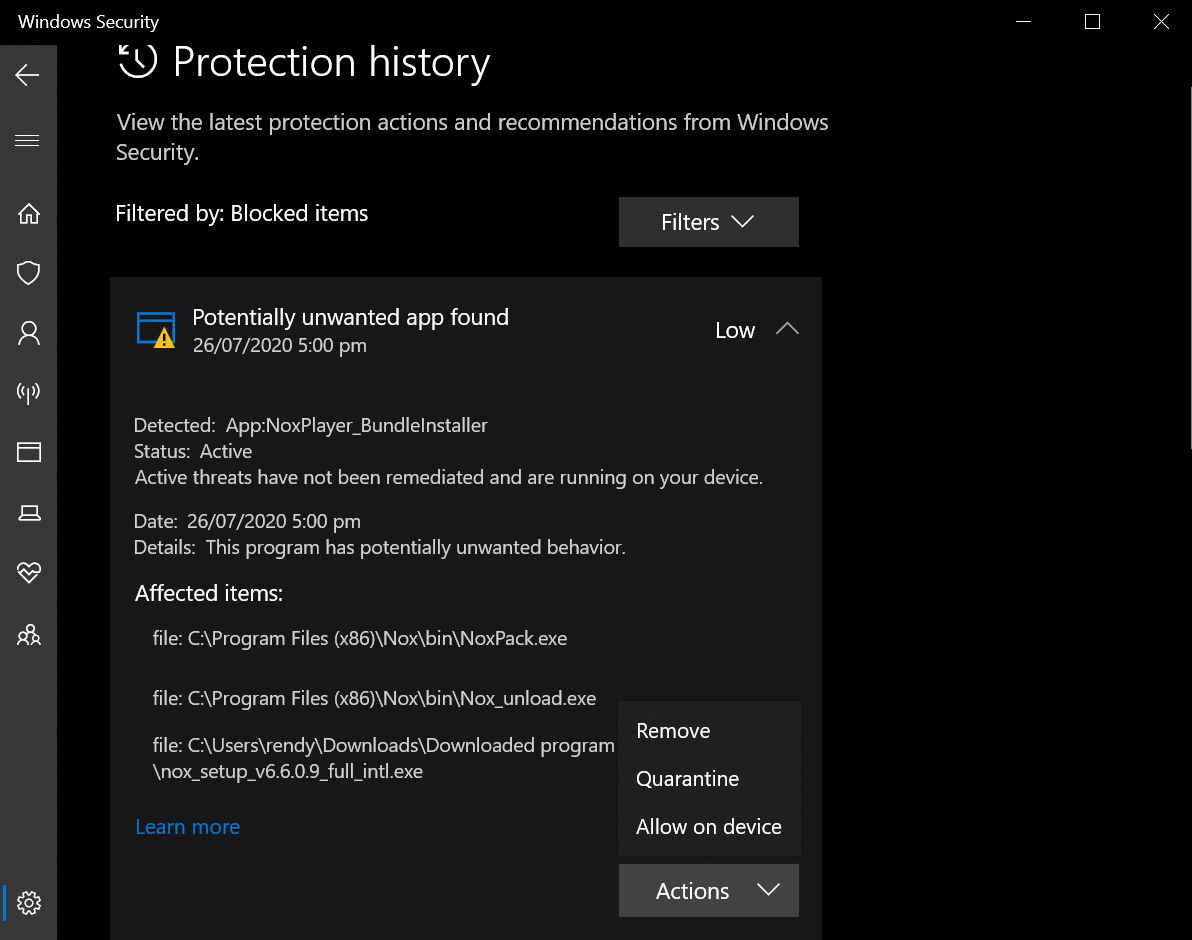
I hope someone could help me. As you can see from this image below, I'm trying to select an action towards this potentially unwanted app, NoxPlayer. However, whatever action I choose, it doesn't go away.

Actually, I have uninstalled the app long time ago (July 2020), but still these alerts are showing on my Windows Security. The folders/files showing under "Affected items" are not to be found on my drive.

Now this doesn't seem to cause any issues so far but it bothers me to have these alerts stay there.

Any info is appreciated.

Thank you.
Windows for home | Windows 10 | Security and privacy

Locked Question. This question was migrated from the Microsoft Support Community. You can vote on whether it's helpful, but you can't add comments or replies or follow the question.

0 comments No comments

Answer accepted by question author

  1. Ferdinand Nanalig 29,180 Reputation points Independent Advisor
    2021-03-09T14:49:24+00:00

    Hi Rudo, my name is Ferdinand, I am an Independent Advisor.

    Please try to delete the contents found in Detection History folder.

    Please open this link on how to remove it.

    Windows Defender Identifies The SAME PUP As A Threat Repeatedly by GlenProuty:

    https://answers.microsoft.com/en-us/protect/for...

    1 person found this answer helpful.
    0 comments No comments

1 additional answer

Sort by: Most helpful
  1. Anonymous
    2021-03-10T01:38:08+00:00

    Hi, Ferdinand

    I did the steps and the alerts are now gone, thank you for directing me to the thread!

    0 comments No comments
