Azure Virtual Desktop
A Microsoft desktop and app virtualization service that runs on Azure. Previously known as Windows Virtual Desktop.
This browser is no longer supported.
Upgrade to Microsoft Edge to take advantage of the latest features, security updates, and technical support.
' cx='32' cy='32' r='32' /%3E%3Ctext x='50%25' y='55%25' dominant-baseline='middle' text-anchor='middle' fill='%23FFF' %3EDA%3C/text%3E%3C/svg%3E)
Hi,
We have laotops running Windows 10.
Those laptops are used to connect to Azure Virtual Desktop.
The Windows Remote Desktop client is used to connect to the AVD (Get started with the Windows Desktop client | Microsoft Learn).
Users have no admin rights in the laptops. So far to update the client, we get the notification on the top left of the client window but only an admin can run the update process.
Is there a way ether to allow users to update the client themselves or to automate the update process?
Thanks for the help.
Dominique
A Microsoft desktop and app virtualization service that runs on Azure. Previously known as Windows Virtual Desktop.
Hi,
I'm working on this with Microsoft support. I'll keep you posted when I have more information (in the next couple of days hopefully).
Regards,
Dom
Hi all,
I forgot to answer myself as I got an answer from MS.
We can use Intune for that.
We need to create a new app (LOB) and upload the *.msi file we want to use.
Then we must set the "Ignore app version" to No

By the way, as the installation context is User, make sure you assign the app to users or a group of users only.
Once a computer is enrolled, the upgrade time will be minutes. For computers already enrolled, the upgrade can take up to two days.
When a new version of the app is released, we must upload it again to Intune so that it gets deployed on all enrolled computers.
This is one solution. The other one is to install the client only for the connected user (instead of installing for all users) In this scenario, the installation doesn't require admin rights, and so for the updates.
I tested both a couple of days ago and it worked like a charm.
Thank you everyone for your support and solutions (which I may apply in other scenarios. :-)

@Dominique Annicette
Thanks for sharing the details.
Please 'Accept as answer', so that it can help others in the community looking for help on similar topics.
' cx='32' cy='32' r='32' /%3E%3Ctext x='50%25' y='55%25' dominant-baseline='middle' text-anchor='middle' fill='%23FFF' %3EJP%3C/text%3E%3C/svg%3E)
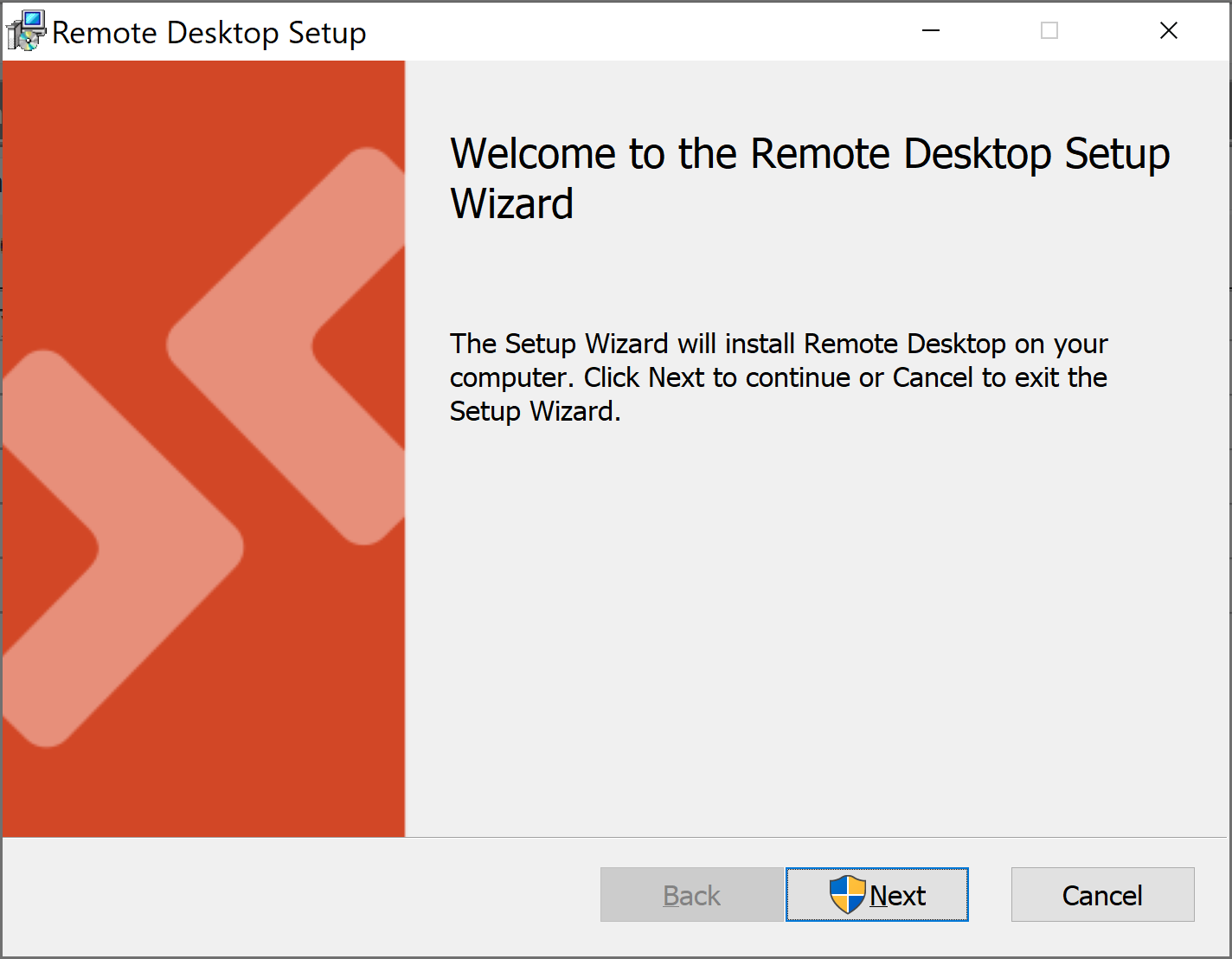
I used Intune to installed the RD Client (as a Win32 app because of the limitations of AutoPilot. Not supposed to mix Win32 and LOB) for just the connected user with msiexec.exe /i <path to the MSI> /qn ALLUSERS=2 MSIINSTALLPERUSER=1. The update is downloaded to the users %temp% directory named 'RemoteDesktop.msi' but it still requires Admin elevation to install it. Are you sure you tested this?
' cx='32' cy='32' r='32' /%3E%3Ctext x='50%25' y='55%25' dominant-baseline='middle' text-anchor='middle' fill='%23FFF' %3EAB%3C/text%3E%3C/svg%3E)
@Anonymous
@Kristof Kuderko
@C Humphreys
I have got the solution for per user install with working automatic updates without administrator privileges! :)
msiexec.exe /i "RemoteDesktop_1.2.2600.0_x64.msi" /qn ALLUSERS=2 MSIINSTALLPERUSER=1
msiexec.exe /i "RemoteDesktop_1.2.2600.0_x64.msi" /x
Install command: cmd.exe /c RemoteDesktop.bat
Uninstall command: cmd.exe /c RemoteDesktopUninstall.bat
Install behavior: User
Device restart..: No specific action
Detection Rules:
File
Path: %localappdata%\programs\remote desktop\
File or folder: msrdc.exe
Detection method: File or folder exists
Assignments:
Assign to "All Users" or a user group
' cx='32' cy='32' r='32' /%3E%3Ctext x='50%25' y='55%25' dominant-baseline='middle' text-anchor='middle' fill='%23FFF' %3EAY%3C/text%3E%3C/svg%3E)
This might be the true answer.
The install path will be "C:\Program Files\MSRDC" if you normally deploy MSRDC (per-user) via Intune, which means users need admin privilege to update/uninstall the client.
By using this method, the install path is "%localappdata%\Programs\Remote Desktop" and users can uninstall it without UAC prompt.
Wait to see if the automatic update works.

Did you ever find a solution to this?
' cx='32' cy='32' r='32' /%3E%3Ctext x='50%25' y='55%25' dominant-baseline='middle' text-anchor='middle' fill='%23FFF' %3ECH%3C/text%3E%3C/svg%3E)
I have started using WinGet, and using the Upgrade option, This seems to be the best solution so far
' cx='32' cy='32' r='32' /%3E%3Ctext x='50%25' y='55%25' dominant-baseline='middle' text-anchor='middle' fill='%23FFF' %3ECH%3C/text%3E%3C/svg%3E)
Are there any updates on this?
This exact issue is affecting all Remote Desktop devices within my estate - they cannot auto update as the UAC is prompted requiring elevated privileges regardless of whether updates are specified as a user or computer GPO.
Firstly, apologies for the delay in responding here.
Please refer this guide related to Windows Desktop client for admins.
Here, you have ways explained to automatically update the client.
Hope this helps.
Please 'Accept as answer' if it helped, so that it can help others in the community looking for help on similar topics.
Hi and sorry for my late answer.
I'm still trying to figure out the installation optons because I tried as explained in the links provided but I'm still prompted to update the cient.
I'm going to give it another try now and will keep you posted.
Thanks.
Dominique
@Anonymous
Thanks for responding back.
Please try and let me know if you still need any assistance on this.
Hi,
I tried again yesterday with the following commands (running cmd as admin):
msiexec.exe /i <path to the MSI> /qn ALLUSERS=2 MSIINSTALLPERUSER=1
msiexec.exe /i <path to the MSI> /qn ALLUSERS=""
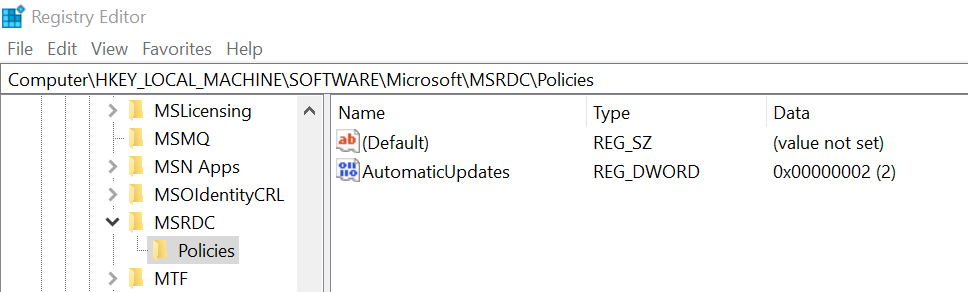
I aslo added the registry key metioned in the article.
None of that works as everytime i laaunch the Desktop client, I have a norification to update it (even after rebooting the computer).

Any more info on this?
Thanks.
Dominique

' cx='32' cy='32' r='32' /%3E%3Ctext x='50%25' y='55%25' dominant-baseline='middle' text-anchor='middle' fill='%23FFF' %3EEE%3C/text%3E%3C/svg%3E)