Hi,
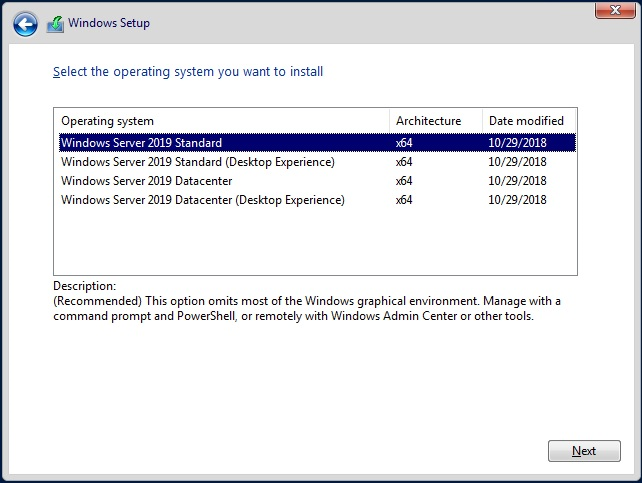
Do you mean you just wrong installed the core edition of Windows server 2016?
What is the pre-installed system version of your device?
If you want to change it back to windows 10, I would recommend you to re-install Windows 10 with installation media.
If it is an OEM Windows 10, you may confirm with the computer manufacture about the function.
If you want to get the GUI features, you could try the steps below:
Open PowerShell console and type Get-WindowsFeature -Name GUI into it.
You would find that all the install state of the GUI features listed are shown as removed. And now you should try to install the removed GUI features. Before that, you should make sure that your server has access to internet.
Just type Install-WindowsFeature -Name Server-Gui-Shell, Server-Gui-Mgmt-Infra into PowerShell console and press Enter to execute it.
Then type Restart-Computer into the PowerShell console to restart your server.
Hope above information can help you.
' cx='32' cy='32' r='32' /%3E%3Ctext x='50%25' y='55%25' dominant-baseline='middle' text-anchor='middle' fill='%23FFF' %3ES%3C/text%3E%3C/svg%3E)


' cx='32' cy='32' r='32' /%3E%3Ctext x='50%25' y='55%25' dominant-baseline='middle' text-anchor='middle' fill='%23FFF' %3ET%3C/text%3E%3C/svg%3E)
' cx='32' cy='32' r='32' /%3E%3Ctext x='50%25' y='55%25' dominant-baseline='middle' text-anchor='middle' fill='%23FFF' %3EA%3C/text%3E%3C/svg%3E)
' cx='32' cy='32' r='32' /%3E%3Ctext x='50%25' y='55%25' dominant-baseline='middle' text-anchor='middle' fill='%23FFF' %3ECB%3C/text%3E%3C/svg%3E)