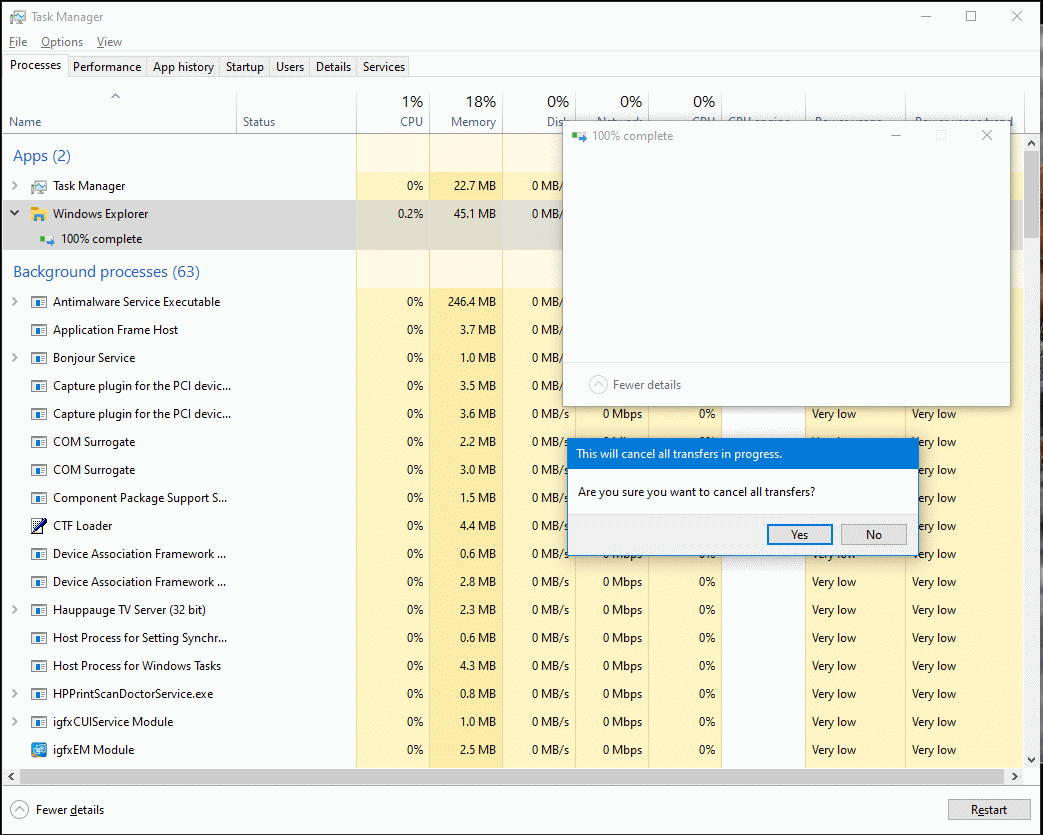

Ooh, this might be a bug in goScreen program. I posted in https://groups.io/g/goscreen/message/64 about it.
This browser is no longer supported.
Upgrade to Microsoft Edge to take advantage of the latest features, security updates, and technical support.
' cx='32' cy='32' r='32' /%3E%3Ctext x='50%25' y='55%25' dominant-baseline='middle' text-anchor='middle' fill='%23FFF' %3EA%3C/text%3E%3C/svg%3E)
https://i.postimg.cc/VzMM8TsK/Copy-Files-Stuck100.gif for my screen shot/capture.
Why does this happen? It doesn't matter which the drives (new SSD and old [internal and external] SATA 5400 RPM HDDs, NTFS and exFAT) in my two weeks old, updated 64-bit W10 Pro. PC. It never closes. I try to manually close it, but it tells me that it will cancel. Even when I say yes to cancel, it gets stuck! I have to end task Explorer to make it go away. I compared the original and destination and they matched fine.
It seems to happen when I copy many files (e.g., 164 files [biggest size is 350 MB and 44 folders). I never had this problem with my previous 64-bit W7 HPE SP1 PC.
Thank you for reading and hopefully answering soon. :)
Locked Question. This question was migrated from the Microsoft Support Community. You can vote on whether it's helpful, but you can't add comments or replies or follow the question.
Ooh, this might be a bug in goScreen program. I posted in https://groups.io/g/goscreen/message/64 about it.
We recommend that you repair Windows before copying your personal files.
Microsoft Official. Windows 10 media creation tool.
https://www.microsoft.com/en-us/software-downlo...
See here the correct way to recover your files when repairing Windows:
https://www.ubackup.com/windows-10/reinstall-wi...
Note: This is a non-Microsoft website. The page appears to be providing accurate, safe information. Watch out for ads on the site that may advertise products frequently classified as a PUP (Potentially Unwanted Products). Thoroughly research any product advertised on the site before you decide to download and install it.
Hi, I'm Ana M., an Independent Advisor. I would love to help you today.
Try using SFC.
Press the Start key and type the word CMD, right click on the command prompt and select Run as administrator, enter the following commands one by one followed by the Enter key:
•- DISM.exe /Online /Cleanup-image /Scanhealth
•- DISM.exe /Online /Cleanup-image /Restorehealth
•- DISM.exe /Online /Cleanup-image /startcomponentcleanup
•- sfc /scannow
Weird. I deleted my post/thread, but it's not working since it's a bug in goScreen like I said earlier. :(
Hi, I'm Ana M., an Independent Advisor. I would love to help you today.
Try using SFC.
Press the Start key and type the word CMD, right click on the command prompt and select Run as administrator, enter the following commands one by one followed by the Enter key:
•- DISM.exe /Online /Cleanup-image /Scanhealth
•- DISM.exe /Online /Cleanup-image /Restorehealth
•- DISM.exe /Online /Cleanup-image /startcomponentcleanup
•- sfc /scannow