Microsoft Security | Intune | Configuration Manager | Other
Other Configuration Manager-related features and issues

This browser is no longer supported.
Upgrade to Microsoft Edge to take advantage of the latest features, security updates, and technical support.
' cx='32' cy='32' r='32' /%3E%3Ctext x='50%25' y='55%25' dominant-baseline='middle' text-anchor='middle' fill='%23FFF' %3EDD%3C/text%3E%3C/svg%3E)
Hello,
I have
But I could not access the bitlocker console...
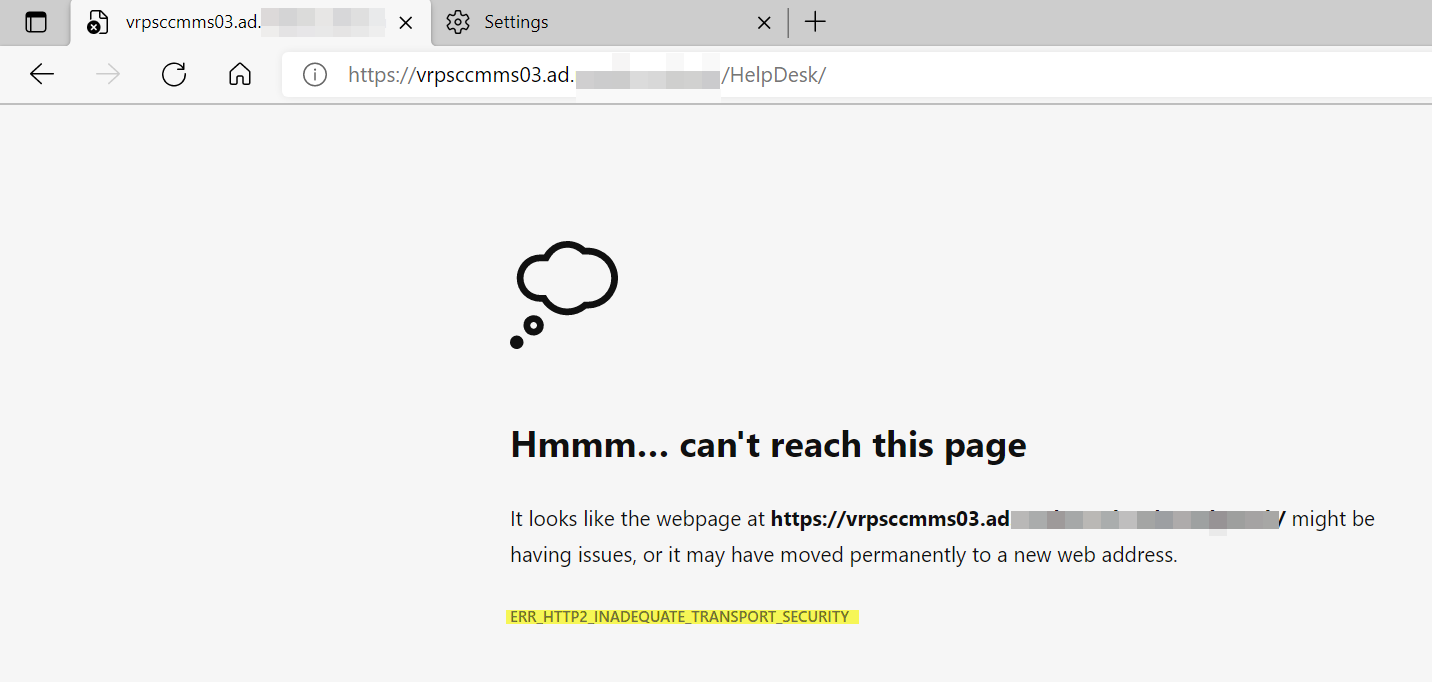
Any Ciphers or other TLS to enable?
Thanks,
Dom
Other Configuration Manager-related features and issues

Can we access the HelpDesk by IE?
It might because the IIS in Windows Server turns on HTTP/2 by default and only falls back to the older HTTP/1.1 if the browser doesn’t support HTTP/2.
First, you can disable the weaker cipher suites, which is recommended for security purposes, and leave HTTP/2 enabled. The second option is to disable HTTP/2 in IIS and only use the older HTTP/1.1 standard.
For the reference:
https://www.tecklyfe.com/how-to-fix-ns_error_net_inadequate_security-and-err_spdy_inadequate_transport_security-in-iis-on-windows-server-2016/
(Please note: Information posted in the given link is hosted by a third party. Microsoft does not guarantee the accuracy and effectiveness of information.)
If the answer is helpful, please click "Accept Answer" and kindly upvote it. If you have extra questions about this answer, please click "Comment".
Note: Please follow the steps in our documentation to enable e-mail notifications if you want to receive the related email notification for this thread.
' cx='32' cy='32' r='32' /%3E%3Ctext x='50%25' y='55%25' dominant-baseline='middle' text-anchor='middle' fill='%23FFF' %3ERJ%3C/text%3E%3C/svg%3E)
Are you accessing from the client machine or the server running the IIS site?

See IIS site config and try to open link from there.
' cx='32' cy='32' r='32' /%3E%3Ctext x='50%25' y='55%25' dominant-baseline='middle' text-anchor='middle' fill='%23FFF' %3EDD%3C/text%3E%3C/svg%3E)
I am trying both...