Hello, I listen a lot of music and several audio contents using many audio outputs. However, when i want to change any output (for example Firefox's audio in my headset while other apps play on the main speaker). The path might be Settings/System/Sounds and then Advanced options (may not be accurate, my PC is in French). I want to open this menu using cmd.exe, Powershell or any shortcut available, so I could put it in my taskbar. I know I can open an audio control panel using
control mmsys.cpl sounds
but it isn't the menu I want to show. I know it is possible to open the settings app (not the config panel) using the command control but I don't have the full list of possible arguments.
Can someone help me please? Even if you just have the list of the arguments that can be used with the control command it would be very helpful!
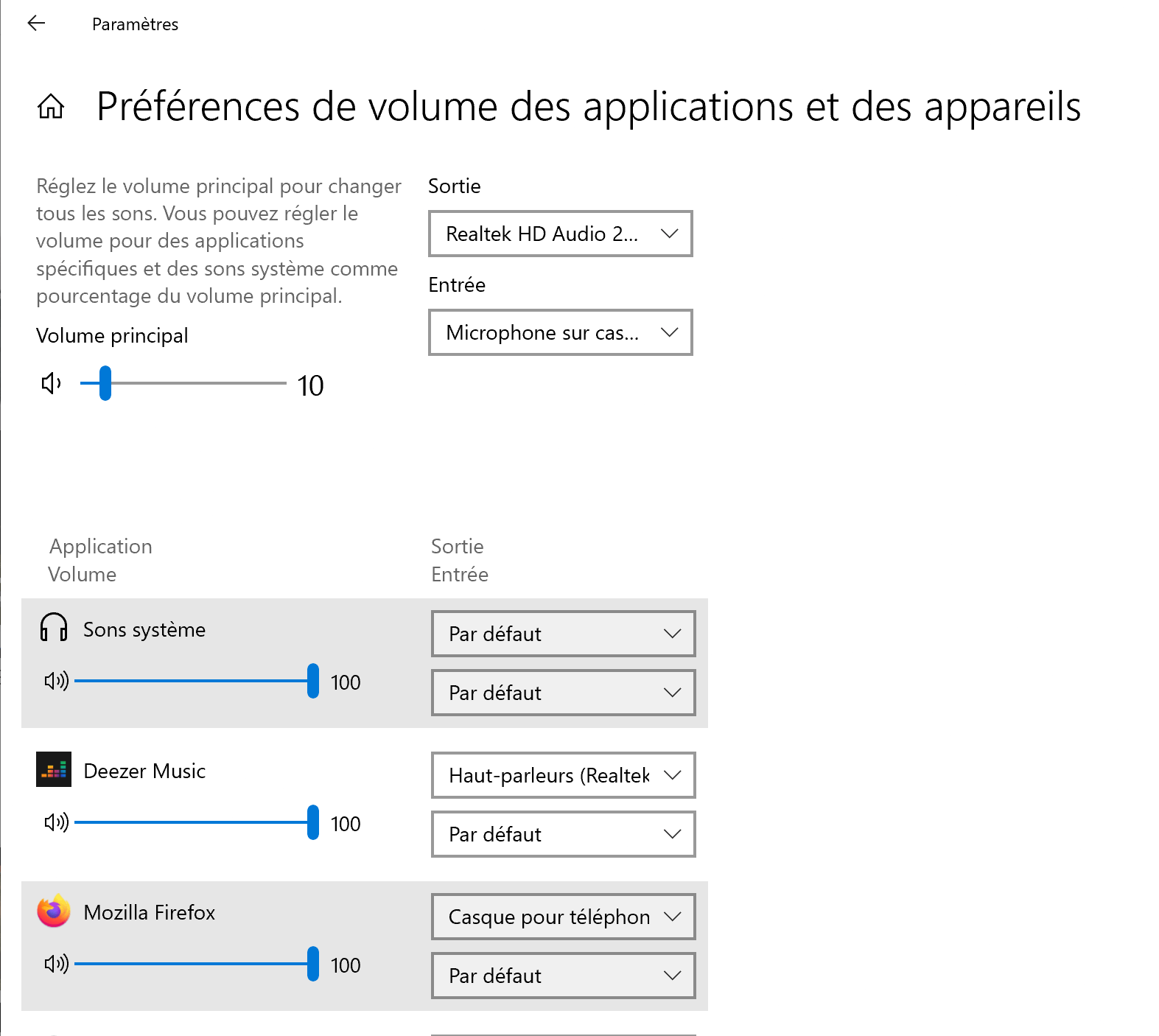
This is the panel I want to have (not in english sorry...):
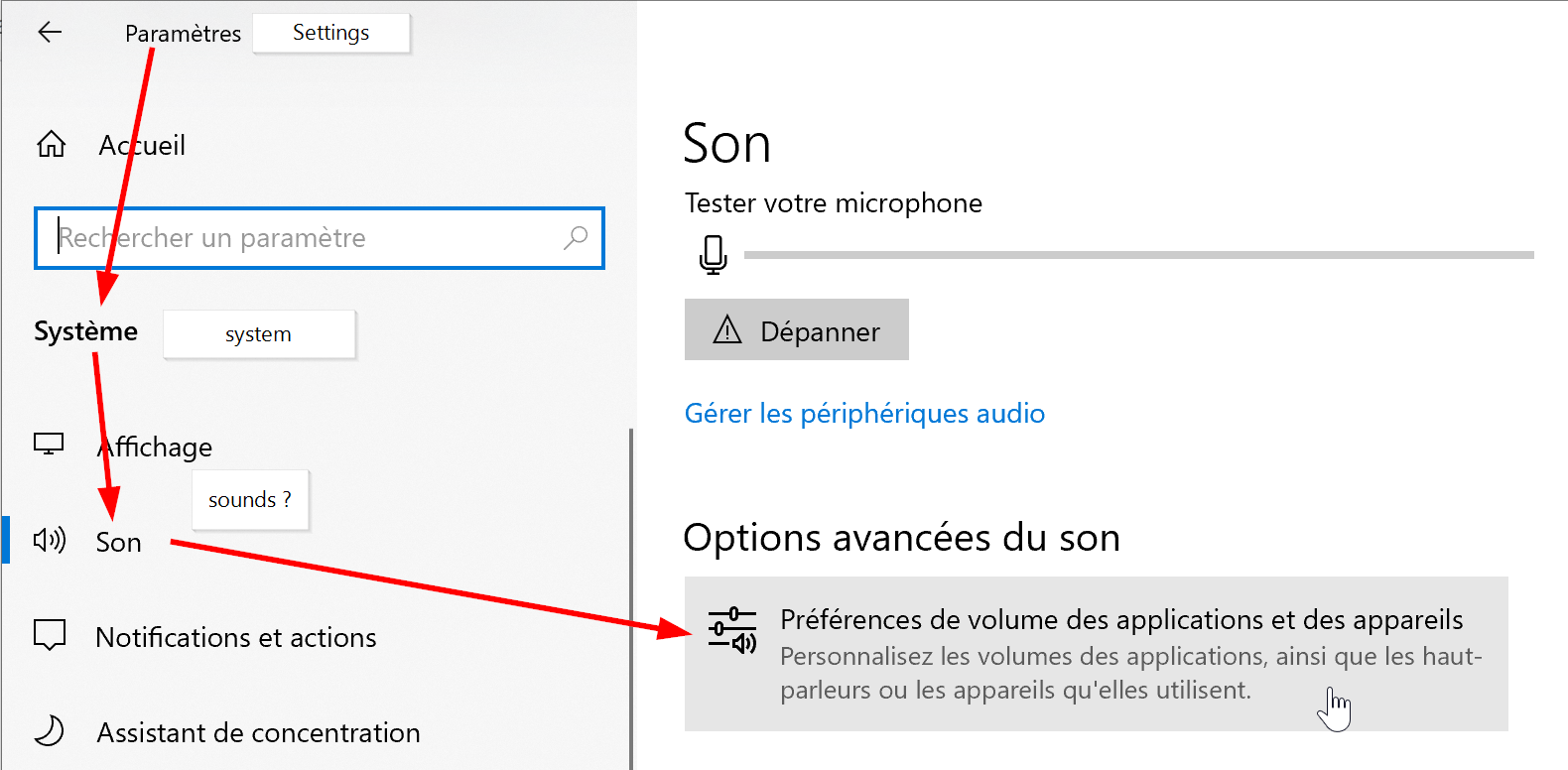
and you can access it through this button :
' cx='32' cy='32' r='32' /%3E%3Ctext x='50%25' y='55%25' dominant-baseline='middle' text-anchor='middle' fill='%23FFF' %3EA%3C/text%3E%3C/svg%3E)

