Azure Monitor
An Azure service that is used to collect, analyze, and act on telemetry data from Azure and on-premises environments.
This browser is no longer supported.
Upgrade to Microsoft Edge to take advantage of the latest features, security updates, and technical support.
' cx='32' cy='32' r='32' /%3E%3Ctext x='50%25' y='55%25' dominant-baseline='middle' text-anchor='middle' fill='%23FFF' %3EPJ%3C/text%3E%3C/svg%3E)
I followed https://learn.microsoft.com/en-us/azure/azure-monitor/platform/collect-custom-metrics-guestos-resource-manager-vm to monitor additional performance counters on a Windows VM, and they correctly appear in the Metrics blade under the Virtual Machine Guest namespace. However, I'm not able to display these metrics in an Azure Monitor workbook. They don't appear as metrics, and I can't find them in a Log Analytics query (they don't show up in either the InsightsMetrics or Perf tables).
Is there a way to display these performance counters in an Azure Monitor Workbook or Log Analytics query?
I have "Send diagnostic data to Azure Monitor" set to On.
An Azure service that is used to collect, analyze, and act on telemetry data from Azure and on-premises environments.
Answer accepted by question author

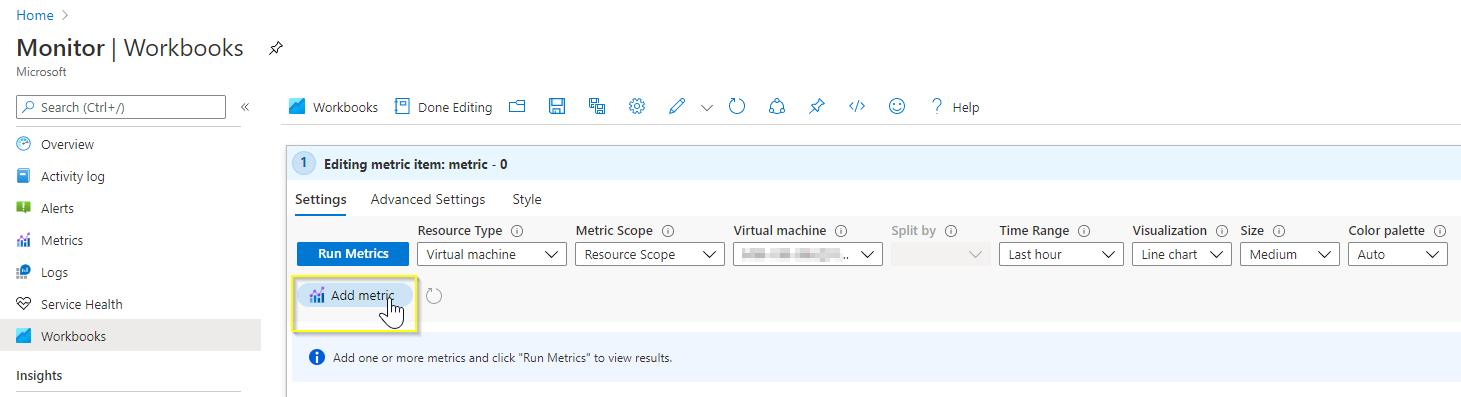
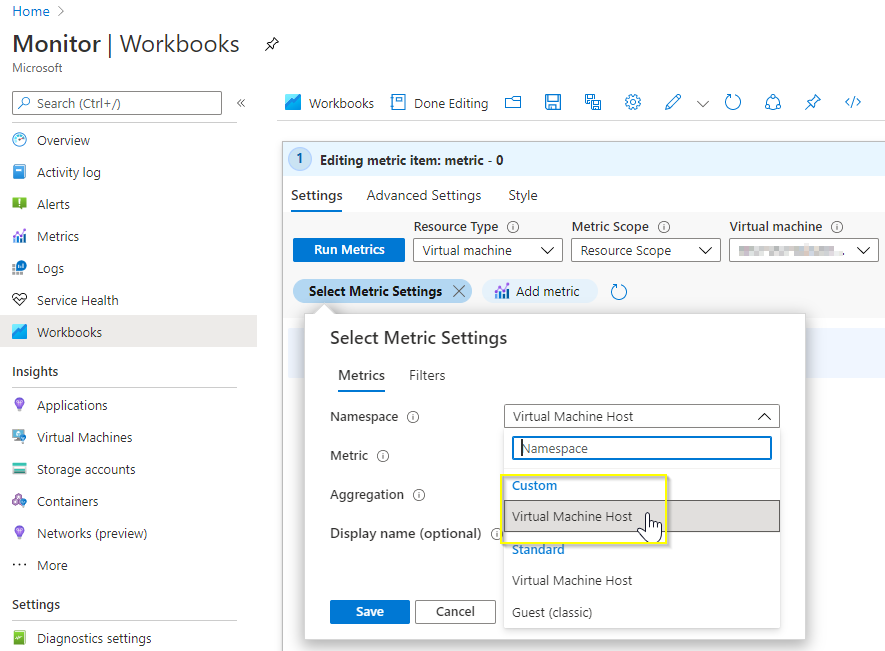
Hi @Peter Johnson , The metrics that are part of 'Virtual Machine Guest' metric namespace are currently listed under 'Custom' section 'Virtual Machine Host' metric namespace in an Azure Monitor workbook.
For illustration, please find below screenshots.
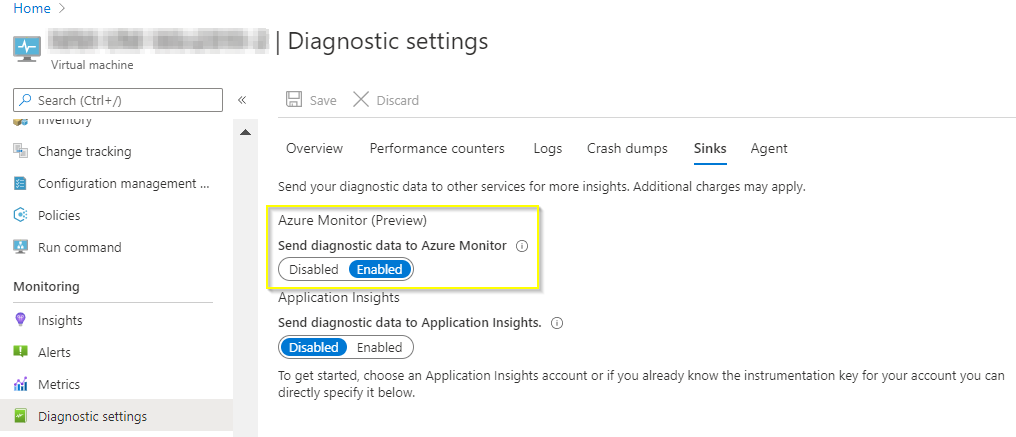
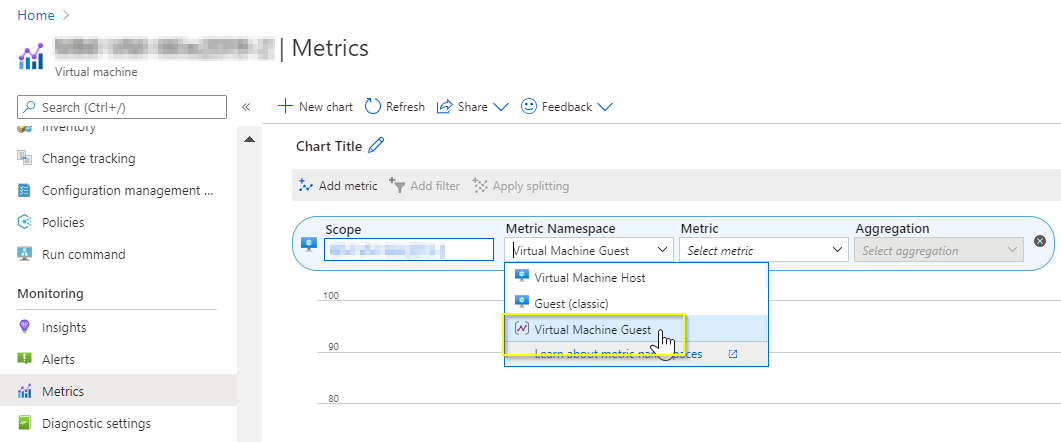
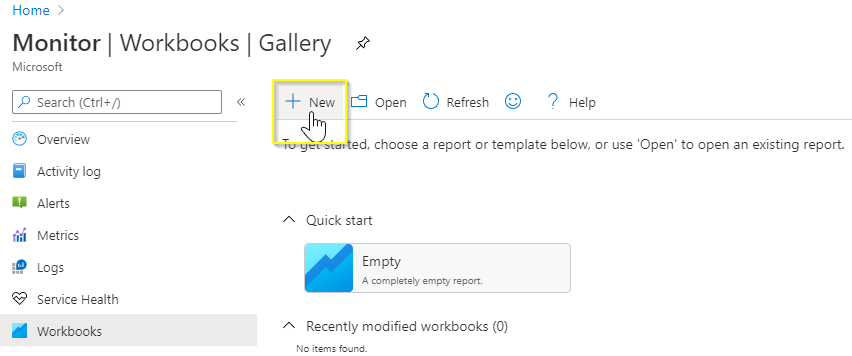
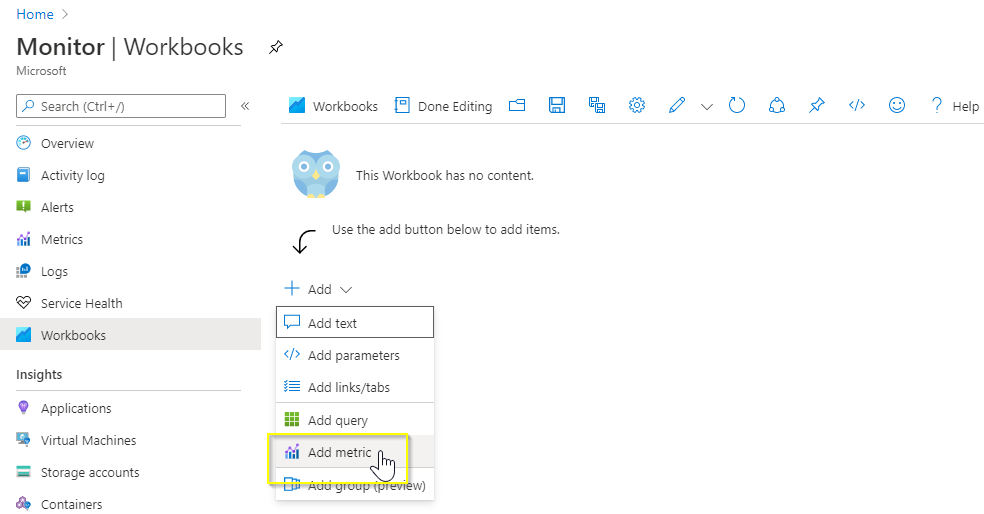

Yes check this https://learn.microsoft.com/en-us/azure/azure-monitor/platform/workbooks-overview
Please do not forget to "Accept the answer" and Upvote on the post that helps you, this can be beneficial to other community members.
http://www.moamenhany.com