I downloaded the TikTok desktop app from the Microsoft Store that's pre-installed with my Windows 10 laptop. The TikTok app didn't have the features I wanted, so I deleted it. But still any time I try to open a TikTik related link from my browser, it will open the deleted TikTok app. It opens a new application window, even pops the TikTok symbol on the taskbar as if it was still installed.
I can get to https://www.tiktok.com/en in my browser but if I select, for example, "For You" or literally anything listed under it, it will open the deleted app. Same for anything across the top of the webpage or any option I select after hovering over my profile pic. I tried to look into the TikTok LIVE Studio app instead, but when I click TikTok.com/Studio/Download , it opened the deleted desktop app which doesn't give me the actual download button. If I try to "Open Link in new tab/window" it'll act like it's trying to load but then redirects me to the main TikTok webpage.
It was uninstalled through Settings. I did a whole "This PC" search in File Explorer for the phrase TikTok and deleted literally anything that popped up. Didn't change anything. I tried to maybe uninstall it in the Microsoft Store but it has the blue Install button on the app page. So no luck there. Under the Install button, it says "also contains extension for Microsoft Edge so I go to Microsoft Edge (which is not my primary browser), select Extensions > Manage Extensions, which says "You haven't installed any extensions". Then I try to check Apps. It lists nothing as well.
I feel like I've done everything possible to get rid of the TikTok desktop app (even emptied recycling bin and restarted PC several times) yet it is still somehow opening up and preventing me from downloading LIVE Studio. Below is a screen capture of the desktop application and how it opens. 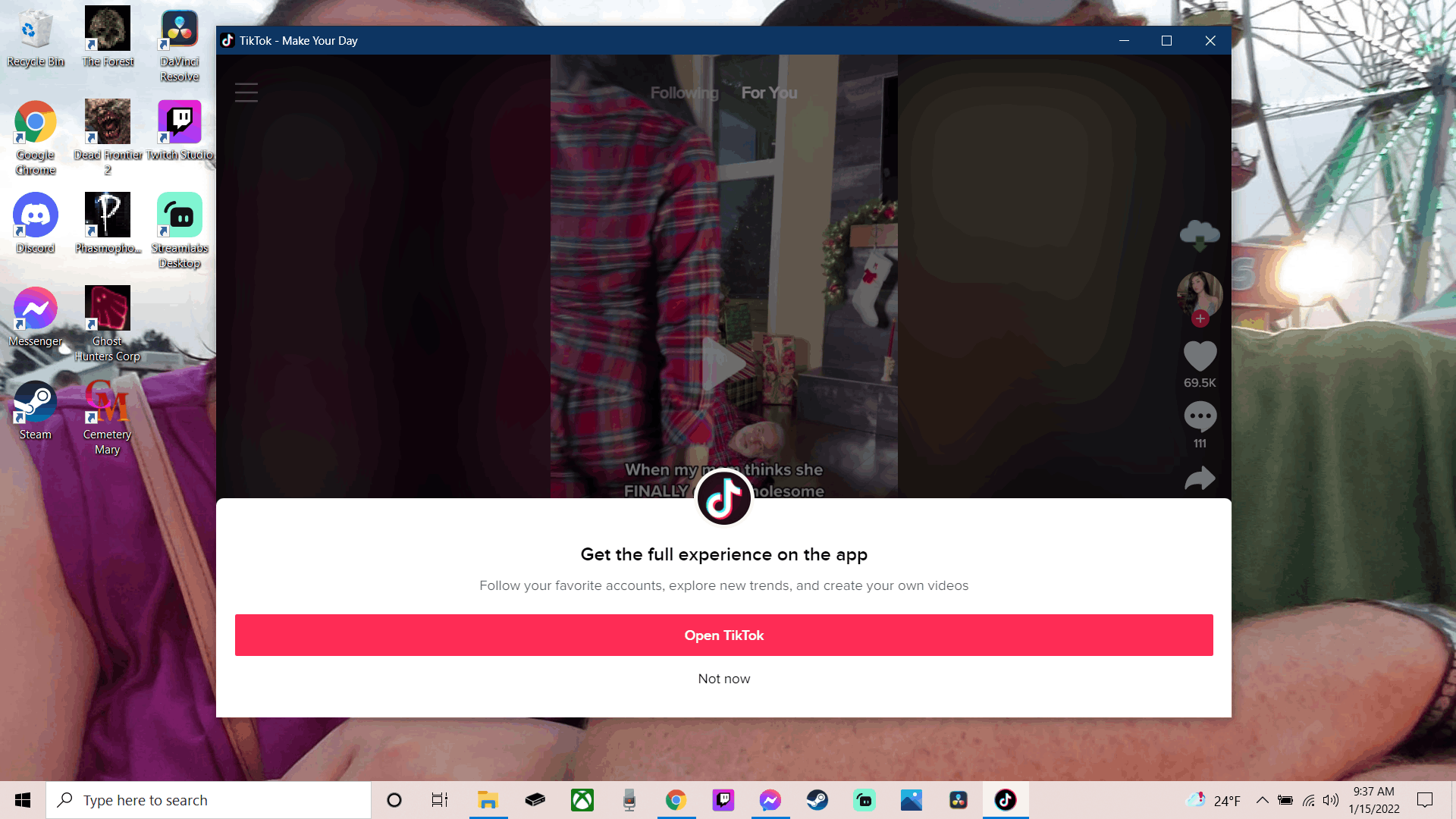
' cx='32' cy='32' r='32' /%3E%3Ctext x='50%25' y='55%25' dominant-baseline='middle' text-anchor='middle' fill='%23FFF' %3EA%3C/text%3E%3C/svg%3E)

' cx='32' cy='32' r='32' /%3E%3Ctext x='50%25' y='55%25' dominant-baseline='middle' text-anchor='middle' fill='%23FFF' %3ERA%3C/text%3E%3C/svg%3E)