I just installed windows 11, and suddenly I'm getting the following problem:
After about 11 minutes without using the computer a process called "AddInProcess" uses 100% of my CPU and as soon as i move the mouse, or click a key on the keyboard that process disappears and the CPU usage goes back to normal:
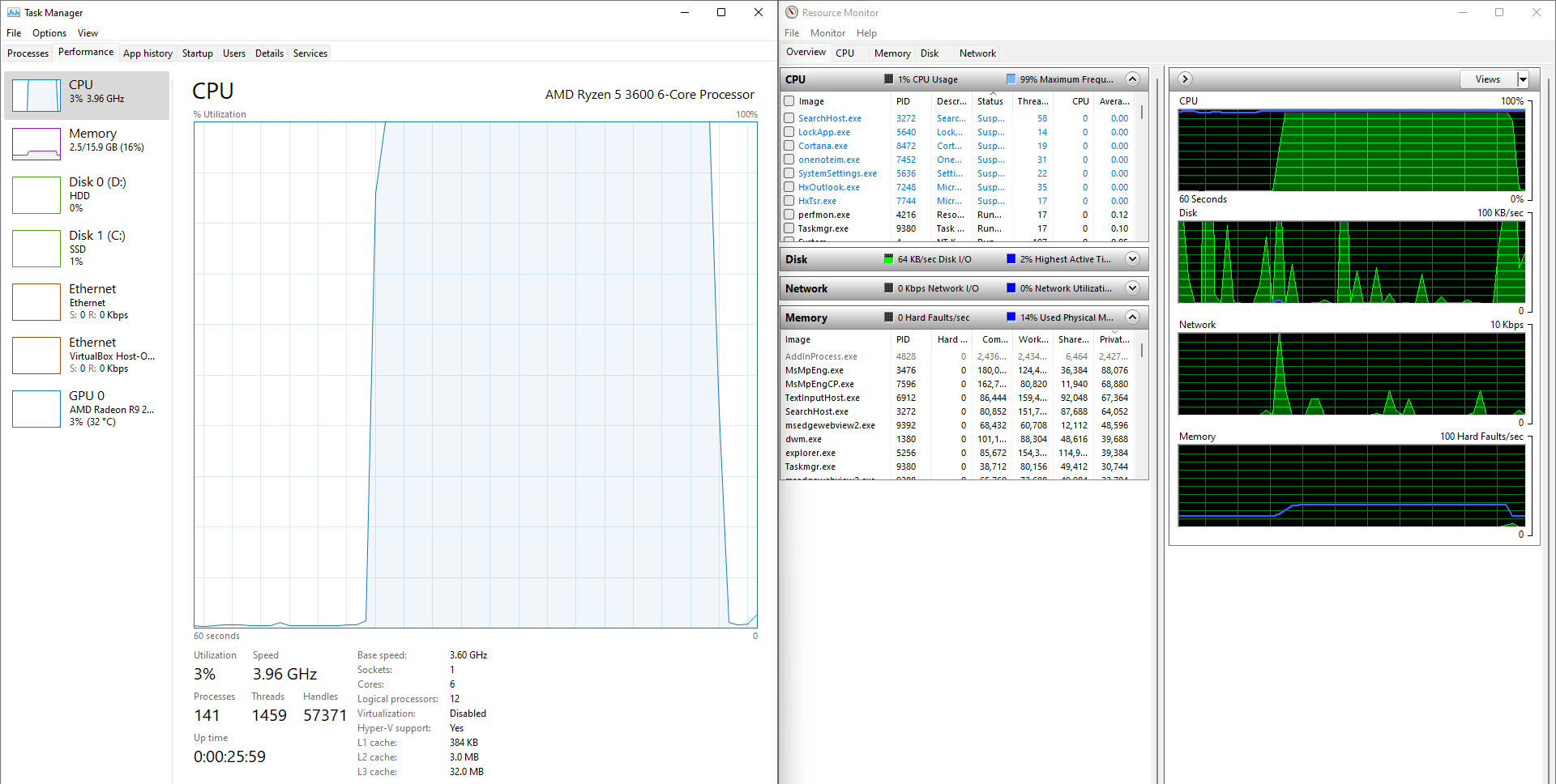

That process is the following:
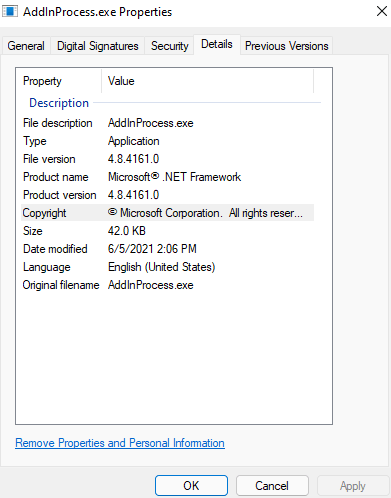
and it's located in C:\Windows\Microsoft.NET\Framework64\v4.0.30319
I can't find a way to uninstall .NET Framework 4:
- it doesn't appear in the "programs and features" list
- it doesn't appear in the "programs" option of the control panel
- it doesn't appear in the "installed update" list.
- I tried this tool: Uninstall Tool - .NET | Microsoft Docs but i can't seem to find the right version to type in the powershell
I will try to reset the computer and install windows 11 again, I hope I won't get this problem anymore, but in case it will happen, how do you fix it?
My setup is:
- CPU: Ryzen 5 3600
- RAM: Corsair Vengeance LPX 2x8GB 3600MHz
- Secondary memory: Samsung 970 EVO Plus SSD 500GB M.2 NVMe
- GPU: R9 270x
- Motherboard: MSI b550-a pro
All the drivers are updated, and I got the latest BIOS (version 7C56vA84 with windows 11 support)
Edit:
I've tried literally everything, fresh installed windows 3+ times, installed .NET framework fixes, ran windows in safe mode etc etc etc. At the end I contacted the Microsoft support team and they remotely controlled my computer. They couldn't fix it as well and said that it's a bug that will probably be fixed in the future. I will try to install it again soon and see what happens. I will update this question again when windows 11 will get a few major updates.
Edit2: I tried again, with windows 22H2 build 22621.2134 everything works fine. I'm not sure what the problem was
' cx='32' cy='32' r='32' /%3E%3Ctext x='50%25' y='55%25' dominant-baseline='middle' text-anchor='middle' fill='%23FFF' %3EA%3C/text%3E%3C/svg%3E)
