Due to some persistent errors in Event Viewer it was suggested that I add a second user name (aka user account) to do some temporary testing to see if the Event Viewer errors go away.
But I am finding it has become a little more complicated to add another user (with same properties as first user) due to recent Windows 10 upgrades.
It used to be you could go to Start > Run and type in
control userpasswords2
or
NETPLWIZ
This would take you to a screen like this and adding a second user was pretty easy.
(NOTE: I had to make a Registry change to get the checkbox control to reappear.)
Could someone tell me the newest steps to create a second user name to this display?
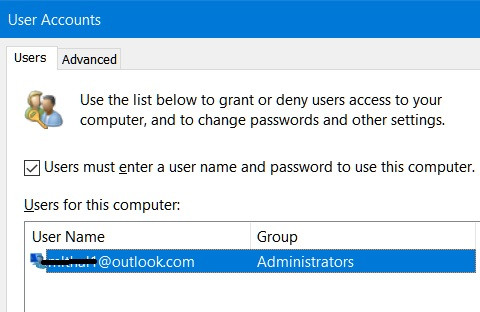
Despite 15+ years developing software for Windows operating systems for the life of me I cannot find simple steps to add the new user to this folder and the ability to use it to logon to my laptop using my newly added account. Color me embarrassed. :-)
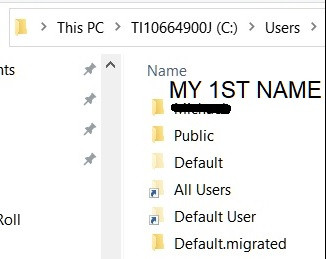
Is my only option now to select Family & other users at the steps described here?
https://support.microsoft.com/en-us/windows/create-a-local-user-or-administrator-account-in-windows-20de74e0-ac7f-3502-a866-32915af2a34d#WindowsVersion=Windows_10
This seems more involved (complicated). I could not find the steps to do what used to be an easy procedure to add a second user.
Your thoughts?
Michael T.
Senior Software Engineer (retired)
' cx='32' cy='32' r='32' /%3E%3Ctext x='50%25' y='55%25' dominant-baseline='middle' text-anchor='middle' fill='%23FFF' %3EA%3C/text%3E%3C/svg%3E)

