Hi,
Thanks for the prompt reply. I had tried clean boot to no effect.
I have created a second account and the problem seems resolved for now. But I now need a guide on how to attach all my data, programs and menu configs plus stored passwords to the new account. A massive task it seems. Unless there is an easy way to attach the new account to all my config it seems to be not worthwhile just to open pdfs in Edge without difficulty. I am happy to make registry change to resolve the issue in my existing account, perhaps copying a key from the new account to the original if someone could steer me in the right area.
Hi
Thanks for your reply.
If you want to transfer to a new account for use, you can follow the steps below to transfer your account profile and information.
Once you have transferred your account configuration, you can check if your account password still exists in edge.
The specific migration steps are as follows.
1: Press Windows + E to pop up Windows Explorer. Select the View tab, click on Options and select Change folder and search options.
2: Uncheck the option Hide protected operating system files (Recommend) and check Show hidden files, folders, and drives.
3: Navigate to the folder Documents and Settings present in Local Disk (C).
4: If you are unable to open the folder, it means you have no access to it. Right-click on it and select Properties. Click on the Security tab, highlight Everyone and click Advanced so we can change the permissions. Check Full control and click Apply. After saving changes, exit the window. You will now be able to access the folder.
5: Select the username of the user from whom you are copying the files from (your original account). Select all the files except the ones listed below:
Ntuser.dat/Ntuser.dat.log/Ntuser.ini
Copy all the files you just select.
6: Now navigate to the new user profile which you just created using the steps listed above (C:\Documents and Settings\New_Username folder). Click Paste. If you are asked whether you want to replace the file, press Yes.
7: Log into the new user account and see if all the settings are there according to your requirement.
There is no way to accurately determine what causes this problem for you, but the probability is that there is a problem with the setting parameters of the edge itself, so you can try to fix the edge. change the adobe browser there is no problem, you can also try to reset the edge to see if there is an effect.
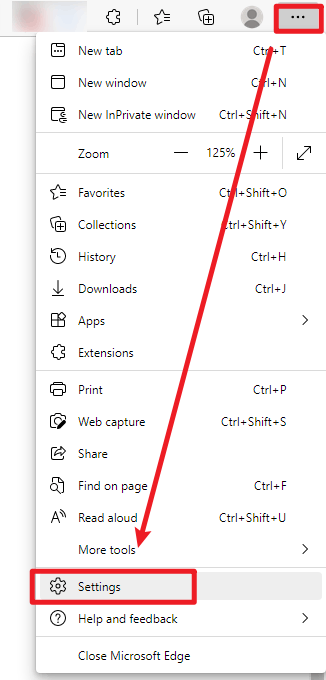
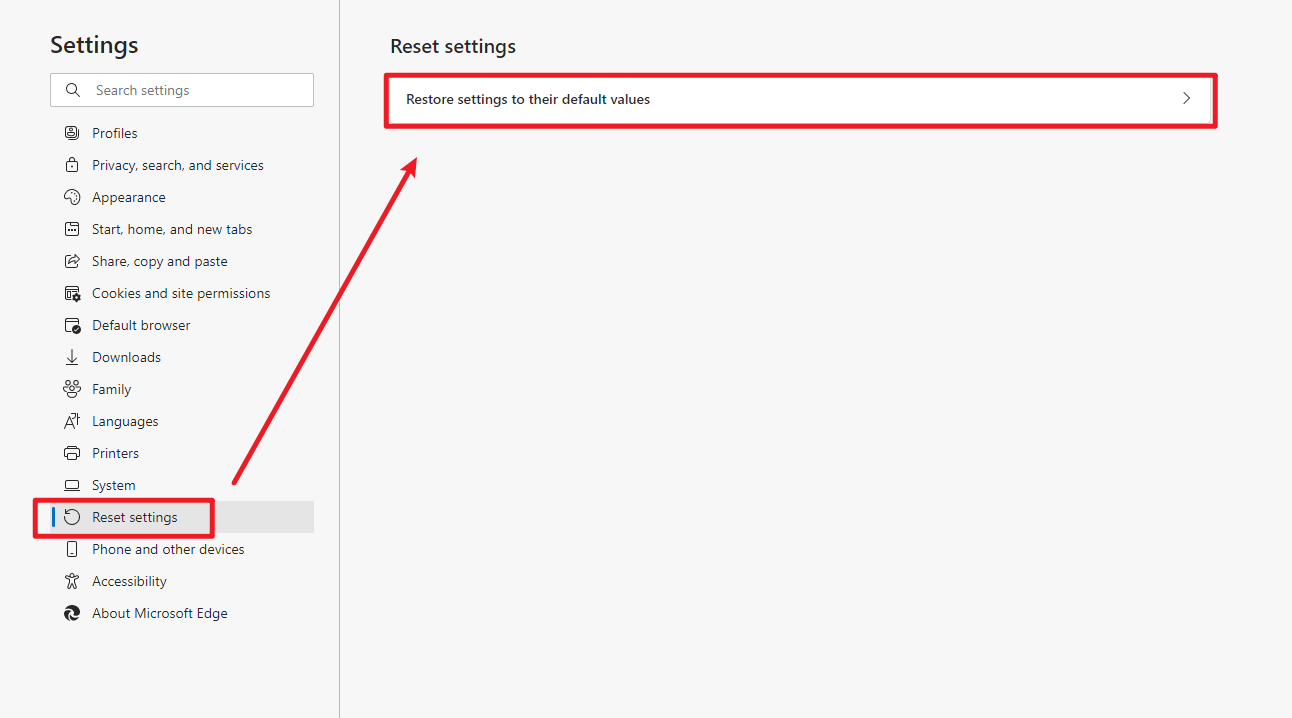
You can also try updating edge to see if the problem can be fixed.
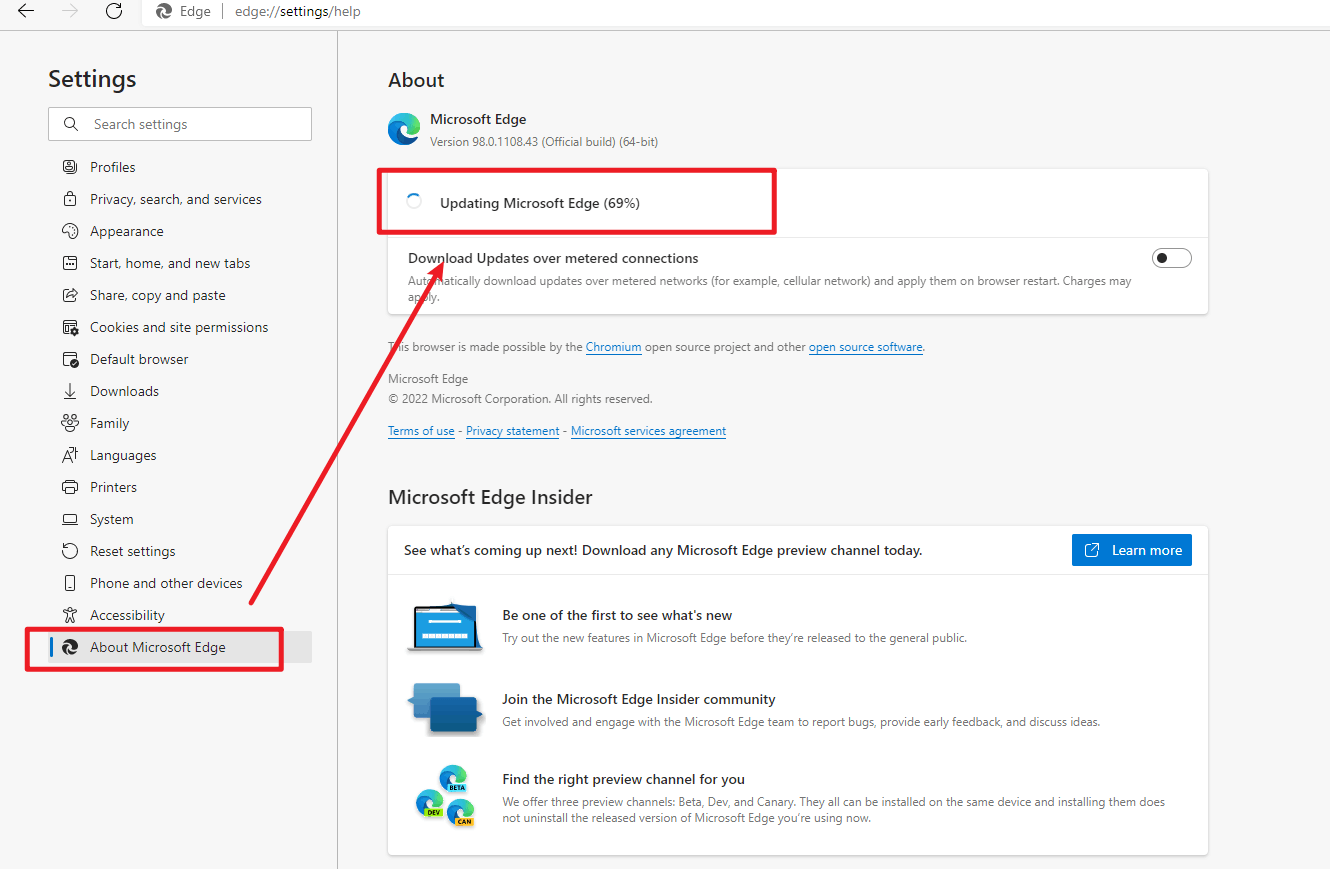
Feel free to post back if you need more assistance. ^.^
Best regards
Derrick Qian | Microsoft Community Support Specialist
* If your problem is not solved, you could reply to the post again and we would continue to provide technical support for you.
* Please check and vote this answer if it helps as it will be beneficial to more community members reading here.
' cx='32' cy='32' r='32' /%3E%3Ctext x='50%25' y='55%25' dominant-baseline='middle' text-anchor='middle' fill='%23FFF' %3EA%3C/text%3E%3C/svg%3E)
