Share via

How to manually arrange files in file explorer. windows 11

Anonymous
2022-04-10T00:10:36+00:00

I need to manually arrange some files in a folder but for the life me cant find how to do it.

Windows for home | Windows 11 | Files, folders, and storage

Locked Question. This question was migrated from the Microsoft Support Community. You can vote on whether it's helpful, but you can't add comments or replies or follow the question.

0 comments No comments

4 answers

Sort by: Most helpful
  1. Anonymous
    2022-05-19T05:24:37+00:00

    It is not, in fact, 'impossible' at all, since all of my previous versions of windows have been made to do it. No, it is just that Windows has DECIDED to remove the possibility of doing it. Why? -all sane people ask - who knows the vagaries of the Windows hive-mind!

    100+ people found this answer helpful.
    0 comments No comments
  2. @CmdrKeene 90,616 Reputation points Volunteer Moderator
    2022-04-10T00:16:22+00:00

    You can change the size of the icons, or arrange them in different orders (by date, by name alphabetically, by size), but you cannot drag-and-drop them to arbitrary locations manually (only sort them in a different orders). The arbitrary arrangement capability was removed many years ago and is not possible to do any more. Sorry for the bad news.

    40+ people found this answer helpful.
    0 comments No comments
  3. Anonymous
    2022-04-26T18:38:38+00:00

    Apparently this is the same issue as if I wanted to arrange photographs in a logical timeline order. For instance if I take a photo with my iPhone and want to insert that photo between two photos taken on a different date then microsoft has nothing to offer? Or has this changed since 2005? Is there another app that is available that would accomplish this seemingly simple task?

    TIA

    10+ people found this answer helpful.
    0 comments No comments
  4. @CmdrKeene 90,616 Reputation points Volunteer Moderator
    2022-04-26T19:05:15+00:00

    I would perhaps suggest using a photo management program, but even picture programs will typically sort a picture by the date they were taken, not an arbitrary jumble.

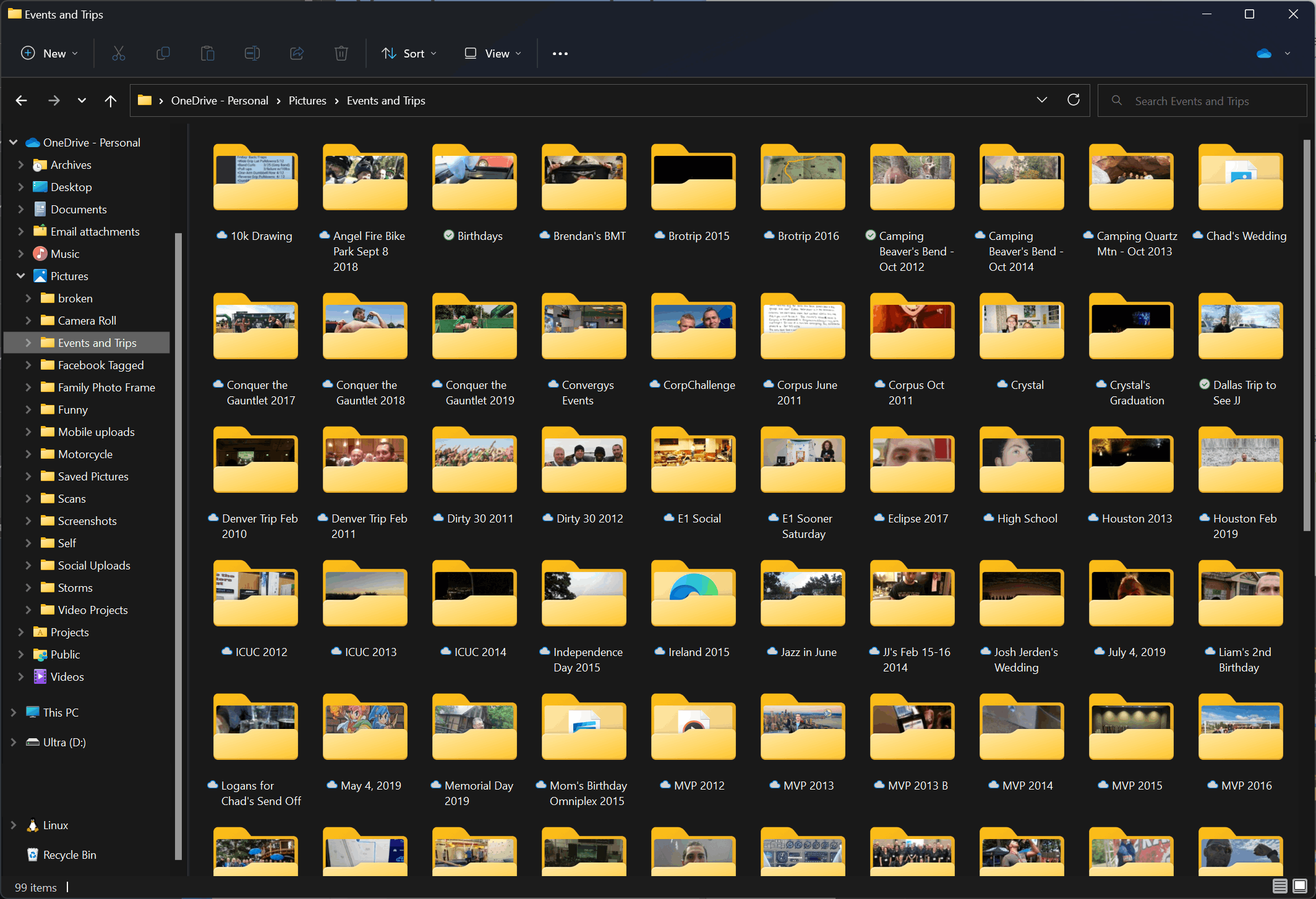
    I personally myself just organize my pictures into folders like you see below. I don't know if this is what regular people do I just like to be organized and I have more than 15,000 pictures, and I also appreciate that as simple file folders they stay organized even when I buy a new computer or access them from other computers. Plus they're easy to backup and copy without having to install any extra software for the task (I try not to install extra programs unless I truly need them.

    Example:
    2 people found this answer helpful.
    0 comments No comments
