HI
I have a Dell monitor U2414H and it have a USB 3.0 Hub it connect through motherboard by USB 3.0 Upstream Cable (USB Type B -> USB Type A)
Everything is work fine with my old motherboard (H370m chipset and Intel 8th Gen CPU)
then I upgrade my pc yesterday with brand new H670m motherboard (Asrock) and Intel 12th Gen i5 CPU
Problem is start from I connect my USB 3 cable from monitor to a USB 3.2 port on bank of the motherboard
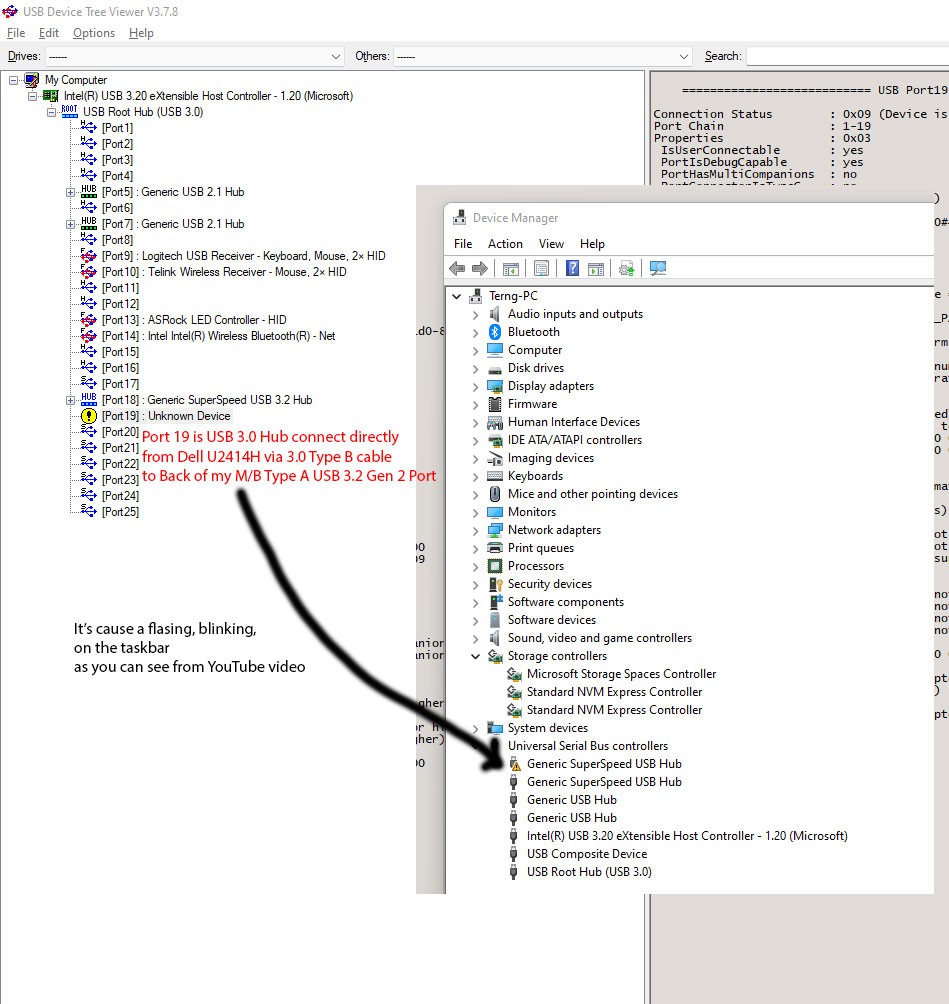
then everything is look weird as you see in the link from YouTube April 20, 2022 - YouTube (sorry for my background music anyway) a Safety Remove Hardware Icon is start flashing like a mad then in Device Manager will show a yellow warning badge on "Generic SuperSpeed USB Hub" as you can see in the photo 1
By the way, USB on the Monitor is still working but working in USB 2.0 mode, But IF... If I connect some USB 3.0 device such as a Flash Drive or External Harddrive. Problem is fixed, nothing flashing nothing blinking, Everything seems to be work as it should
As you can see from this photo, Port 19 is a Generic SuperSpeed USB 3.0 Hub from Dell U2414H, So everything work fine.....
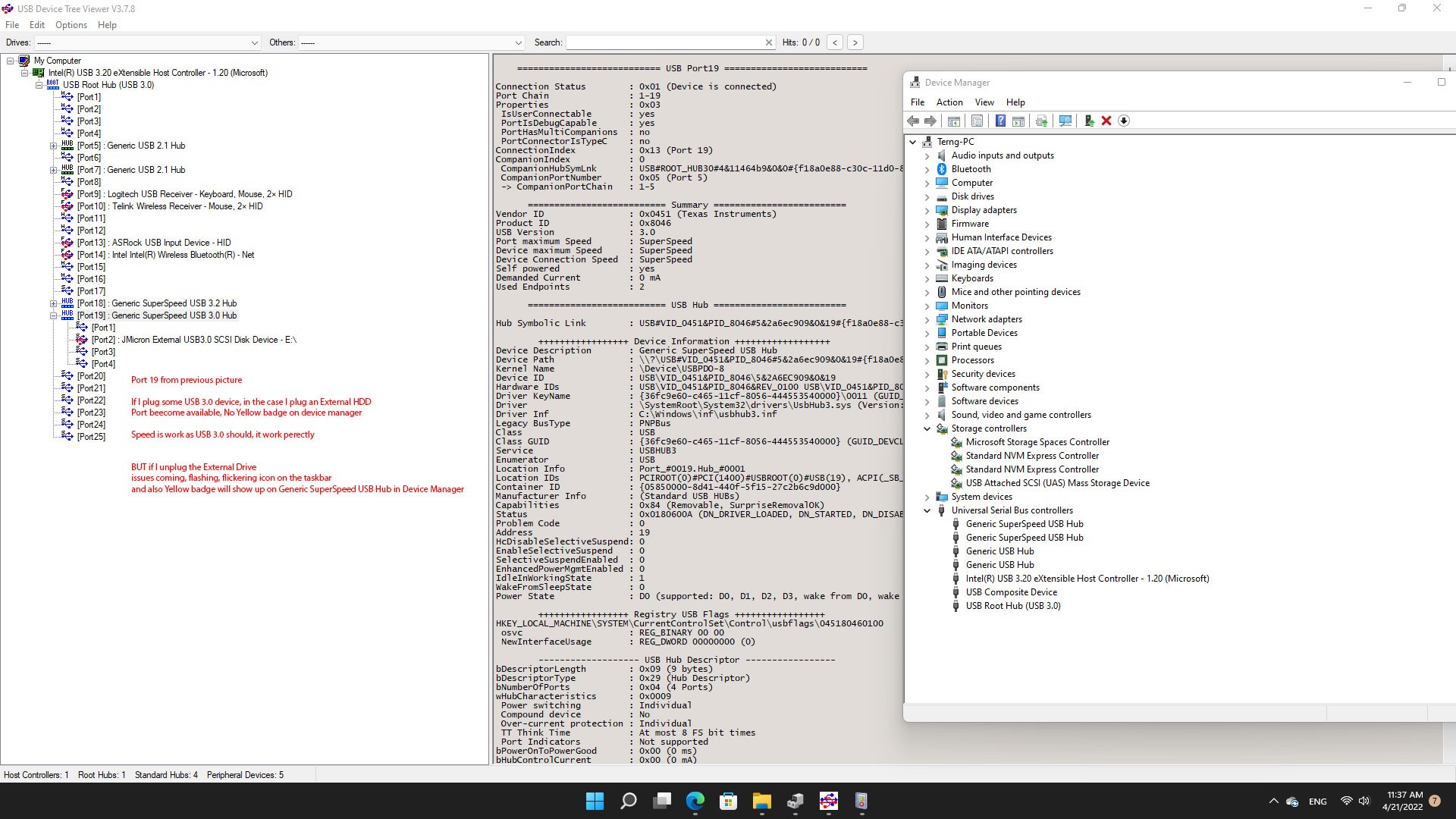
But issues comes happen again if I unplug the USB 3.0 devices ....
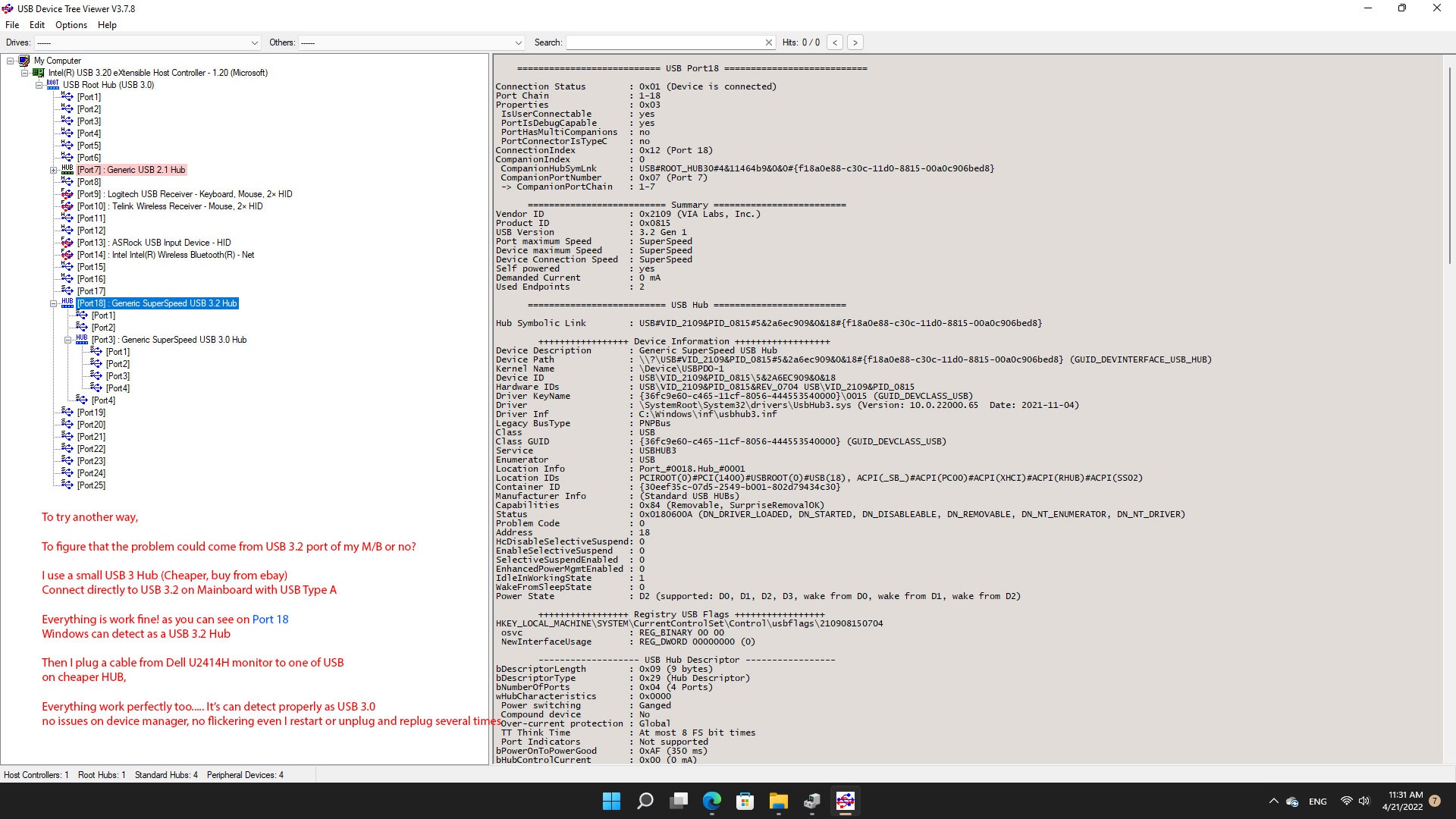
So I try to check another way I try plug some cheap USB 3 hub, as it found on eBay.... its work fine in the photo its will connect as Generic SuperSpeed USB 3.2 Hub or Port 18 as in photo above
I try another way to test again by plug a cable from monitor to a cheap USB 3 hub.... vola... it's work proper nothing flash, nothing blink
as photo below. You'll see the Generic SuperSpeed USB 3.0 Hub is connect under Port 18, is monitor
So, I summarize the problem may occur because of some Compatibility of Hardware or may be drivers conflict or may be my Dell U2414H USB 3.0 Hub is obsolete, I don't think its comes from Hardware problem from Motherboard
But the drivers is latest and Windows 11 is a fresh newly install
So How I can fix this issues ???
' cx='32' cy='32' r='32' /%3E%3Ctext x='50%25' y='55%25' dominant-baseline='middle' text-anchor='middle' fill='%23FFF' %3EA%3C/text%3E%3C/svg%3E)
