I SOLVED THIS PROBLEM WITH MEDIATEK MT7921 AFTER 3 MONTHS.
Firstly I have been trying to solve it with the software as soon as I bought this laptop.
- I downloaded different versions of MT drivers from the ASUS and MT websites;
- Did a "special hard reset" from the Youtube videos (somehow it helps with some laptops);
- Tried to update the driver with the MyAsus application;
- Tried to solve this with Asus support. They sent me the link to the latest version of the driver I already had. As soon as it did not work, they suggested sending my PC to one of their service centers abroad. The closets were in Lithuania (I live in Latvia). Of course, they would cover the postage if I agree. But there were 2 things I didn’t want to send it: 1. I will be without my laptop for a month or more. 2. All the data from my hardware might be deleted (I read about it in their terms of service).
- I disassembled the laptop to confirm I have the MT7921 module and also for checking the wires at the laptop and the module plate itself for some yellow marks or cracks. I did check the slot also (but did not pay attention to the slot type somehow). But everything looked great and brand new.
Nothing helped…
So I got back to the software and decided to wait for the updates for this module and checked the updates on Asus Drivers Website frequently. The same version V3.00.01.1264 were there from 2022/10/06 without any updates.
I was thinking: NO WAY Asus and MT as such huge brands did not solve it (or would not solve it in close future) with the software. And I have been trying to find the solution again and again. I wanted to do it without buying the new Wi-Fi module because that became a kinda challenge for me. I'm not a pro, but a bit electronic enthusiast.
But there were no any updates within 3 months and I decided to order the brand new Intel WiFi module instead of MT. So, which one do I need? I read somewhere that this laptop FX506HEB model and TUF F15 in general were equipped with Intel AX200 and AX201 as an opposite to MT7921. I checked the Asus Drivers Website again and confirmed this information. Asus suggested downloading 2 types of drivers for my laptop: Intel AX200/AX201 or MediaTek MT7921.
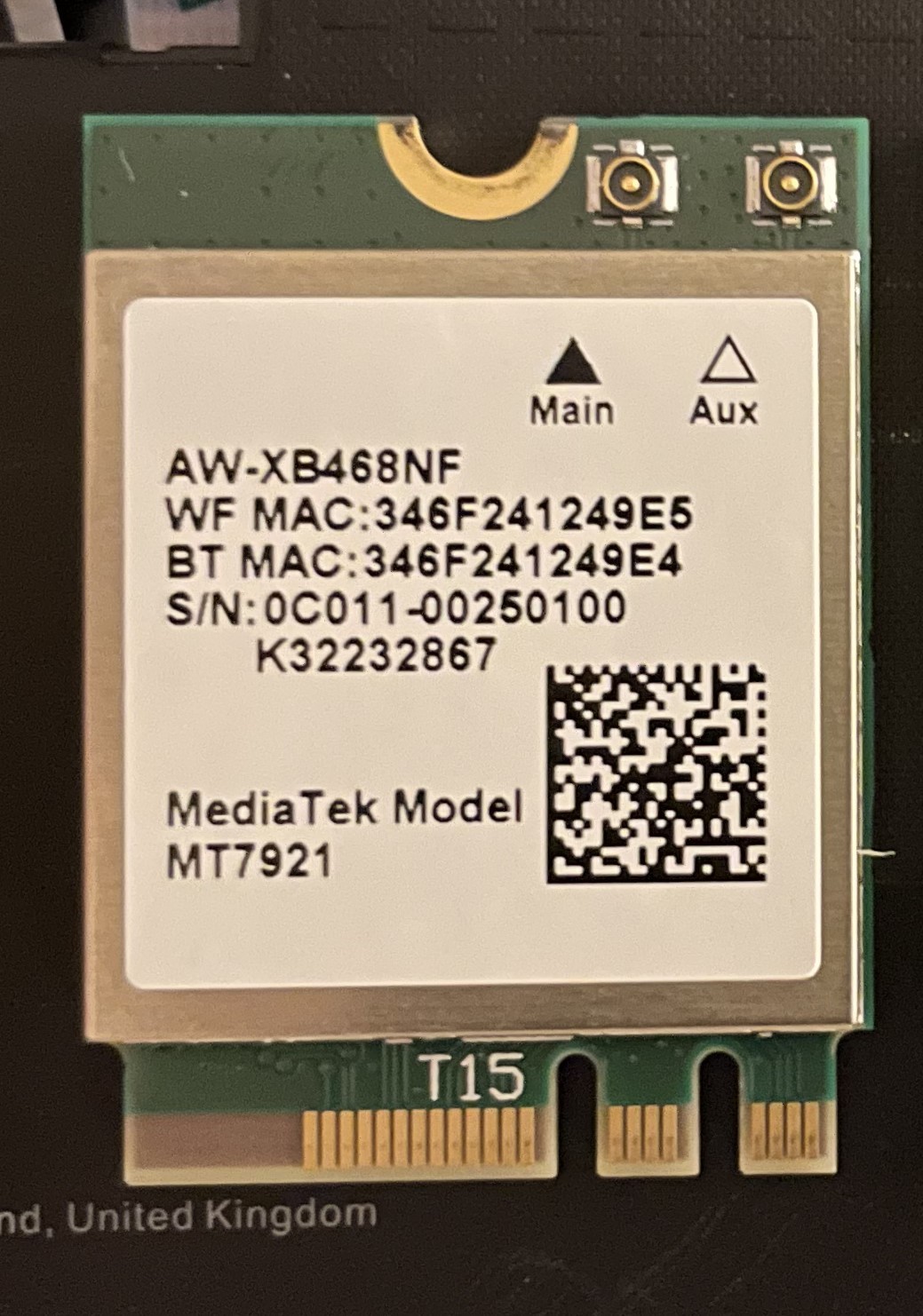
This is how the MT7921 looks like:
This is how the Intel AX200 looks like:
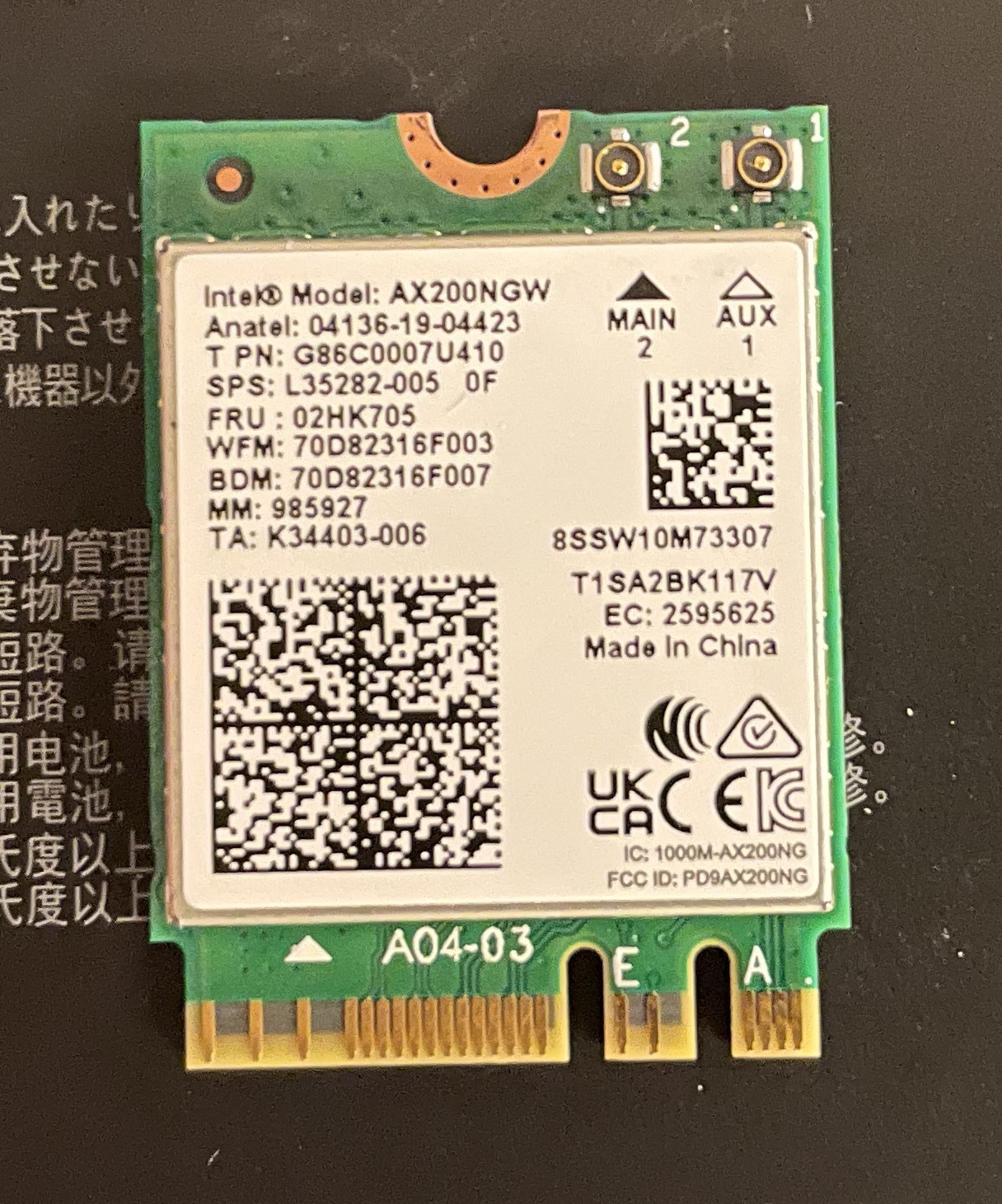
They are 100% interchangeable and use the same slot. Because they both have 2 cutouts at the bottom.
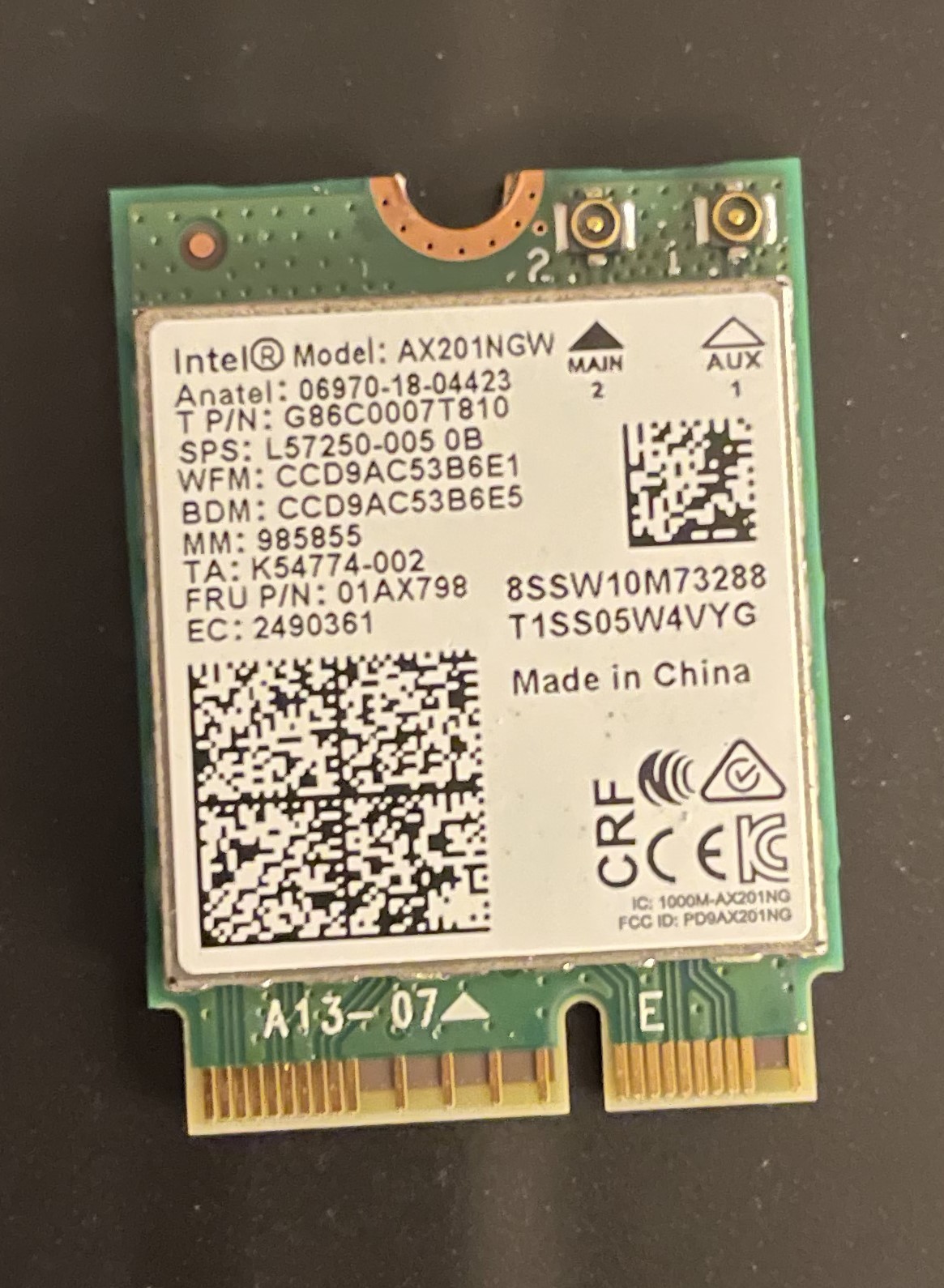
I decided that the Intel AX201 is not my choice because it has only 1 cutout at the bottom:
So, I got my brand new Intel AX200 module, installed it into my laptop, updated the drivers and... It did not work! I got worried that my slot is not working. And the first time I checked how does it look like and here was how:
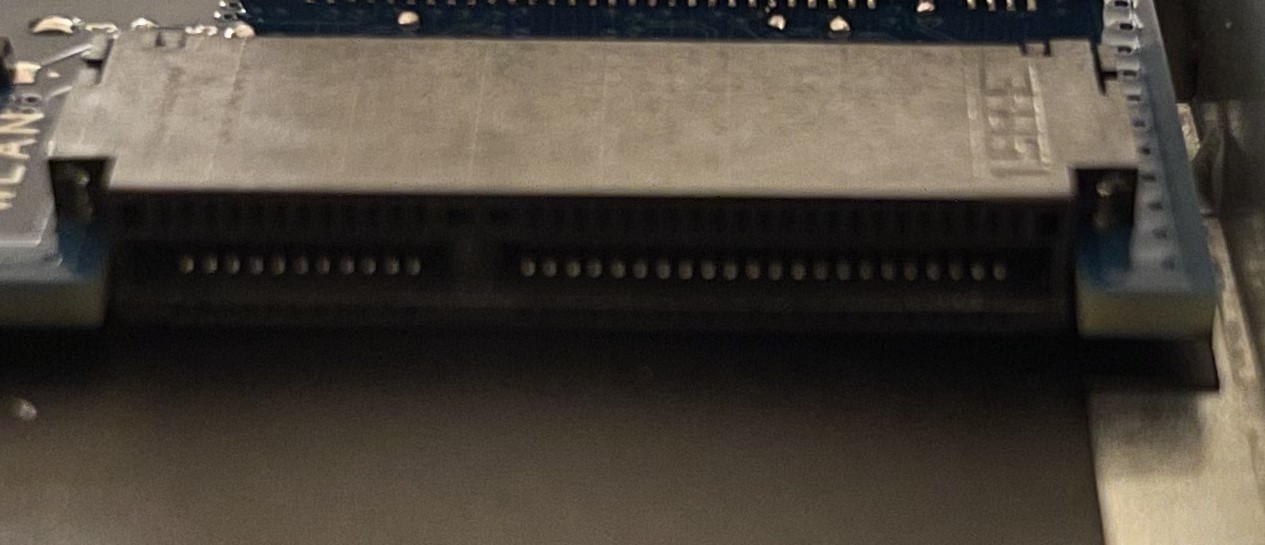
I was like ****?????? It looks like it is compatible with the Intel AX201 and other models with 1 cutout at the bottom. I thought I can only use the modules with 2 cutouts...
I disassembled my fiancee's Asus ZenBook and found Intel AX201 there... I inserted it into my laptop and... IT WORKED!
I was surprised and happy about it. I tried to insert the MediaTek MT9721 and Intel AX200 into my fiancee's PC and both of them worked well! So it was enough to switch the modules between these 2 laptops and everything could work at the beginning, but I did not know about that.
In case you want to buy the new module, don't buy with the same model with 2 cutouts. You need to buy the Intel AX201 or any other one with only 1 cutout and everything gonna work. It is about $20 now.
At the end of the story, I have 2 questions for Asus:
- HOW?
and
- WHY?
How is it possible they install the inappropriate module to their product? But it is a rhetorical question. "Thanks" Asus.
P.S. I will return the brand-new Intel AX200 to get a refund.
My laptop: FX506HEB on Windows 11
' cx='32' cy='32' r='32' /%3E%3Ctext x='50%25' y='55%25' dominant-baseline='middle' text-anchor='middle' fill='%23FFF' %3EA%3C/text%3E%3C/svg%3E)
