issue is reflected in title it self.
i am using windows 11 since it's release.
facing high memory usage in idle - issue past few days.
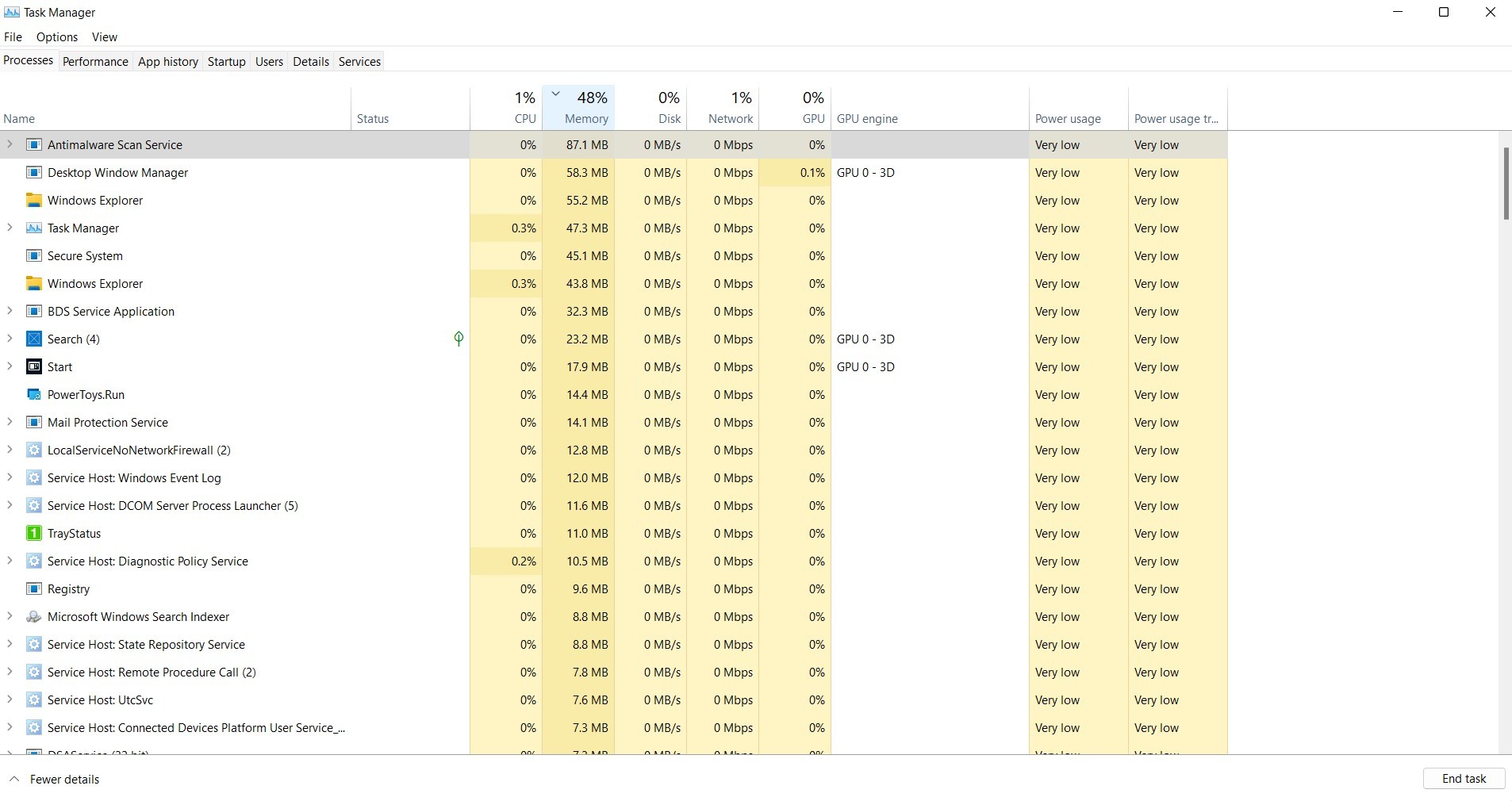
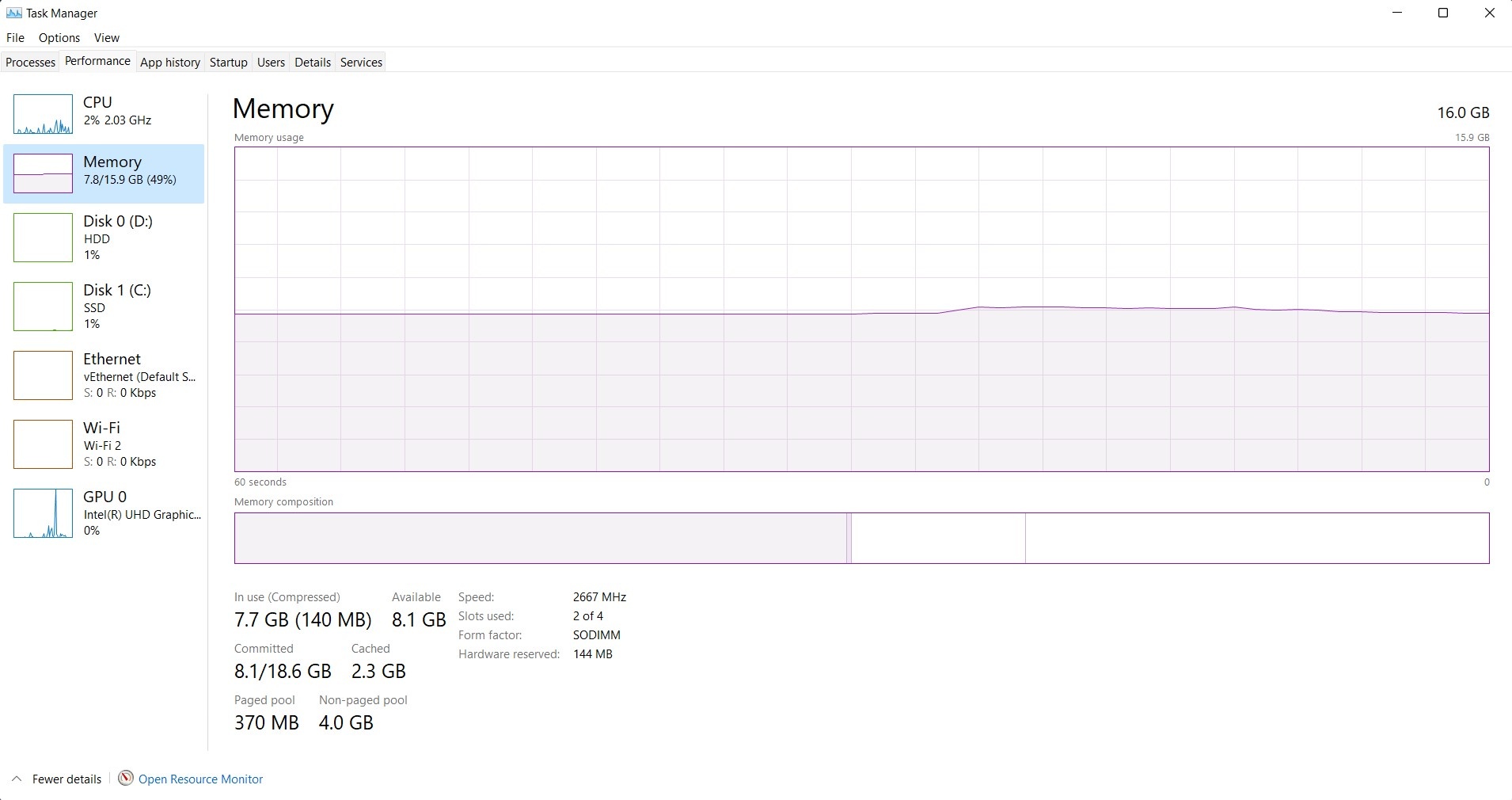
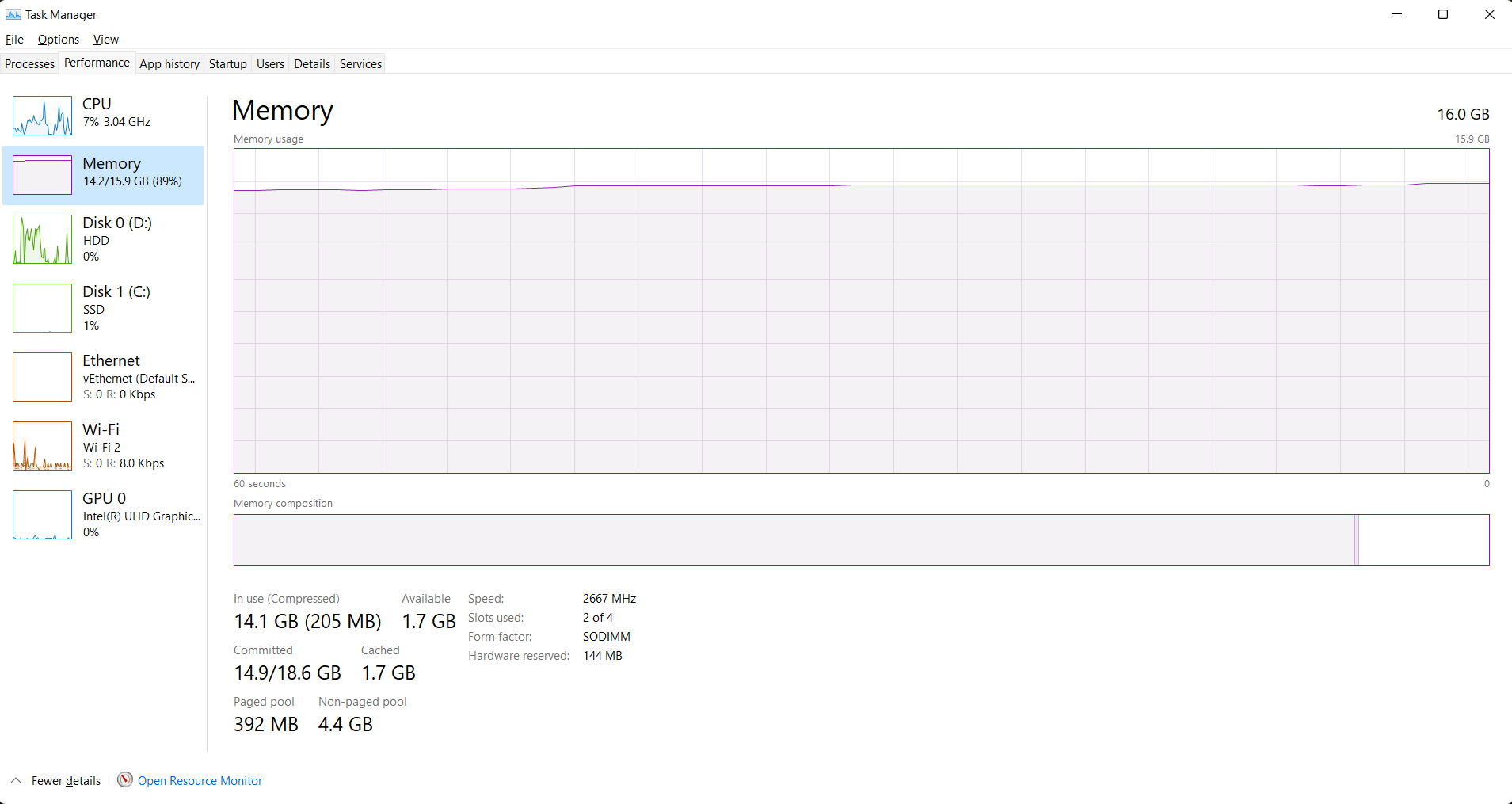
Main concern is none of the app is consuming memory but task manager shows it is in use but doesn't shows the process using it.
so it's possibly memory leak.
while in idle it consume half of my 16 GB memory, issue arises when i use some apps, it almost uses 80% of 16GB while using chrome only.
it feels like i have 8 GB memory only. rest 8 is for whatever
After i start/restart my pc, memory usage in idle will gradually increase throughout the day.
in the beginning it's 4 GB memory while in idle.
at the end of the day it'll be using 10 GB of memory in idle.
Yes all the apps are closed nothing heavy running or so.
these are the solutions that i had found here in various answers and that i have tried to fix issue but failed
https://www.youtube.com/watch?v=wUbf0-S8B5w
https://beebom.com/how-fix-memory-leak-bad-ram-problems-windows-11/
https://www.guidingtech.com/top-ways-to-fix-memory-leak-in-windows-11/
https://answers.microsoft.com/en-us/windows/forum/all/high-ram-usage-while-idle-on-a-windows-11-pc/97628530-97df-41e9-b88a-7a9862e02126
https://answers.microsoft.com/en-us/windows/forum/all/windows-11-memory-leak/d5771b34-dd15-473f-af0c-28b5c6058a3
will now provide details to back my claim.
OS Version Info
Edition Windows 11 Home Single Language
Version 21H2
Installed on 06-10-2021
OS build 22000.778
Experience Windows Feature Experience Pack 1000.22000.778.0
System Info
Device name *****
Processor Intel(R) Core(TM) i5-8300H CPU @ 2.30GHz 2.30 GHz
Installed RAM 16.0 GB (15.9 GB usable)
Device *****
Product ID *****
System type 64-bit operating system, x64-based processor
Pen and touch No pen or touch input is available for this display
Screen Shots
- Processes Tab - sorted by memory consumption
- Performance Tab
- Users Tab
so as you can see my user is hardly using 500MB of memory while in idle. 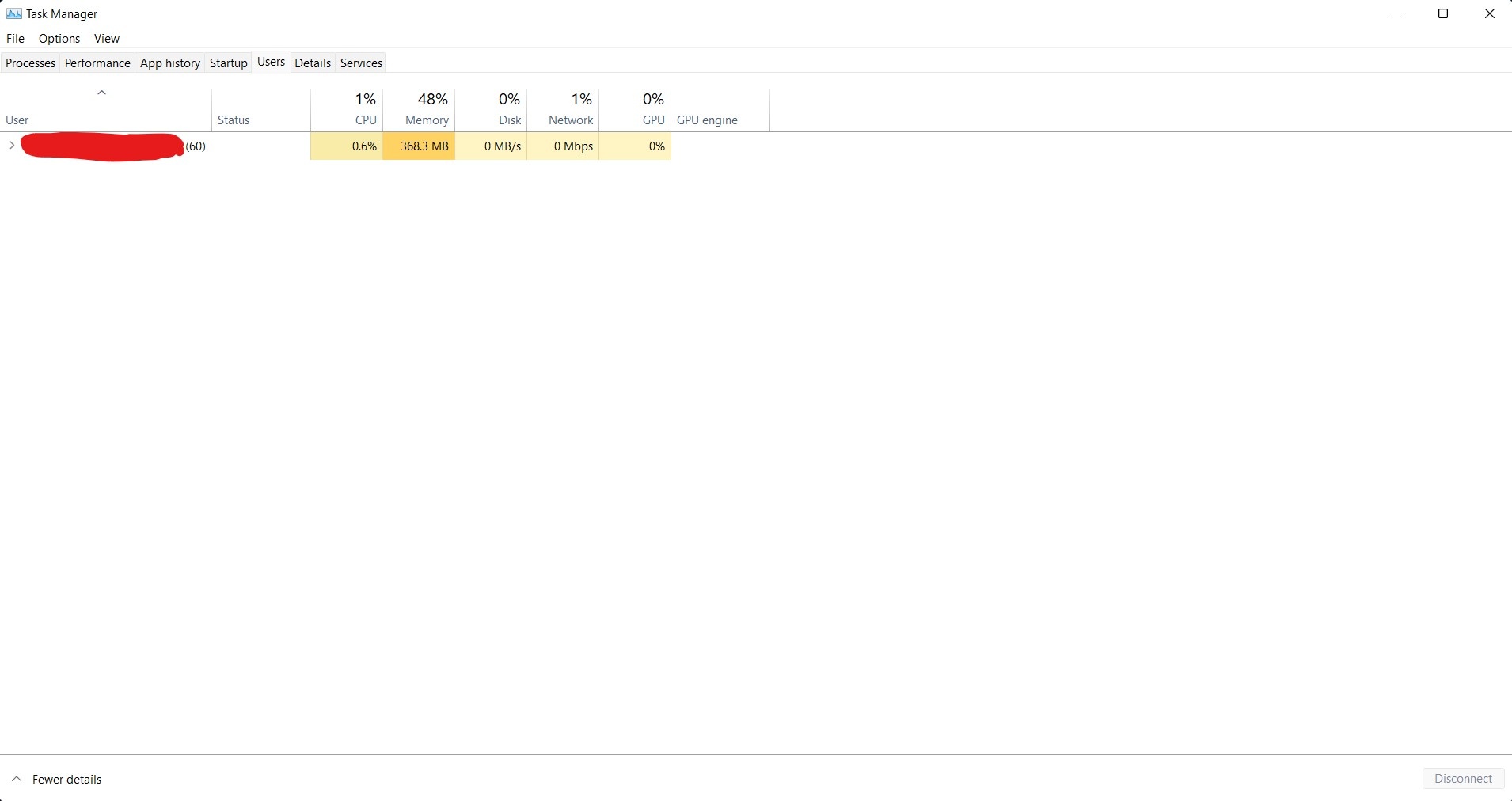
- 12GB - While using chrome only - forget the other stuff
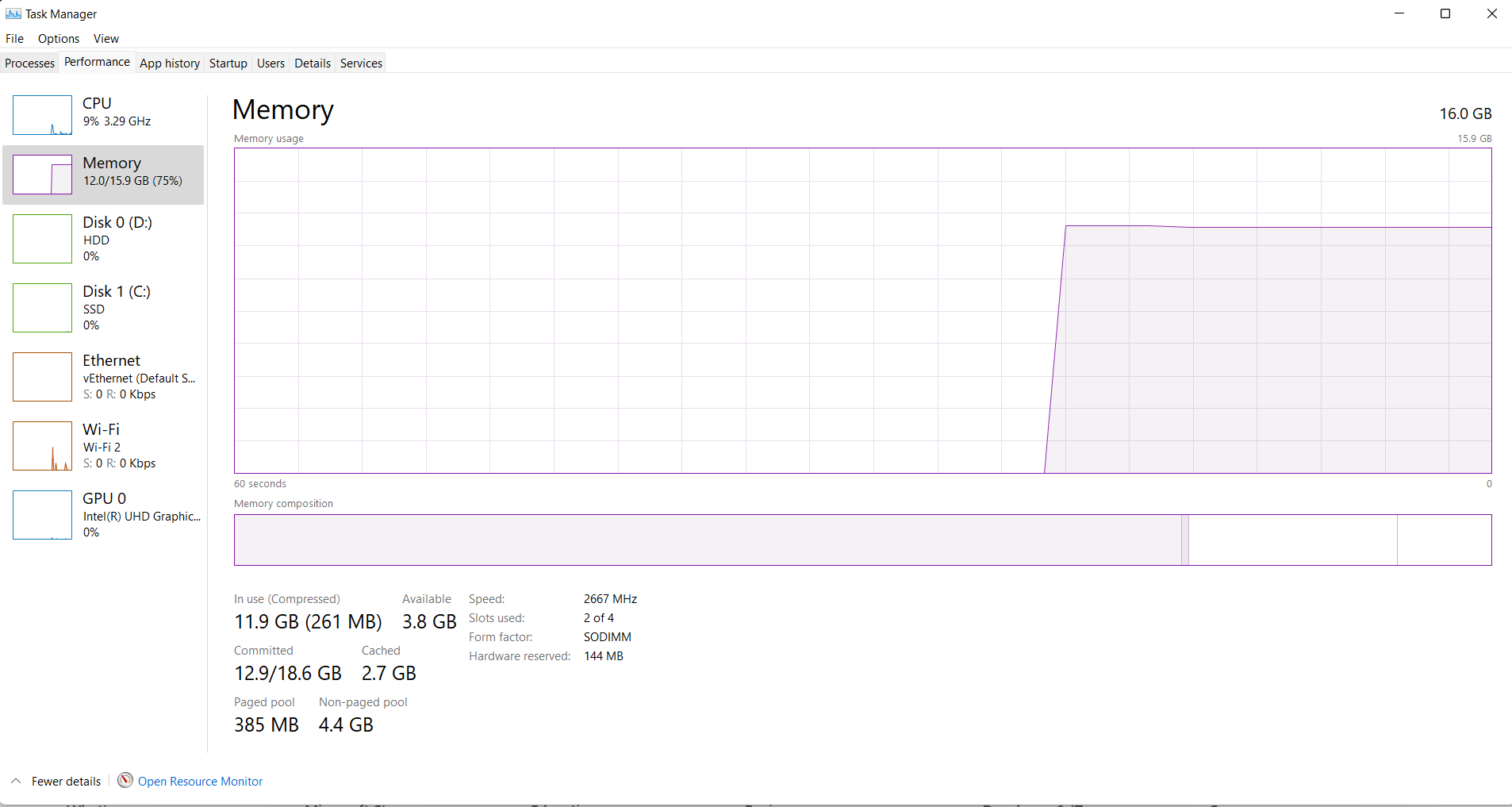
- 14 GB - While using chrome + webstorm
' cx='32' cy='32' r='32' /%3E%3Ctext x='50%25' y='55%25' dominant-baseline='middle' text-anchor='middle' fill='%23FFF' %3EA%3C/text%3E%3C/svg%3E)
