I have a custom PC and I'm using TOSLINK optical to connect to a Yamaha RX V-596 RDS.
Even though it is a Dolby Digital and DTS compatible machine I don't get this output option:
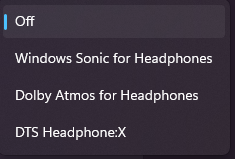
If you think what are you saying the options are right there these ^^ actually don't send a DTS or Dolby Digital 5.1 signal and are made for headphones and seem to be a subscription service doing nothing.
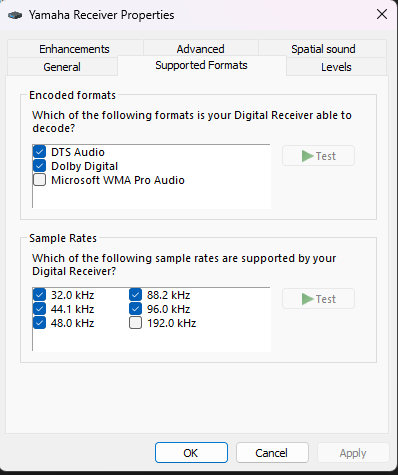
I know both the receiver and windows are capable of using these signals because if I go to the "more sound settings" >> Supported Formats >>
selecting Dolby Digital // DTS Audio >> Test gives this:
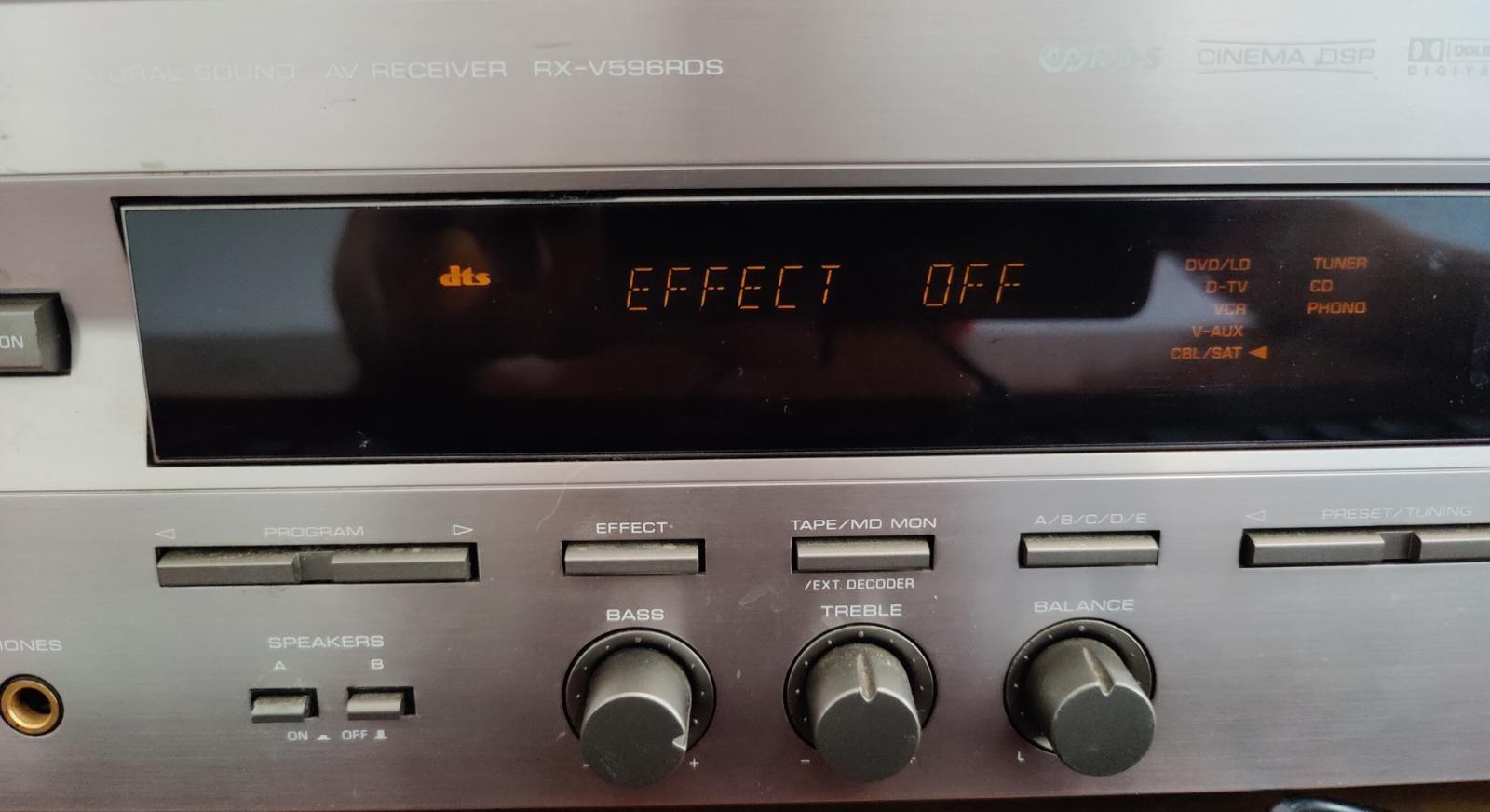
The DTS icon pops up (when using Dolby Digital that pops up instead) so it is clearly receiving a signal and the audio test also works all my speakers play the sound
still, I don't have the option to select it
I'm quite savvy so obviously, I googled and I found mostly threads from ~2015 that resolved something like this using patched drivers
, first of all, I went back to the older drivers to see if they had the options then i tried the modified drivers which also did not work
(https://github.com/Loliconera/Unlocked-Dolby-Digital-Live-DTS-Interactive-for-Realtek-HD-Audio-Drivers-for-Windows-10-and-11) << the guide
there is also a program on the store called Dolby Audio
https://apps.microsoft.com/store/detail/dolby-audio/9NJZD5S7QN99?hl=en-us&gl=us
but trying to download it just results in a msg saying: something went wrong on our end. You also can't find it by searching in the store I found this link tho ^^
I am at a loss so I need help I just want to use my 5.1 setup and I know TOSLINK has enough bandwidth I know it's supported it just seems bugged in windows 11
I feel like this is most likely a driver issue feel free to suggest solutions
here is my setup:
MPG X570 Gaming Edge WiFi
Ryzen 5800
32 GB ram
RTX 3070
Receiver:
Yamaha RX V-596 RDS
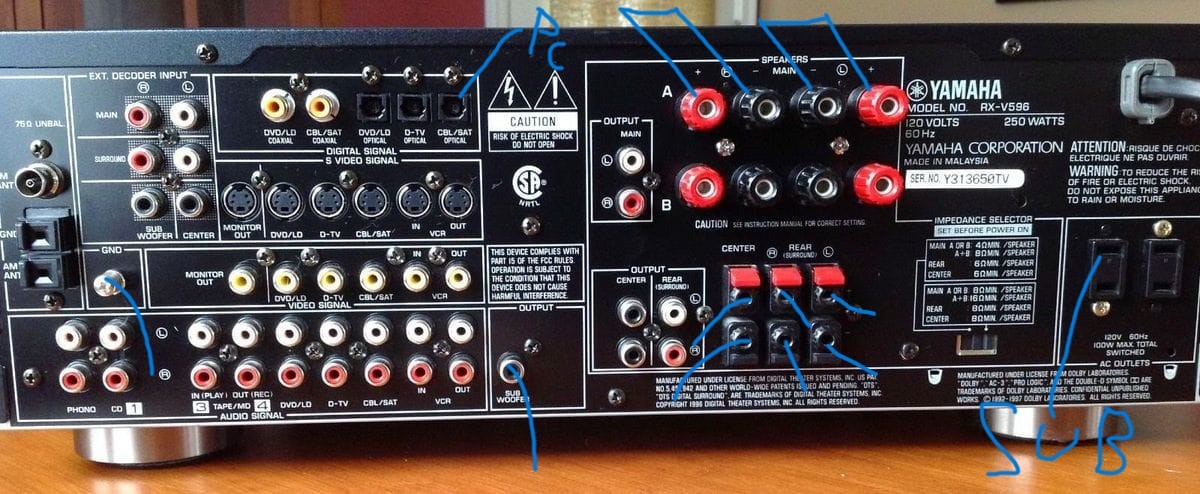
everything i have connected
' cx='32' cy='32' r='32' /%3E%3Ctext x='50%25' y='55%25' dominant-baseline='middle' text-anchor='middle' fill='%23FFF' %3EA%3C/text%3E%3C/svg%3E)

' cx='32' cy='32' r='32' /%3E%3Ctext x='50%25' y='55%25' dominant-baseline='middle' text-anchor='middle' fill='%23FFF' %3EJ%3C/text%3E%3C/svg%3E)

](https://gyazo.com/aa9d4695ddbc5bff0fedc60685a9ceef.png)