Hello, I really hope someone can help with this.
I used Outbyte Driver Updater to scan my PC and perform driver updates.
After the driver updates completed, I noticed that my Sata SSD was no longer being read / showing up in the explorer.
I can see in the BIOS splash screen when I boot up the computer that it is in fact connected.
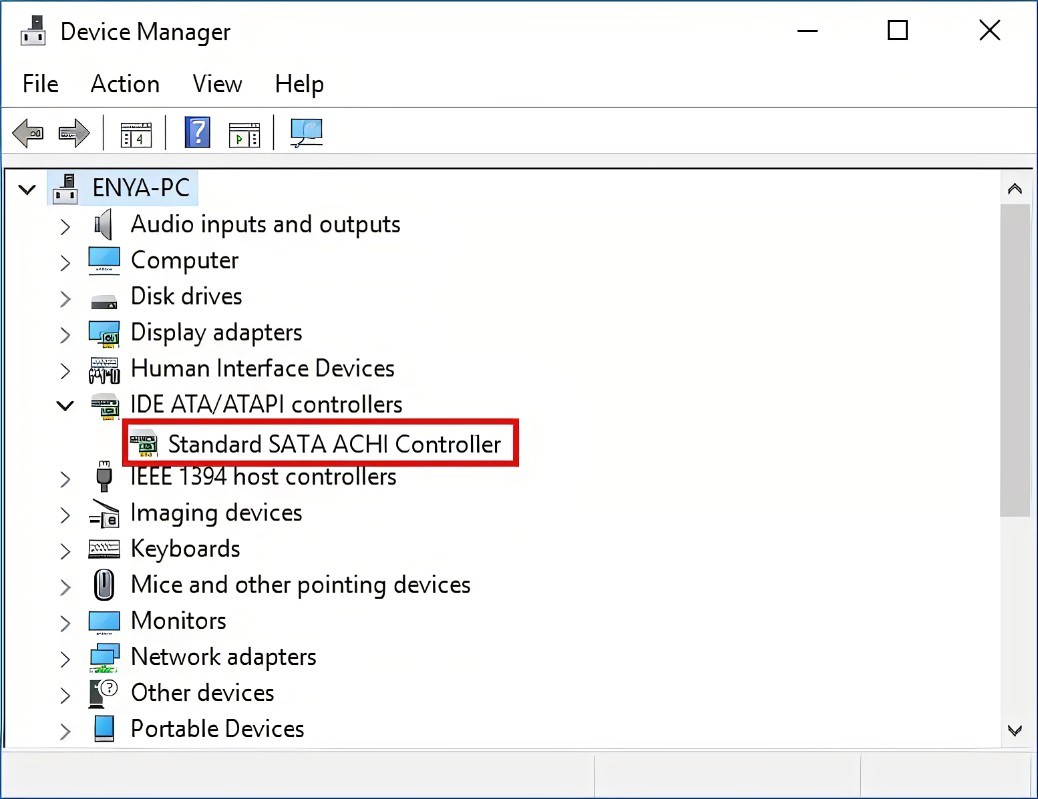
After a long day of research and digging, I discovered that Outbyte somehow removed my IDE ATA/ATAPI Controllers from Device Manager, including the Standard SATA ACHI Controller (see screenshot below). I went into my BIOS to confirm I'm using ACHI.
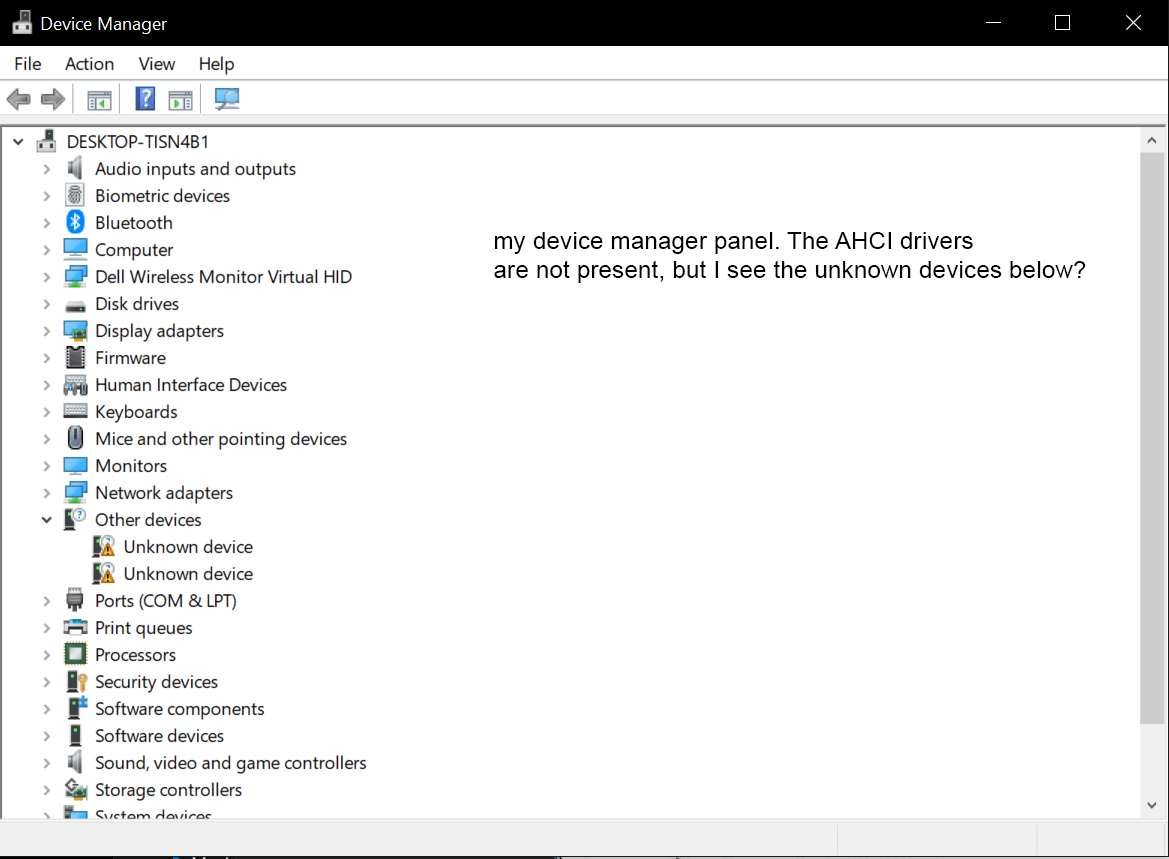
I don't see any way to reinstall this driver. I tried restoring Windows from a Restore Point, did a fresh Windows Reset, changed the SATA port being used, reinstalling the AMD Chipset driver... nothing worked. I was told maybe I should flash/update my BIOS and that might reinstall it?
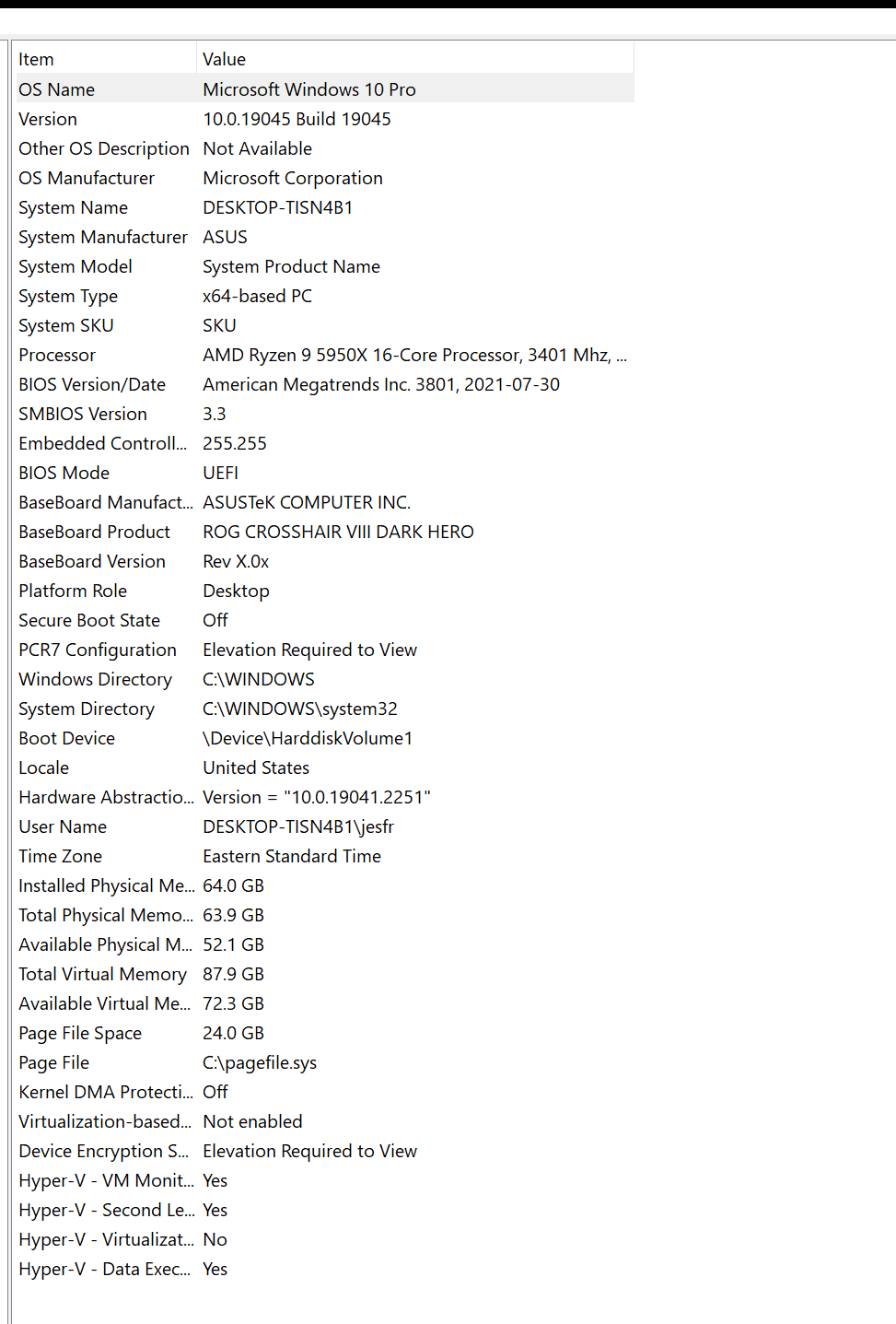
I'm attaching a screenshot of my system specs and also my device manager panel. Any help would be greatly appreciated. This is my first time posting so please let me know if any further information is required.
' cx='32' cy='32' r='32' /%3E%3Ctext x='50%25' y='55%25' dominant-baseline='middle' text-anchor='middle' fill='%23FFF' %3EA%3C/text%3E%3C/svg%3E)

