Hi Jomar Racimo,
Welcome to Microsoft Community.
Questions about using Hyper-V are beyond the support of the Answers community. Microsoft Learn is the place to go for answers. You can ask questions there to get answers from other professionals who use Android emulators like you and others.
Until then, I will try my best to provide some methods for you, if you try not to, please click the hyperlink above to visit the corresponding community to ask questions.
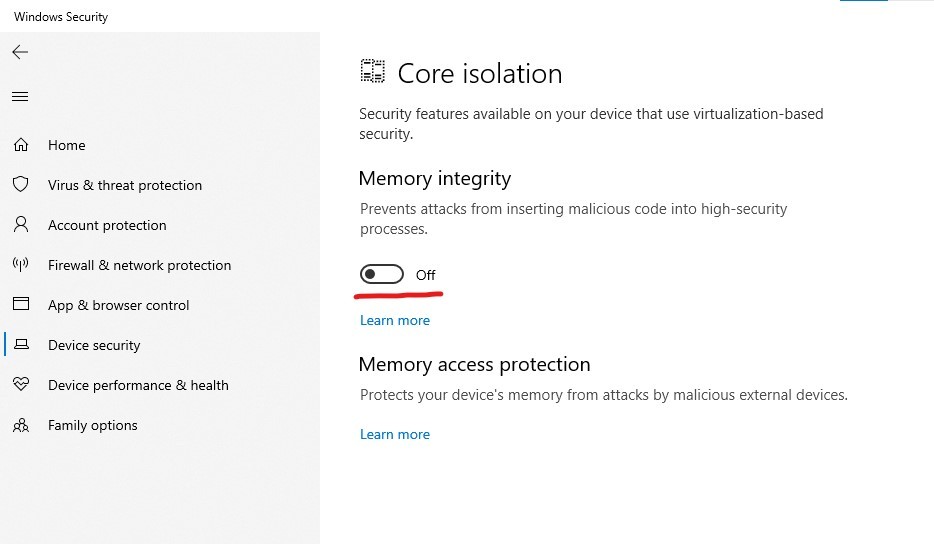
In addition to turning off the Hyper-V feature, you can also turn off the core isolation feature in Windows Security Center to see the effect. I'll show you how to turn this off, both from the security center and by modifying the registry.
From Security Center:
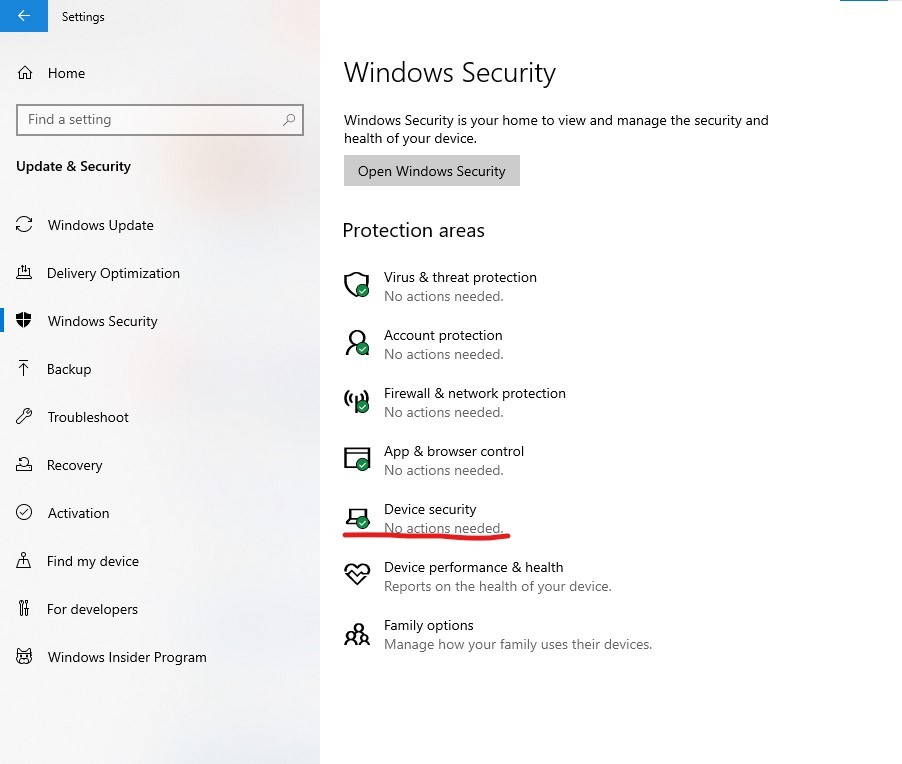
- Go to Start - Update and Security - Windows Security Center
- Click Devices Security
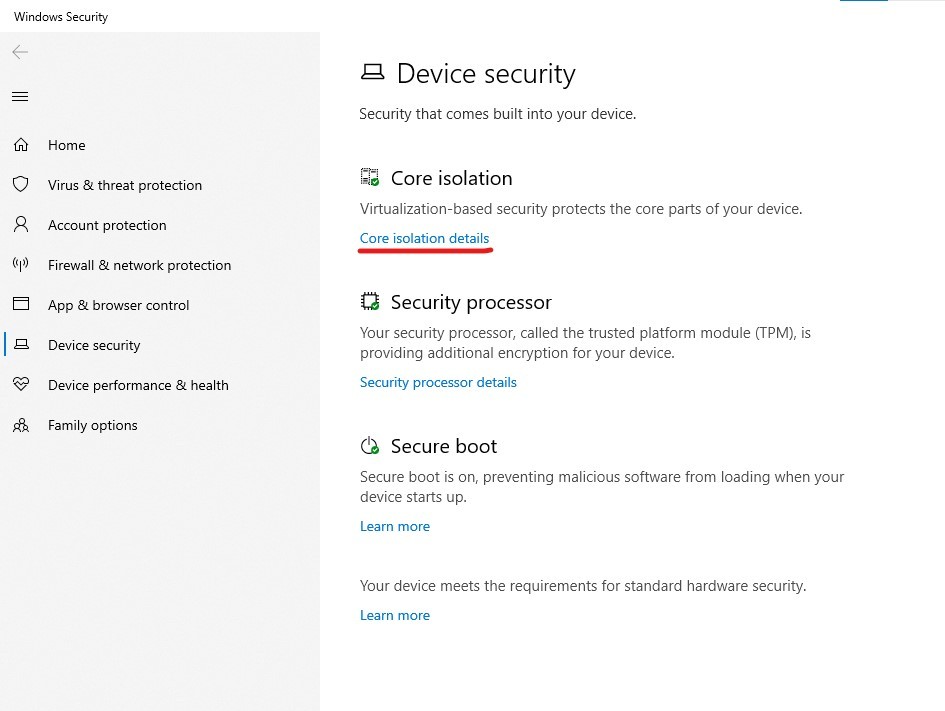
- Click on Core Isolation details
- Disable this feature (turn off)
From Registry Key:
- Click search on the taskbar, type "Registry Editor" and open it.
- Below to locate the path and find HypervisorEnforcedCodeIntegrity key values.
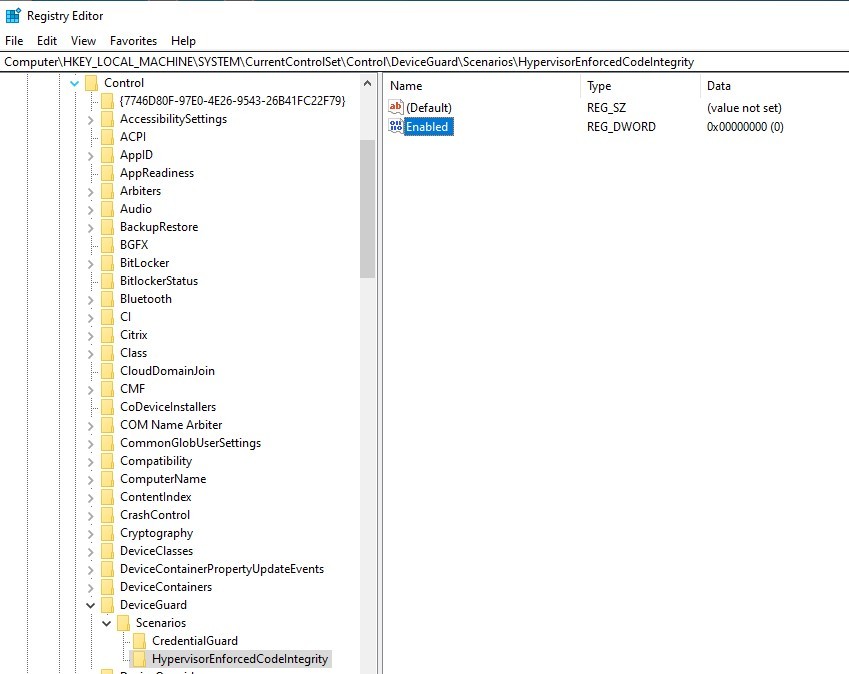
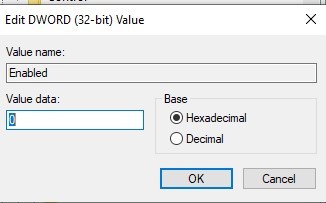
- Double click the "Enabled" key to change the number to 0, click OK and restart your computer.
Disclaimer: Generally, modifying registry subkeys or work group is intended for advanced users, administrators, and IT Professionals. It can help fix some problems; however, serious problems might occur if you modify the registry incorrectly. Therefore, make sure that you follow these steps carefully. For further protection, back up the registry before you modify it. Then, you can restore the registry if a problem occurs. For more information about how to back up and restore the registry, click here to view the article.
This is how to turn off everything else related to Hyper-V except the control panel. Hopefully that works.
If there is anything not clear, please do not hesitate to let me know.
Best Regards,
Manson - MSFT | Microsoft Community Support Specialist
' cx='32' cy='32' r='32' /%3E%3Ctext x='50%25' y='55%25' dominant-baseline='middle' text-anchor='middle' fill='%23FFF' %3EA%3C/text%3E%3C/svg%3E)
