Hello ChristFC
Welcome to Microsoft Community and hope you are doing great.
I am aware of the current situation is that your administrator account has set the PIN code but cannot login to the Windows. May I know some details whether the administrator account is bound with Microsoft account or a local account?
If your administrator account and Microsoft account are bound, please follow the steps below to retrieve your PIN code,
Reset your PIN when you aren't signed in to Windows - Microsoft Support
Assuming that the current administrator account is not bound to the Microsoft account, please try the following steps to add a new user again:
Here are the steps that can help you bypass the PIN process. Although the steps are long and complicated, they are based on my tests and you can do them step by step, but these following steps are not to reinstall the system, please do not worry:
- The following steps to create USB media and enter the USB boot interface
First, prepare a USB flash disk with at least 8 GB of storage space. I suggest that this USB flash disk should be at least formatted. Go to the website **** Download Windows 11and create a USB boot media<br><br>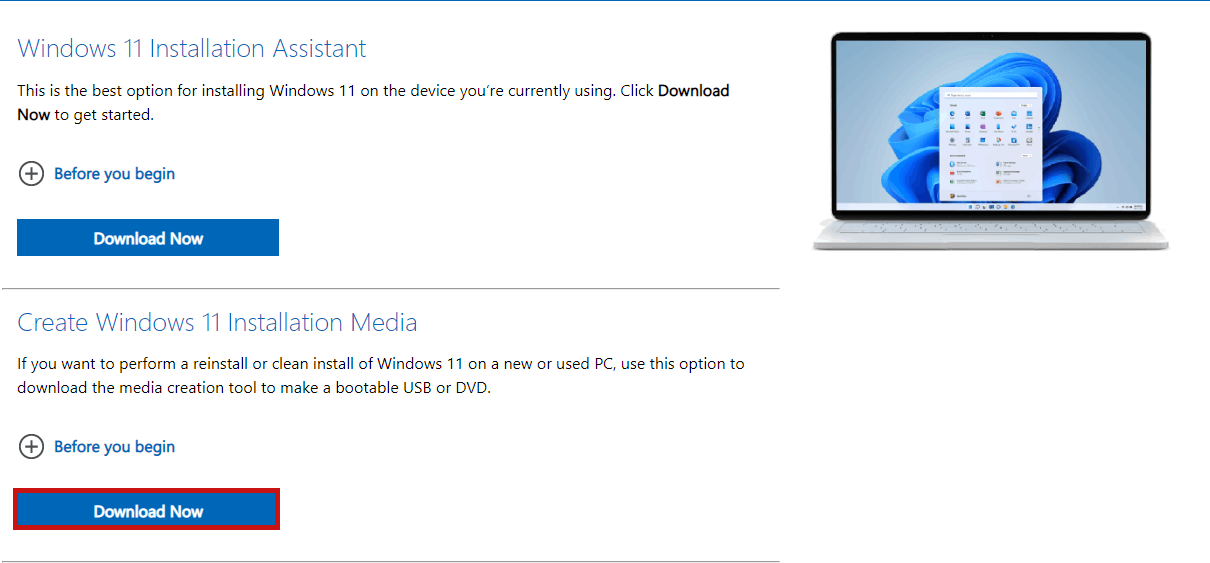 <br><br>Note: The hyperlink has the instruction of how to make USB media. Follow the steps in this article.<br><br><br><br>Start your computer from the Windows 11 installation media (CD or USB). If you have any questions about booting your computer from USB, see this article here for reference andclick here. As shown in the red box:<br><br><br><br> <br><br>Note: The hyperlink has the instruction of how to make USB media. Follow the steps in this article.<br><br><br><br>Start your computer from the Windows 11 installation media (CD or USB). If you have any questions about booting your computer from USB, see this article here for reference andclick here. As shown in the red box:<br><br><br><br>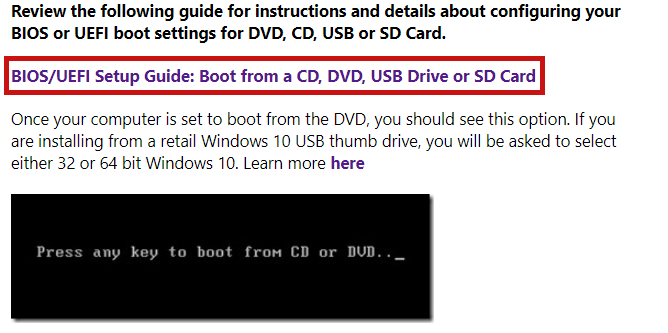 |
- The following steps are to Bypass the PIN process
Second, when entering the initial setup screen (as shown in the following screenshot), press SHIFT+F10 keyboard shortcuts to open a command prompt.<br><br><br><br>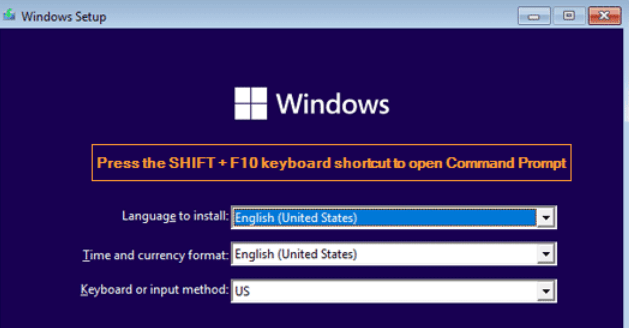 <br><br><br><br>Enter the following command to start the Diskpart program and display partitions on all disks. Press Enter after each command. As shown in the screenshot:<br><br> <br> <br><br><br><br>Enter the following command to start the Diskpart program and display partitions on all disks. Press Enter after each command. As shown in the screenshot:<br><br> <br>diskpart<br><br>list volume<br><br><br><br>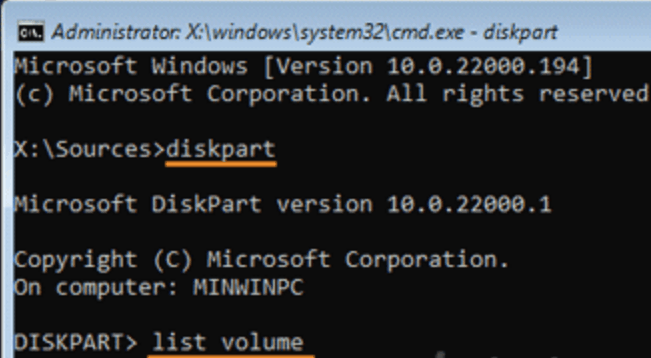 <br><br><br><br>You may need to determine which volume your operating system has. System partitions can be identified by their size and letters are not assigned by default<br><br><br><br>To make the system partition accessible, we need to run these commands to assign you a drive letter. Replace 1 with the system partition volume number and C with an unused drive letter. (Be sure to press Enter after you type each command.)<br><br><br><br> <br><br><br><br>You may need to determine which volume your operating system has. System partitions can be identified by their size and letters are not assigned by default<br><br><br><br>To make the system partition accessible, we need to run these commands to assign you a drive letter. Replace 1 with the system partition volume number and C with an unused drive letter. (Be sure to press Enter after you type each command.)<br><br><br><br>select volume 1<br><br>assign letter=C<br><br>exit<br><br><br><br>At this point, type the following command to back up the existing Accessibility Role Manager (Utilman.exe) tool and add Utilman. Replace exe with cmd.exe. (Be sure to press Enter after you type each command.)<br><br><br><br>copy c:\windows\system32\utilman.exe c:\<br><br>copy /y c:\windows\system32\cmd.exe<br><br><br><br>c:\windows\system32\utilman.exe<br><br><br><br>Close all open windows and restart your computer without windows 11 installation media.<br><br><br><br>When you sign in to the Windows login screen, click the accessibility icon in the lower right corner. It will start the command prompt<br><br><br><br>You can now use the command:<br><br><br><br><br> net user username password /add<br><br><br><br><br>Restart your computer and use this new account to access your system. In the login interface you can click the accessibility icon and run these following command:<br><br><br><br><br> net localgroup administrators username /add<br><br><br><br><br>Note: To restore the original Utilman.exe, restart it using the installation media you used before, and then run the following command:<br><br><br><br>copy c:\utilman.exe c:\windows\system32 |
After entering the system, you can try to export the data of the old account (usually located in C: Users Old_Username folder), and then delete the account that forgot the PIN code and use the new account instead.
Feel free to let me know if you are not clear in which steps, thanks.
Chandy|Microsoft Community Support Specialist
' cx='32' cy='32' r='32' /%3E%3Ctext x='50%25' y='55%25' dominant-baseline='middle' text-anchor='middle' fill='%23FFF' %3EA%3C/text%3E%3C/svg%3E)
