Hey there, Alma Alshehri,
Welcome to our Microsoft Community.
Microsoft licenses some computer manufacturers to offer Windows pre-installed, like Asus, the brand of your laptop.
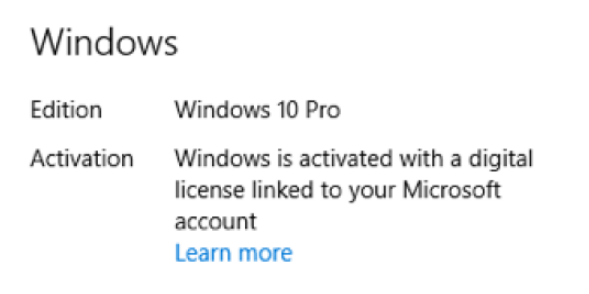
Pre-installed Windows systems from such licensed manufacturers are often activated using a "digital license" concept.
When a device is powered on for the first time and logged in to the system using a Microsoft account, the system will automatically connect to the Microsoft activation server when it is connected to the Internet for verification and activation.
In this way, there is no key. When you need to reinstall the system or replace the hardware, you just need to log in to the Microsoft account again and ensure that the computer is connected to the Internet to activate the system again.
I found a page of instructions on Microsoft product keys and activation issues for your reference:
https://support.microsoft.com/en-us/windows/activate-windows-c39005d4-95ee-b91e-b399-2820fda32227
Here is the Asus page on "How to find your System Product key":
https://www.asus.com/us/support/FAQ/1036371/
Disclaimer*: Microsoft provides no assurances and/or warranties, implied or otherwise, and is not responsible for the information you receive from the third-party linked sites or any support related to technology.*
If you have any questions, please do not hesitate to let us know.
Sincerely,
Olivia - MSFT | Microsoft Community Support Specialist
' cx='32' cy='32' r='32' /%3E%3Ctext x='50%25' y='55%25' dominant-baseline='middle' text-anchor='middle' fill='%23FFF' %3EA%3C/text%3E%3C/svg%3E)
