Thanks for choosing Microsoft Community.
Hello, your present issue looks more like the system is enter into the sleep mode rather than hibernation mode, in general, the computer in sleep mode may not be able to wake up. You can try WIN+S to call out the search box and type in edit power plan, go to the edi plan settings, change the current power plan settings, select the never from the option of put the computer to sleep(Both On battery & Plugged in) . Then set the Turn off the display time to any time you want, as shown below:
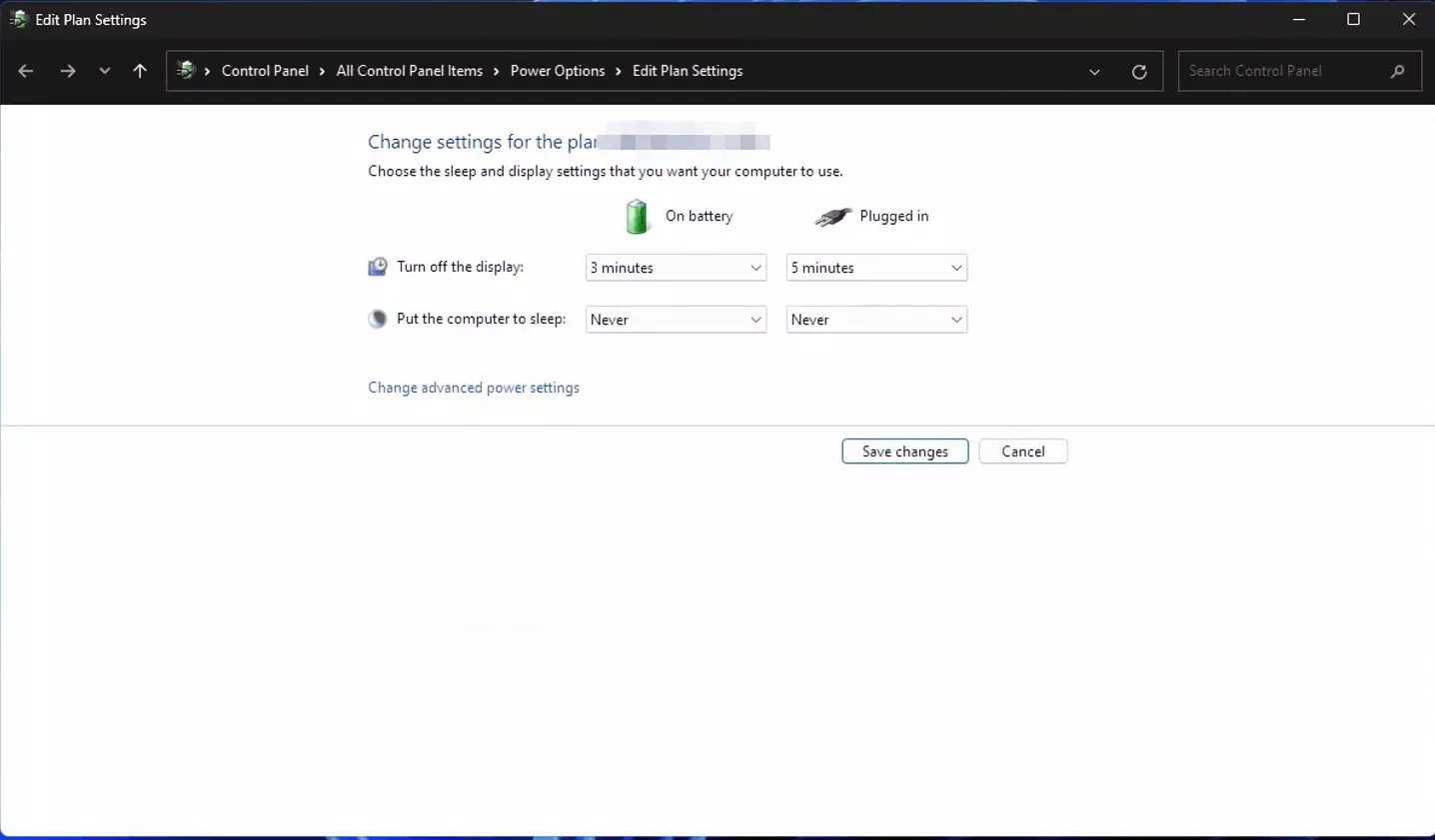
Now you can wait for the display to turn off and try to wake up again, if the black screen can wake up at this time, it means the system can't wake up due to sleep mode. If you can accept that the screen is off but the system is still running in the background, then this step is enough for you. If you want the system to go to sleep or hibernate as much as possible, please win+s to call out the search box, type cmd, click Run as administrator on the right side, type the following code and enter.
reg delete "HKLM\System\CurrentControlSet\Control\Power" /v PlatformAoAcOverride /f
After running, restart your computer, set the screen off time and sleep time to the same, then wait for it to go to sleep and try to wake up to see if the problem is solved.
Disclaimer: Generally, modifying registry subkeys or work group is intended for advanced users, administrators, and IT Professionals. It can help fix some problems, however, serious problems might occur if you modify the registry incorrectly. Therefore, make sure that you follow these steps carefully. For further protection, back up the registry before you modify it. Then, you can restore the registry if a problem occurs. For more information about how to back up and restore the registry, click hereto view the article.
If anything is unclear, please do not hesitate to let me know.
Best Regards,
Edward - MSFT | Microsoft Community Support Specialist
' cx='32' cy='32' r='32' /%3E%3Ctext x='50%25' y='55%25' dominant-baseline='middle' text-anchor='middle' fill='%23FFF' %3EA%3C/text%3E%3C/svg%3E)
