Hi Callahan,
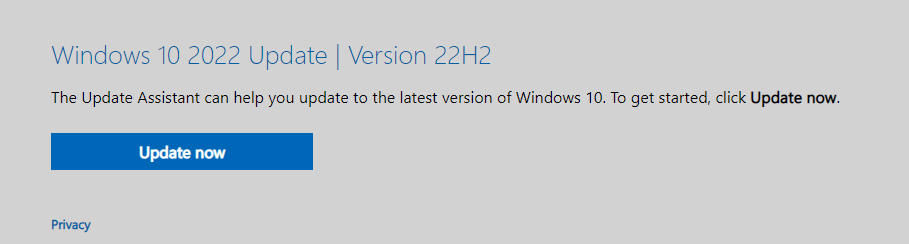
Just click here Update Now, it will help you check if your current device supports Windows 10 upgrade.
About 'Modern Setup Host has stopped working'.
There are different issues why this problem occurs including wrong system configuration, the problem with upgrade process and others.
You can try the following methods:
1.Check free Hard Drive space
One of the reasons why you cannot upgrade your Windows machine is because you do not have enough free space on your system partition.
Media Creation Toolkit requires 8GB for downloading the update to your machine.
We are recommending you minimum 15GB + additional storage for your apps and data.
2.Disable services not related to Microsoft, disable startup programs and change regional Windows settings
(1) Hold Windows logo and press R
(2) Type msconfig and press Enter to open System Configuration
(3) Choose Startup tab and then click Open Task Manager
(4) Choose Startup tab, again
(5) Disable all application for this time, by doing right click on application and choose
(6) Close Task Manager
(7) Restart your Windows machine
(8) Run Windows upgrade
(1) Hold Windows logo and press R
(2) Type control panel and press Enter to open Control Panel
(3) ChooseView by Category
(4) ClickClock, Language, and Region
(5) ClickRegion
(6) ChooseLocationtab
(7) Under **Home,**location choose the United States
(8) Click Apply and then OK
(9) UnderClock, Language, and RegionclickLanguageto add another one language
(10) Click Add a language
(11) Choose English and click Open
(12) Choose **English (United States)**and click Add
(13) Under languages select your previous language and choose Remove
(14) Close Control Panel
(15) Restart your Windows machine
(16) Upgrade to Windows 10
(17) Enable services, startup programs and change regional settings
3.Perform DISM and SFC scans
Search for “cmd” inside Windows search bar. Right click on command prompt and click on Run as administrator.
Type the following command and press Enter to run a full system scan to check the integrity of system components:
sfc /scannow
DISMis used when asfc/scannowcommand is unable to repair corrupted or modified system files.
Dism /Online /Cleanup-Image /ScanHealth
This command will scan all system files and compare them with the official system files, scanning the computer for inconsistencies.
Dism /Online /Cleanup-Image /CheckHealth
This command must be used after the previous command has been executed and the system file is found to be corrupted.
DISM /Online /Cleanup-image /RestoreHealth
This command is to restore those different system files to the official system source files.
Reboot after completion and type the following command angin:
sfc /scannow
Check if the system files are repaired.
If there is anything not clear, please do not hesitate to let me know.
Your Sincerely
Hahn - MSFT | Microsoft Community Support Specialist
' cx='32' cy='32' r='32' /%3E%3Ctext x='50%25' y='55%25' dominant-baseline='middle' text-anchor='middle' fill='%23FFF' %3EA%3C/text%3E%3C/svg%3E)
