Share via

SecureBootEncodeUEFI.exe

Anonymous
2023-01-01T18:35:26+00:00

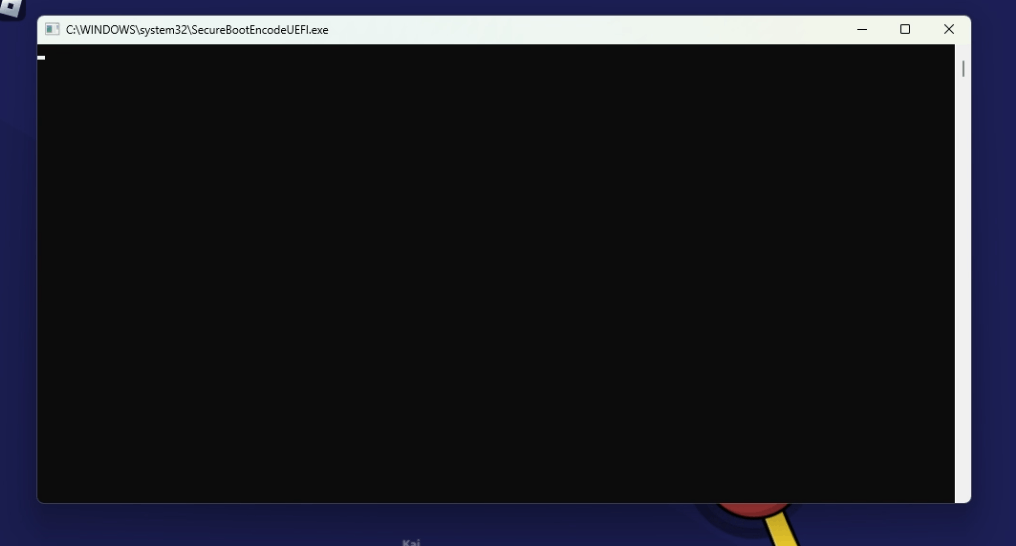
While i was playing i saw what looks like a cmd window open and close immediately but i managed to get a screenshot of it. Looking online i barely found any information about it, and i got a bit worried so im making this.

I have never had this happend to me.

I first went to task scheduler to see if there were any tasks that might be suspicious but to no avail. Next i went to the sytem32 folder and searched "SecureBootEncode" and found the .exe and 3 files located in "System32\Tasks\Microsoft\Windows\PI", the files are "SecureBootEncodeUEFI", "Secure-Boot-Update" and "Sqm-Tasks", with no extensions and File type of "File".

I tried to search for the same things on my laptop instead, but i didn't found the .exe, only 2 out of the 3 files, "Secure-Boot-Update" and "Sqm-Tasks".

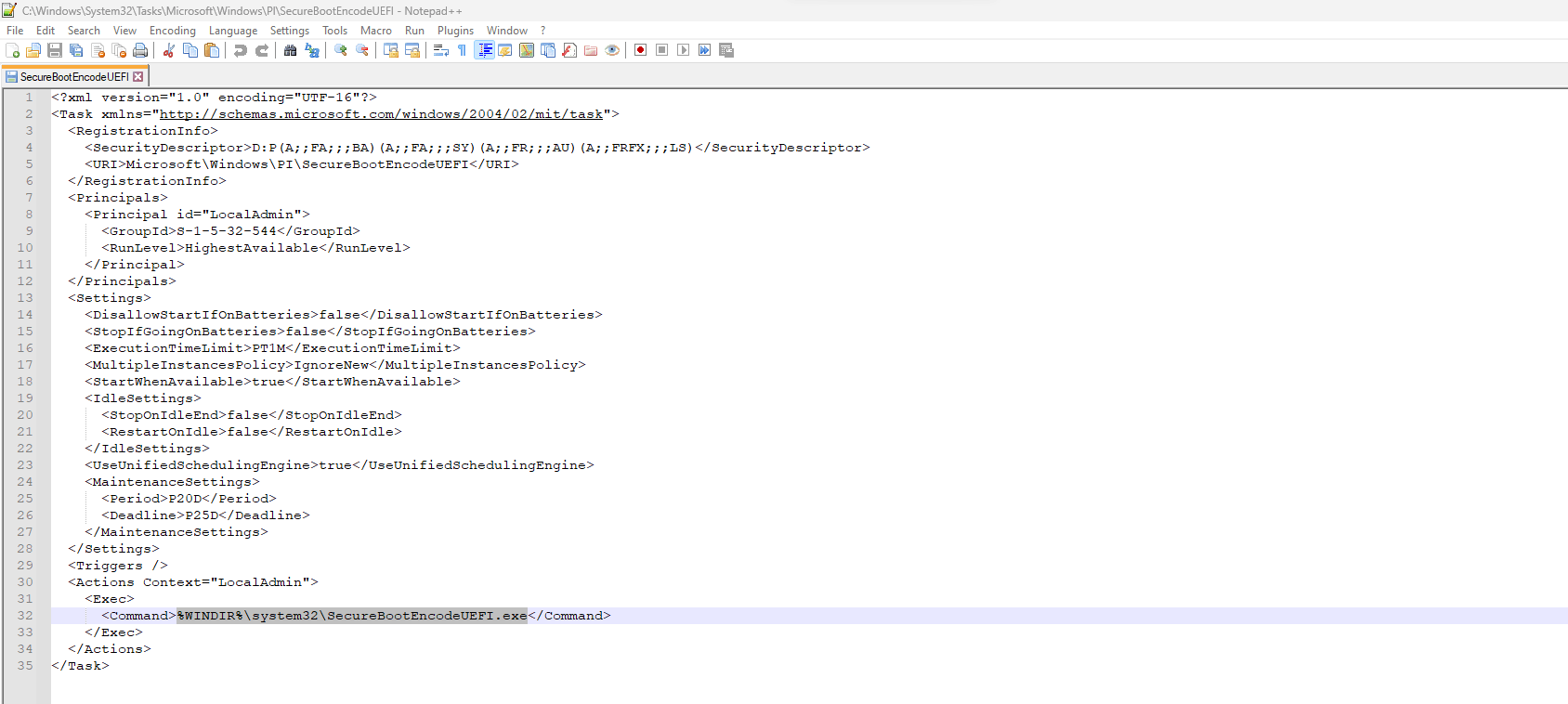
I tried opening the files in Notepad++ but only "SecureBootEncodeUEFI" could be opened, in XML format, and it looks like a task but with no set trigger.

My Questions are: are all these legit? and what are they exactly? I know they are something related to Secure Boot but i dont know what.

System Info:

Windows 11 version 22H2

Ryzen 5 3600

Nvidia GeForce GTX 1650

8GB DDR4 RAM

If it helps i also have PowerToys installed and UEFI is enabled along with TPM.

This is my first time writing here so apologies if this isn't in the correct topics or i got something wrong.

Images:
Windows for home | Windows 11 | Files, folders, and storage

Locked Question. This question was migrated from the Microsoft Support Community. You can vote on whether it's helpful, but you can't add comments or replies or follow the question.

0 comments No comments

38 answers

Sort by: Most helpful
  1. Anonymous
    2023-07-02T08:25:19+00:00

    So. It has something to do with UEFI permission changes, and it seems to be running over and over and over on (probably) systems without TPM, and presumably failing. And it's presumably related to procedure out there that revokes UEFI secure-boot permissions, that - when applied -- renders all old backups, recovery disks, OEM recovery partitions, and all Windows installation media useless. (But Microsoft is working on providing installation media that works real soon now).

    Color me "concerned".

    It would be really nice if somebody from Microsoft could weigh in here. Can we or can we not disable the service?

    Was this answer helpful?

    3 people found this answer helpful.
    0 comments No comments
  2. Anonymous
    2023-08-23T03:05:04+00:00

    My system started to show this window to.

    Managed to check the .exe file in Windows\System32 and apparently its yet more telemetry from Microsoft. Though it has me worried since it starts randomly while using the PC and the file is not signed in any way by MS. Behaves like a virus.

    Hopefully MS can check this and fix it, as it is a bit annoying, and probably a security risk given the lack of any digital signature to verify its authenticity,

    Was this answer helpful?

    2 people found this answer helpful.
    0 comments No comments
  3. Anonymous
    2023-06-07T06:39:36+00:00

    I will write here too, so as not to run between the branches of discussions. As suggested by @EdMing from a similar thread on learn.Microsoft, the task in the task scheduler is located in \Microsoft\Windows\PI where you will see the "SecureBootEncodeUEFI" task that needs to be disabled.

    I found the three files you mentioned. How can I disable them? Should I delete them?

    Was this answer helpful?

    2 people found this answer helpful.
    0 comments No comments
  4. Anonymous
    2023-05-17T21:16:43+00:00

    I don't have official hashes from MS, but my own Windows 10 system had the following hashes for C:\Windows\System32\SecureBootEncodeUEFI.exe:

    $ md5sum SecureBootEncodeUEFI.exe 
    
    5590b16ad20b138973ef92af619c7140
    
    $ sha1sum SecureBootEncodeUEFI.exe 
    
    3997de40bd6933a981613328a24abb04e0c1e0ed  
    

    Modify date: 5/12/2023 (i.e., May 2023). This file has been popping up for me as well.
    See this VirusTotal entry for additional details.

    Was this answer helpful?

    2 people found this answer helpful.
    0 comments No comments
  5. Anonymous
    2023-01-02T10:43:21+00:00

    Hello Petar,

    Thank you for using our Microsoft community.

    This question is out of scope for the Answers Support Community. The best place to get help is Microsoft Learn - Windows-11(microsoft.com), where is intended to support more advanced users.

    I won't be able to help you, but I'll leave that question open in case one of our amazing volunteers has ideas for you.

    Best Regards,

    Mosken_L - MSFT | Microsoft Community Support Specialist

    Was this answer helpful?

    2 people found this answer helpful.
    0 comments No comments
