Developer technologies | Windows Forms
A set of .NET Framework managed libraries for developing graphical user interfaces.
This browser is no longer supported.
Upgrade to Microsoft Edge to take advantage of the latest features, security updates, and technical support.
' cx='32' cy='32' r='32' /%3E%3Ctext x='50%25' y='55%25' dominant-baseline='middle' text-anchor='middle' fill='%23FFF' %3ERT%3C/text%3E%3C/svg%3E)
Unhandled Exception: System.InvalidOperationException: Category does not exist.
at System.Diagnostics.PerformanceCounterLib.GetCategorySample(String machine, String category)
at System.Diagnostics.PerformanceCounterCategory.GetCounterInstances(String categoryName, String machineName)
at System.Diagnostics.PerformanceCounterCategory.GetInstanceNames()
at SuperSocket.SocketEngine.PerformanceMonitor.GetPerformanceCounterInstanceName(Process process)
at SuperSocket.SocketEngine.PerformanceMonitor..ctor(IRootConfig config, IEnumerable`1 appServers, ILogFactory logFactory)
at SuperSocket.SocketEngine.DefaultBootstrap.Initialize(Func`2 serverConfigResolver, ILogFactory logFactory)
at SuperSocket.SocketEngine.DefaultBootstrap.Initialize(Func`2 serverConfigResolver)
at SuperSocket.SocketEngine.DefaultBootstrap.Initialize()
at SocketCommunicator.Program.RunAsConsole() in C:\EWE_EmployeeAttendanceApp\EWE_EmployeeAttendanceApp\SocketCommunicator\Program.cs:line 28
at SocketCommunicator.Program.Main(String[] args) in C:\EWE_EmployeeAttendanceApp\EWE_EmployeeAttendanceApp\SocketCommunicator\Program.cs:line 20
I have tired all the solutions available online. 1. uninstall and reinstall .net framework 2. update windows 2. Scan your computer for malware 3. Troubleshooting process 4. Install the .NET Framework manually 5. Run the .NET Framework repair tool 6. Perform SFC scanning 7. Clean Clean and access Safe Mode
note that the application only not working on one device, but working on other devices without any issues
A set of .NET Framework managed libraries for developing graphical user interfaces.
.NET: Microsoft Technologies based on the .NET software framework. Runtime: An environment required to run apps that aren't compiled to machine language.
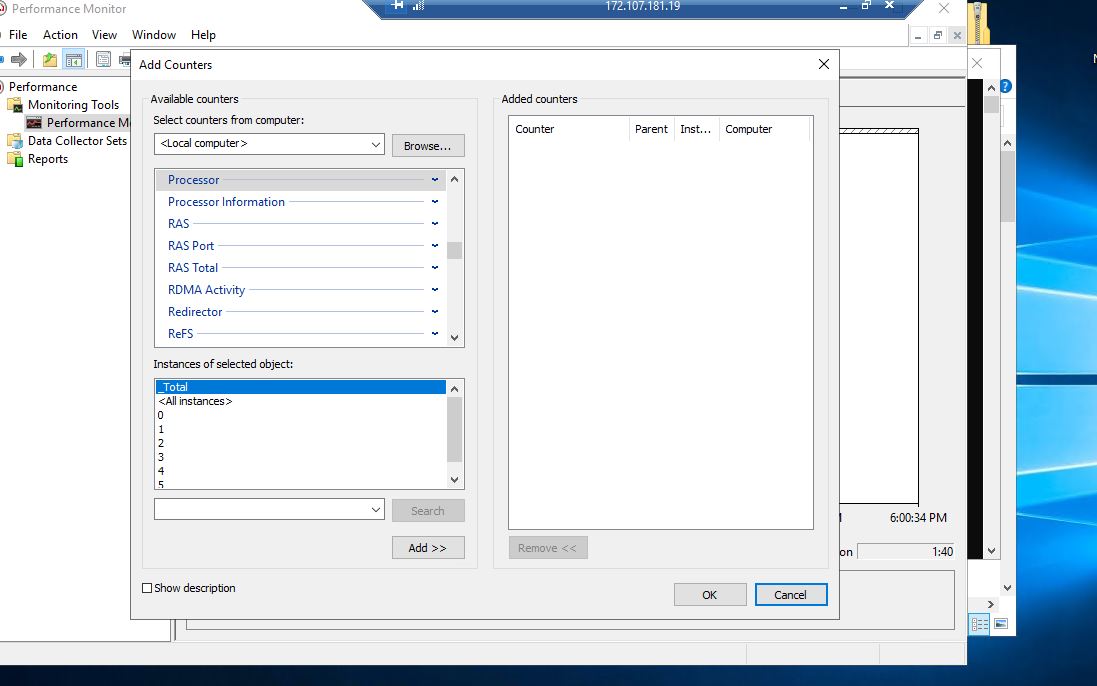
this is capture from another machine

That looks normal. On that second pc, type in the name of the problem machine in the file that has "local computer" and hit enter. Can you connect and see any counters?
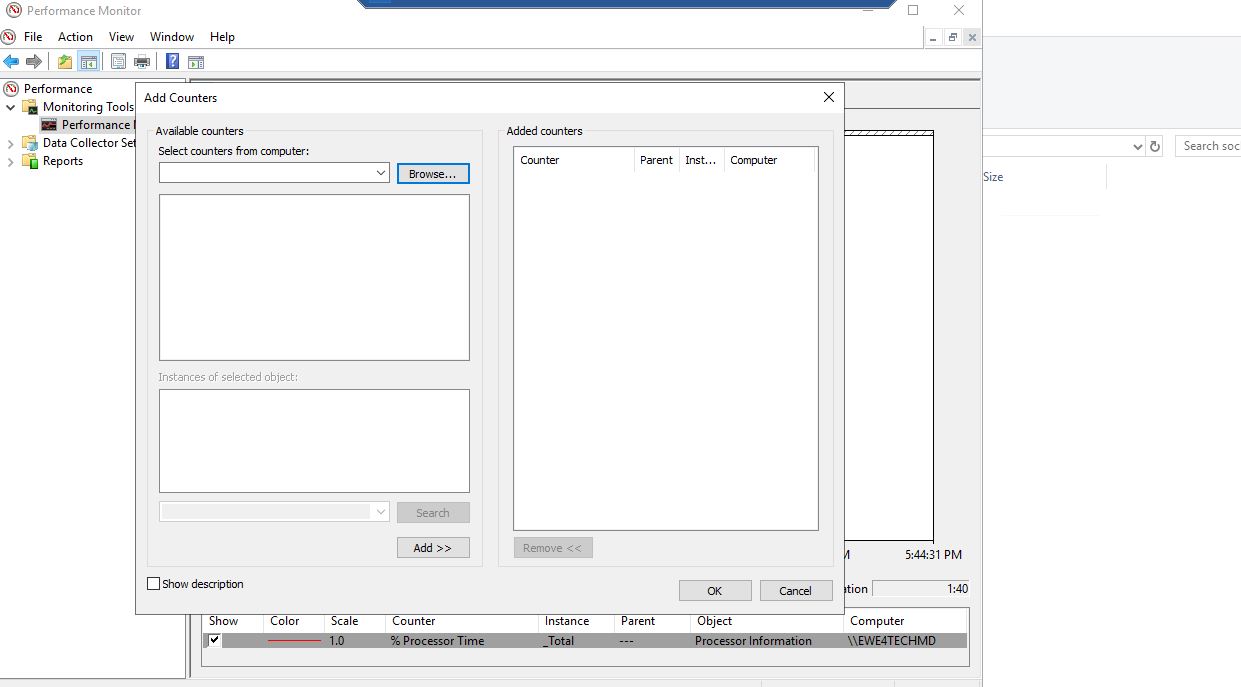
Does the down arrow allow you to select <local computer>? Can you type in another server name and see counters? From another machine can you type in the computer name of the problem server name and see counters?
Is the "Windows Management Instrumentation" service running?
Looks like something has corrupted your performance counters. If you click on the green plus icon, does it show any counters?
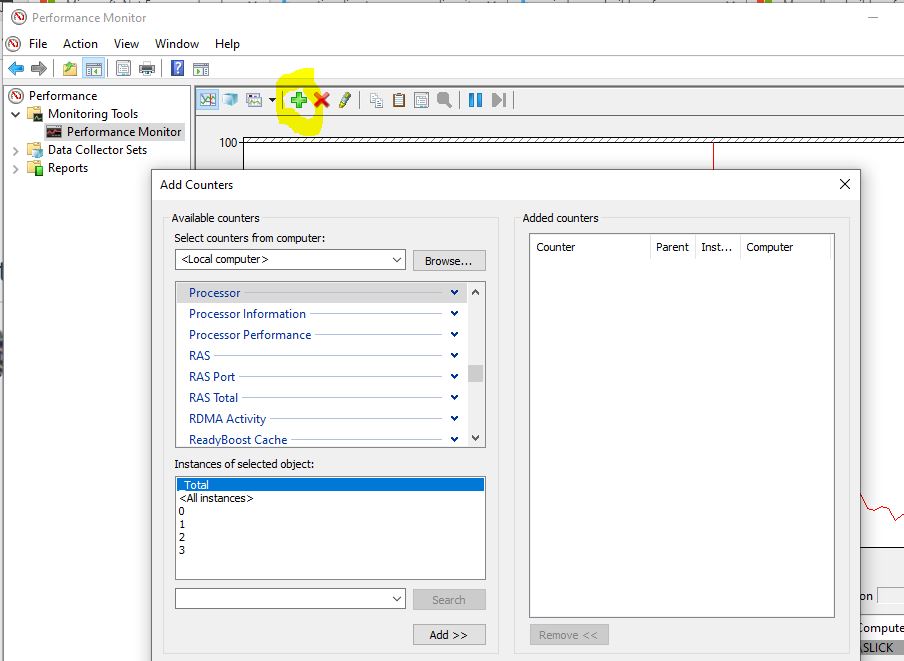
Do you see errors in the application eventlog? You could try running the lodctr command to reload the counters.
at System.Diagnostics.PerformanceCounterCategory.GetCounterInstances(String categoryName, String machineName)
at System.Diagnostics.PerformanceCounterCategory.GetInstanceNames()
at SuperSocket.SocketEngine.PerformanceMonitor.GetPerformanceCounterInstanceName(Process process)
That doesn't look like a DotNet problem. It looks like your program is trying to query a performance counter that does not exist.
What is the program doing?
If you run perfmon.exe can you view the counters that the program is querying?
it is my own application it runs under .net framework version 4.7.1 the application implement WCF and a time to check each 10 minutes with a specific method that have been implemented for a purpose. the issue is that i have not made any changes to my software since 6 months and it was functioning well. it stopped suddenly due windows updates. besides that i have took a copy of that software and paste it on other servers and it is working very fine.
    public Form1()
    {
        InitializeComponent();
    }

    System.Windows.Forms.Timer timer = new System.Windows.Forms.Timer();
   private int TimeInterval = Convert.ToInt32(ConfigurationManager.AppSettings["TimerInterval"]);
    private void Form1_Load(object sender, EventArgs e)
    {
        timer.Interval = TimeInterval * 60 * 1000;
        timer.Enabled = true;
        timer.Tick += new EventHandler(CheckConnectedDevices);
        timer.Start();
        StartSocket();
        LogHelper.onRecieve += Listener_onRecieve;
    }
I have run perfmon.exe, and a popup shows unable to add these counters