Hello,
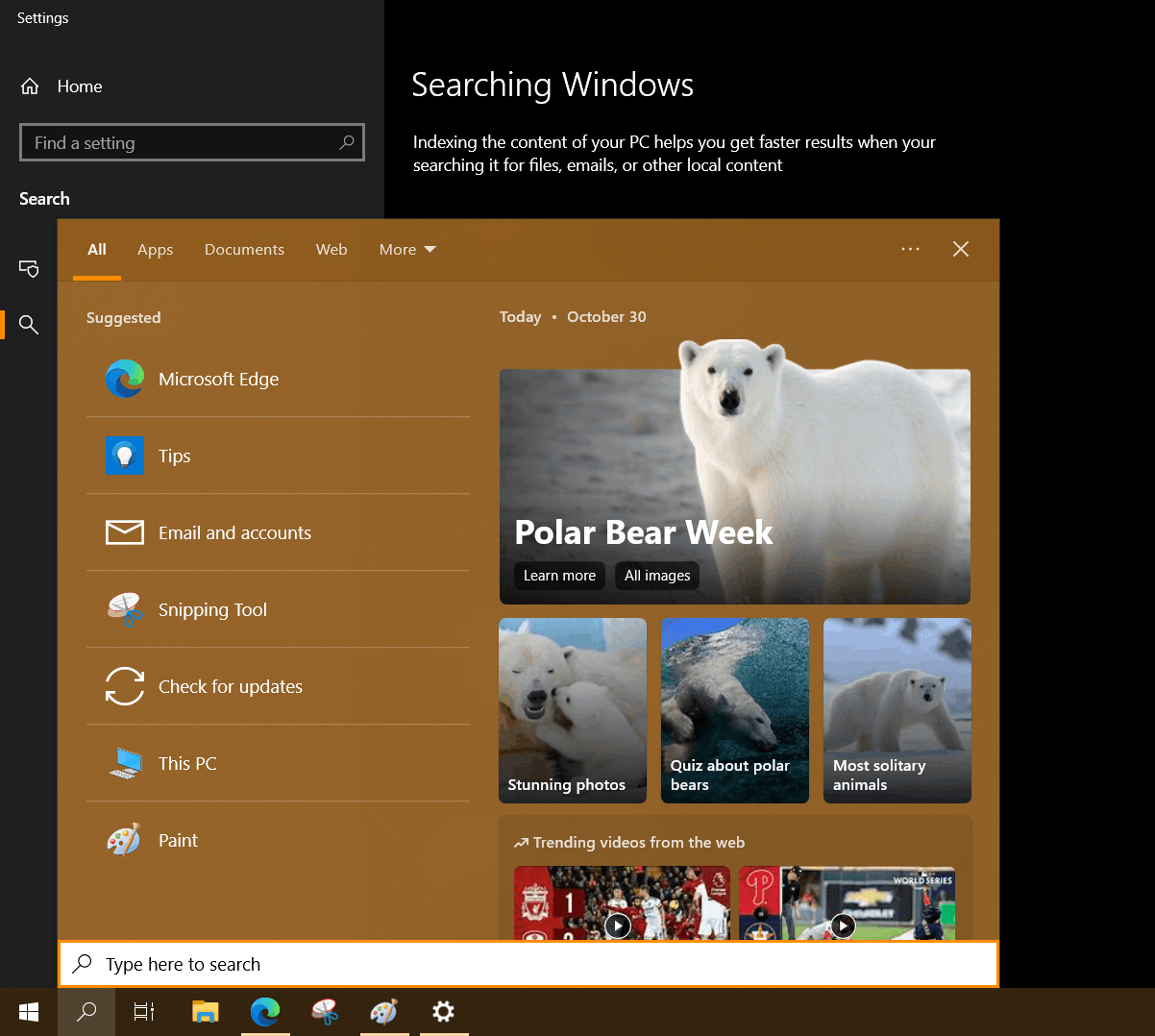
When you open the Search bar from the Windows Task Bar (bottom left, next to the Start menu) - sorry, I might be describing it wrong as I am not too computer term savvy - it opens up to allow you to search your machine for whatever it is you're needing, i.e. the Add or Remove Programs settings window, it displays a ton of suggested search terms based off of either previous searches or whatever Windows feels is more commonly used/searched for on your machine (which can't be accurate, as I've never searched for Tips, nor used their email and accounts apps nor do I care for their "Check for updates" thing).
But what I have not been able to locate is how to turn off all the extra 'junk' or 'clutter' on the side of the Search window (see image); I have gone through the Windows Search settings and the Permissions and History settings but have found nothing. I have gone through my Task Bar settings and set it up how I like it, but there has been nothing I have been able to locate anywhere to remove that stuff.
Is there any way to remove this extra stuff that's there? I don't want it and it is rather annoying to me, especially with how often I actually use that search bar - as I use it a LOT.
' cx='32' cy='32' r='32' /%3E%3Ctext x='50%25' y='55%25' dominant-baseline='middle' text-anchor='middle' fill='%23FFF' %3EA%3C/text%3E%3C/svg%3E)

' cx='32' cy='32' r='32' /%3E%3Ctext x='50%25' y='55%25' dominant-baseline='middle' text-anchor='middle' fill='%23FFF' %3EL0%3C/text%3E%3C/svg%3E)