I wanted to share a fix to the EOS-ERR-1603 error that some experience with the Epic Games Launcher and Online Services Install that I haven't seen elsewhere and I hope might be useful.
I followed all of the steps detailed here with no luck: https://www.epicgames.com/help/en-US/epic-games-store-c5719341124379/error-codes-c5719359691291/eos-err-1603-a5720340831259
Various forums suggested the issue may be due to installing the launcher on a different drive, but mine is in the default location on C:\ so no joy with that either.
However I noticed in the registry there were entries pointing to "C:\Program Files (x86)\Epic Games\Epic Online Services" but the deepest folder didn't exist in my installation, so I created the folder "Epic Online Services" under the "Epic Games" folder:
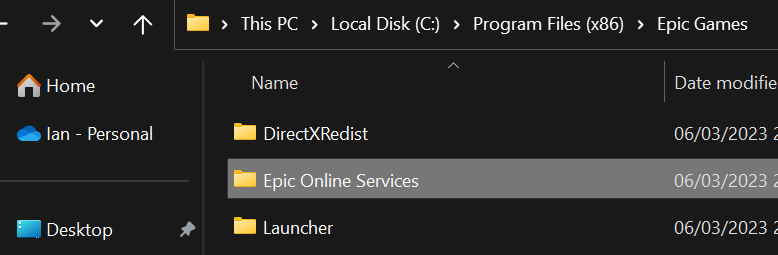
I then re-ran the installer as described in step 6 on the Epic page linked to above, which in my case is C:\Program Files (x86)\Epic Games\Launcher\Portal\Extras\EOS\EpicOnlineServices.msi and the installer ran successfully fixing the issue.
Hope this helps someone.
' cx='32' cy='32' r='32' /%3E%3Ctext x='50%25' y='55%25' dominant-baseline='middle' text-anchor='middle' fill='%23FFF' %3EA%3C/text%3E%3C/svg%3E)
