Check if the file is missing or corrupted. Navigate to the directory where the file is located (typically "C:\Windows\System32") and see if the file is present. If it is, try renaming the file to "OpenGL32.dll.bak" and then restart your computer. This will force Windows to recreate the file and may resolve the issue.
why cant i join roblox game in my roblox account
hi support system
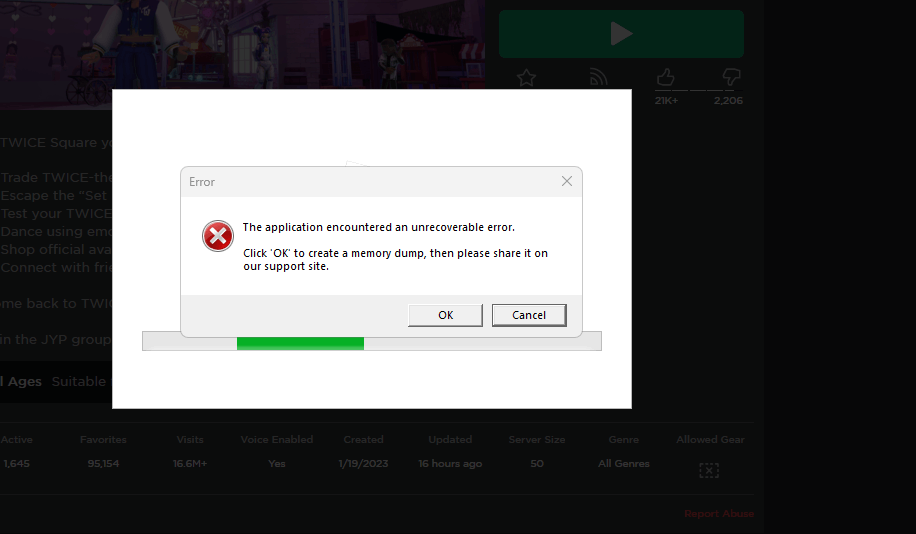
i keep getting the sensapi.dll error while im trying to join any roblox game in my roblox account.
i was trying so hard to find the cause of this problem and how to fix it. At first i thought the problem was my pc but then i tried playing on my sister's roblox account and she still can play.. so the thing is my roblox account cant join any games bcs of the sensapi.dll.
please help me fix this. im suffering right now. i need to play rob,ox in my account. i spent a lot in that account to buy robux.
As u can see in the picture ive given to you, i kept gettin g that when i click join in my roblox account.
It'll we so helpful if u try to figure it out what's the problem and help me to fix it asap cus im so desperate to play roblox in my account
Thank you.
Windows for home | Windows 11 | Performance and system failures
Locked Question. This question was migrated from the Microsoft Support Community. You can vote on whether it's helpful, but you can't add comments or replies or follow the question.
6 answers
Sort by: Most helpful
-
Anonymous
2023-04-26T11:02:06+00:00 -
Anonymous
2023-09-05T20:38:23+00:00 hello so ı am trying to do like trying fixing system 32 name,but ı cant how can ı fix it?
-
Anonymous
2023-04-25T14:12:44+00:00 To access the update and security settings
click on "Start" and select Setting
after that select "Windows Update security"
now you can check for updates
I hope this information helps. If you need further assistance, please don't hesitate to let me know.
-
Anonymous
2023-04-25T05:49:00+00:00 hi microsoft, its me again sarah
im having a real hard time to find the update and security, im now using window 11 and in the settings its only given Privacy and Security and Window Update,i dont know which one u want me to update
other than that, i alrdy restarted my pc but the error is still there. Am i destined to quit roblox by now?
or do i need to wait for a couple of months to play roblox again? 😭
im sorry for being inconvenience but its literally so hard for me to figure out the cause of this error and how to fix this
i hope the microsoft staff will be able to help me going thru this, thank you so much i really appreciate it.
have a nice day
-
Anonymous
2023-04-24T15:52:55+00:00 Hello sarah,
My name is Nada an independent advisor, and I'm here to help you.
I'm sorry that you are experiencing this issue, and I will try my best to assist you.
To resolve this issue,
Restart your computer and try again
Update your Windows operating system:. Go to your Settings, then select Update & Security
Reinstall Roblox: Uninstall the Roblox application from your computer and then download and reinstall it from the official Roblox website.
Run a virus Scan
I hope this helps! Let me know if you have any further questions or concerns.
